Have you seen those Awarapan 2 poster photos everywhere on Instagram and Facebook these days? A person standing in the middle of hundreds of red-robed monks, with the golden “AWARAPAN 2” title at the bottom this look is going super viral right now. And the best part is, you don’t need any movie shoot or expensive editor to get this photo. You just need the right Awarapan 2 Movie Poster Prompt and a simple AI tool.
At RonyTica, we keep bringing you the latest AI photo prompt trends before they even peak, and this one is no different. This Awarapan 2 AI photo editing prompt lets you turn any normal selfie into a full cinematic Bollywood poster, standing right in the center of a sea of monks in deep red robes, with your face 100% kept the same. No face swap, no weird AI changes just your real face, placed inside a movie poster scene.
In this article, RonyTica will show you which AI tool works best for this trend, how to use the Awarapan 2 movie poster prompt step by step, what settings give the best result, and the common mistakes people make while trying this. Whether you are a boy or a girl, this same prompt style works for both, and you will get a poster almost identical to the real Awarapan 2 movie poster released in cinemas on 14th August.
Which AI Tool Supports This Awarapan 2 AI Photo Prompt
For this Awarapan 2 movie poster prompt, ChatGPT gives the most accurate and reliable result. ChatGPT’s image feature is very good at reading detailed instructions, keeping your face identity locked, and following poster-style layouts with proper text placement. This is why creators across Instagram and YouTube are mostly using ChatGPT for this exact trend.
If you don’t have access to ChatGPT, you can also try Google Gemini as a backup option, since Gemini’s Nano Banana model is also known for good face-preserving edits. But for this particular Awarapan 2 poster prompt, ChatGPT is giving cleaner text rendering (the “AWARAPAN 2” title, the production credits) and better crowd detailing, so we recommend starting there.
At RonyTica, we always test prompts on multiple AI tools before recommending them, and this Awarapan 2 AI photo prompt performed the best on ChatGPT among everything we tried.
How To Use This Awarapan 2 Movie Poster Prompt
Here is the simple step-by-step process to create your own Awarapan 2 style AI photo :
- Open ChatGPT on your phone or laptop.
- Upload a clear photo of yourself as the identity reference.
- Copy the Awarapan 2 movie poster prompt given in the box below and paste it into the chat.
- Send the prompt and wait for ChatGPT to process the image.
- Once the poster is generated, check the face, the monk crowd background, and the gold “AWARAPAN 2” text carefully.
- If everything looks good, save the photo to your gallery. If something looks off, simply ask ChatGPT to regenerate.
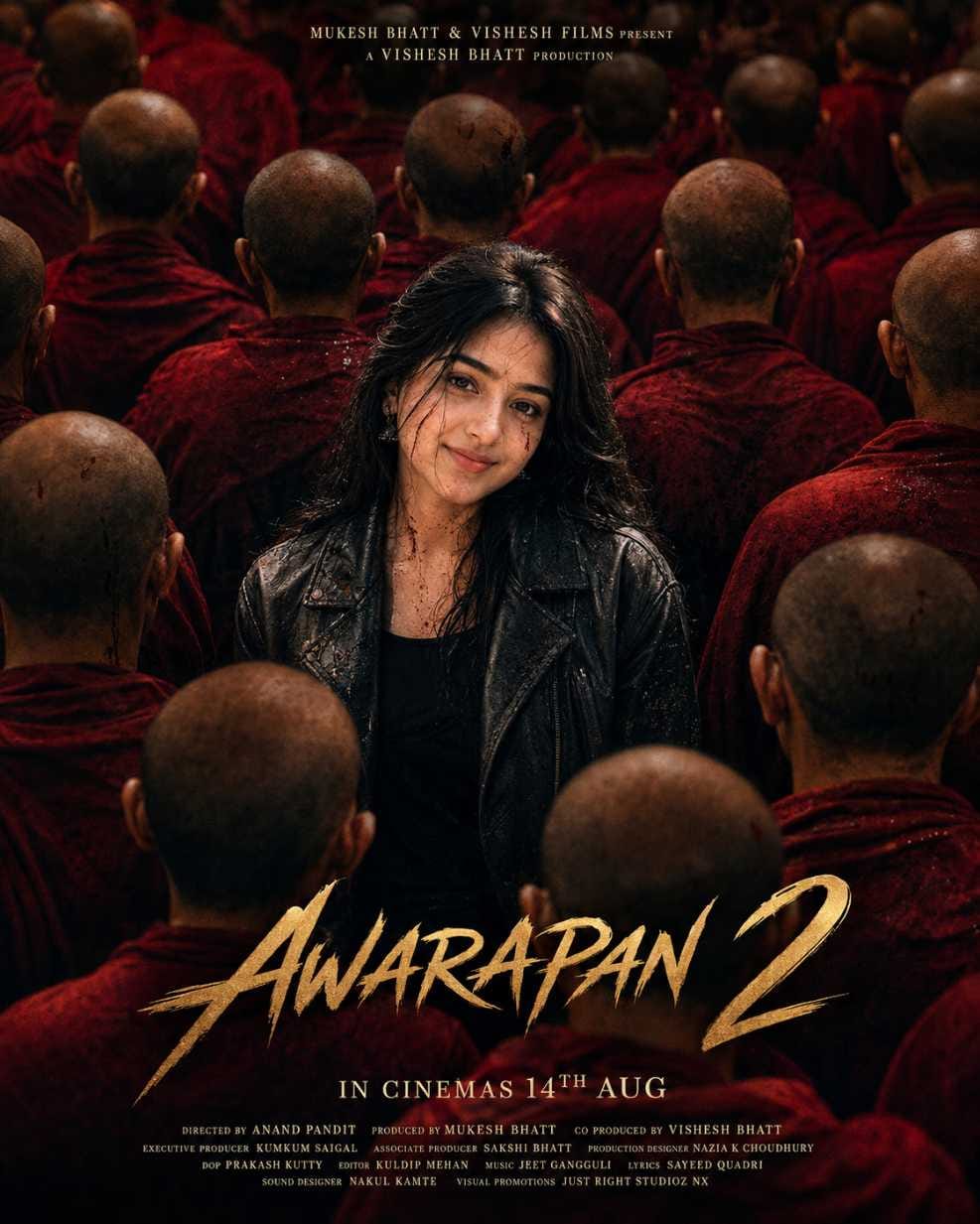
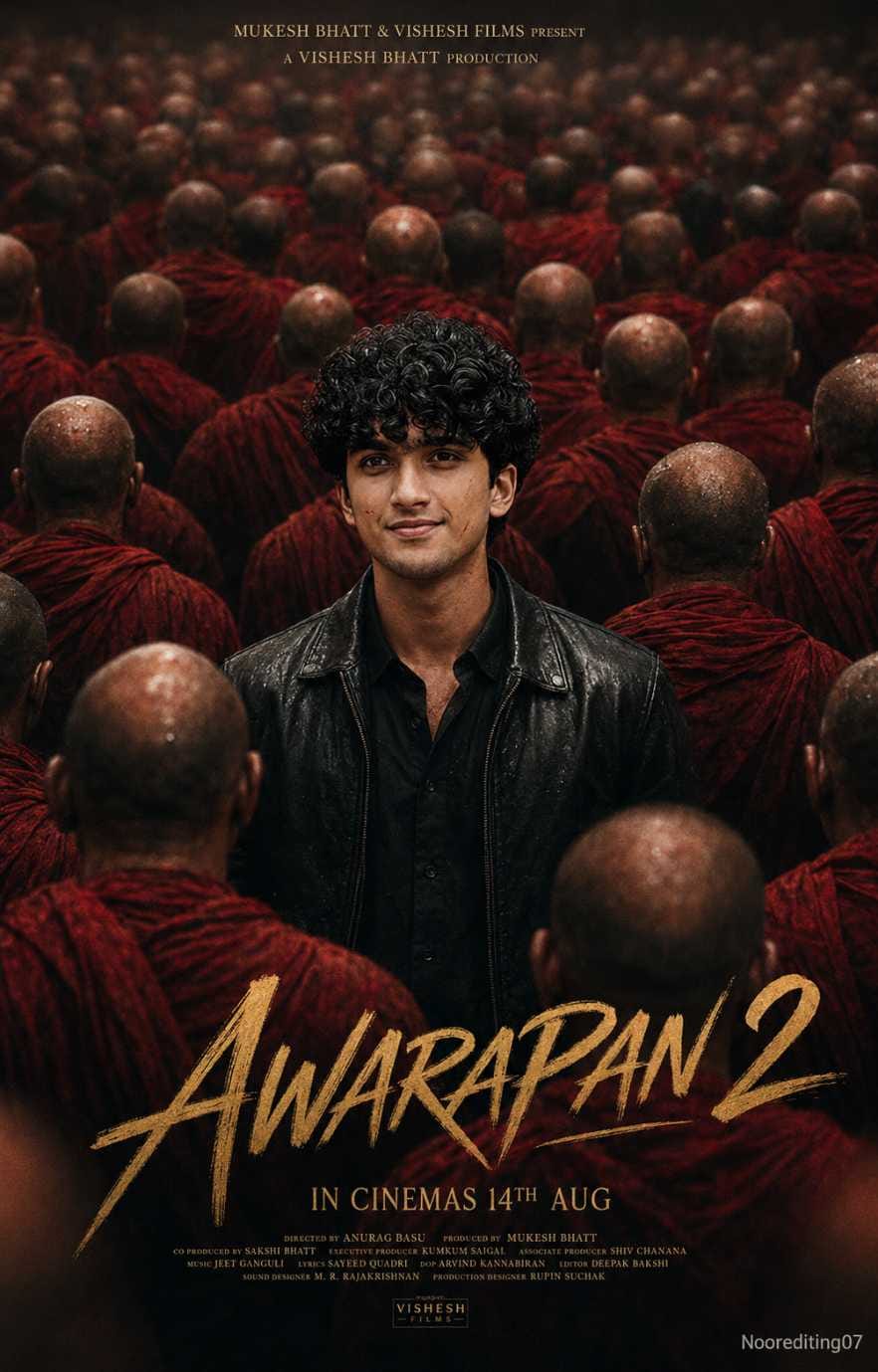
Both prompts are almost identical in structure, so whether you are a boy or a girl, you will get a poster in the exact same style as the original Awarapan 2 movie poster, just with your face as the lead.
What You Need Before Starting
Before you jump into this ChatGPT movie poster prompt, keep these things ready :
- A clear, well-lit photo of your face (front-facing works best)
- Access to ChatGPT (free or plus, both can work depending on availability)
- A stable internet connection, since image generation can take a little time
- Patience for one or two tries, since AI tools sometimes need a regenerate to nail the exact look
RonyTica always suggests using a recent photo where your face is not covered by sunglasses, caps, or heavy shadows, because that gives the AI a much cleaner reference to work with.
Tips Before Using This AI Photo Editing Prompt
To get the best result from this Awarapan 2 AI photo prompt, keep these tips in mind :
- Always use a sharp, front-facing photo blurry photos give blurry face results
- Avoid group photos, use a single-person image only
- Good natural lighting on your face gives the AI more detail to work with
- If your hair covers your face too much, try a photo where your face is fully visible
- Don’t rush the first result sometimes regenerating once or twice gives a much sharper poster
RonyTica always recommends testing your prompt with two or three different photos to see which one gives the most cinematic Awarapan 2 look.
Best Settings For This ChatGPT Photo Editing Prompt
| Setting | Recommended Value |
|---|---|
| Aspect Ratio | 4:5 Vertical (Poster Style) |
| Quality | 8K Ultra HD |
| Style | Cinematic Bollywood Poster |
| Color Grading | Rich Red and Gold Tone |
| Lighting | Dark, Dramatic, Volumetric |
| Face Editing | Strict Identity Lock (No Face Swap) |
Following these settings closely will help your Awarapan 2 poster photo look as close as possible to the real theatrical poster.
Common Mistakes To Avoid
Many people don’t get the perfect result on their first try because of these small mistakes :
- Using a low-quality or pixelated photo as reference
- Uploading a photo where the face angle is too tilted
- Forgetting to mention “keep face identical” while regenerating
- Not checking the final image properly before sharing it on social media
- Using a photo with heavy filters already applied, which confuses the AI
Avoid these mistakes and your Awarapan 2 movie poster prompt result will look far more professional and shareable.
Why You Will Love This Awarapan 2 AI Photo Prompt
This trend is not just another random AI photo idea it genuinely feels like you are the lead actor of a real Bollywood movie. The dramatic red monk crowd, the golden title typography, the “IN CINEMAS 14TH AUG” credit block, everything makes it feel like a real theatrical poster. It’s perfect for Instagram posts, WhatsApp DPs, and even for surprising your friends and family with your own “movie poster.”
RonyTica brings you this trend early so you can create your Awarapan 2 poster photo before everyone else on your friend list does, and enjoy the reactions when people ask, “Is this a real movie poster?”
FAQ
Q1. Which AI tool is best for the Awarapan 2 movie poster prompt?
ChatGPT gives the most accurate result for this trend because of its strong face-identity preservation and text rendering.
Q2. Can girls also use this Awarapan 2 AI photo prompt?
Yes, this prompt works equally well for both boys and girls. Just use the version matching your identity reference.
Q3. Will this Awarapan 2 AI photo prompt change my face?
No, the prompt is designed with strict identity lock, meaning your face, skin tone, and features stay the same. Only the background, outfit, and poster elements change.
Q4. Is this Awarapan 2 poster prompt free to use?
Yes, if you have access to ChatGPT’s free image generation, you can try this prompt without any extra cost.
Q5. Why does my result look different from the original poster?
This usually happens due to a low-quality reference photo. Try uploading a clearer, well-lit photo and regenerate the image.
Conclusion
The Awarapan 2 Movie Poster Prompt is one of the most exciting AI photo trends going viral right now, and with the simple ChatGPT steps shared above, you can easily create your own cinematic Bollywood poster in just a few minutes. Just remember to use a clear photo, follow the best settings, and avoid the common mistakes we mentioned.
Keep visiting RonyTica for more trending AI photo prompts, ChatGPT editing ideas, and viral video templates before they blow up on social media. If you enjoyed creating this Awarapan 2 AI photo, don’t forget to share your result and tag RonyTica.