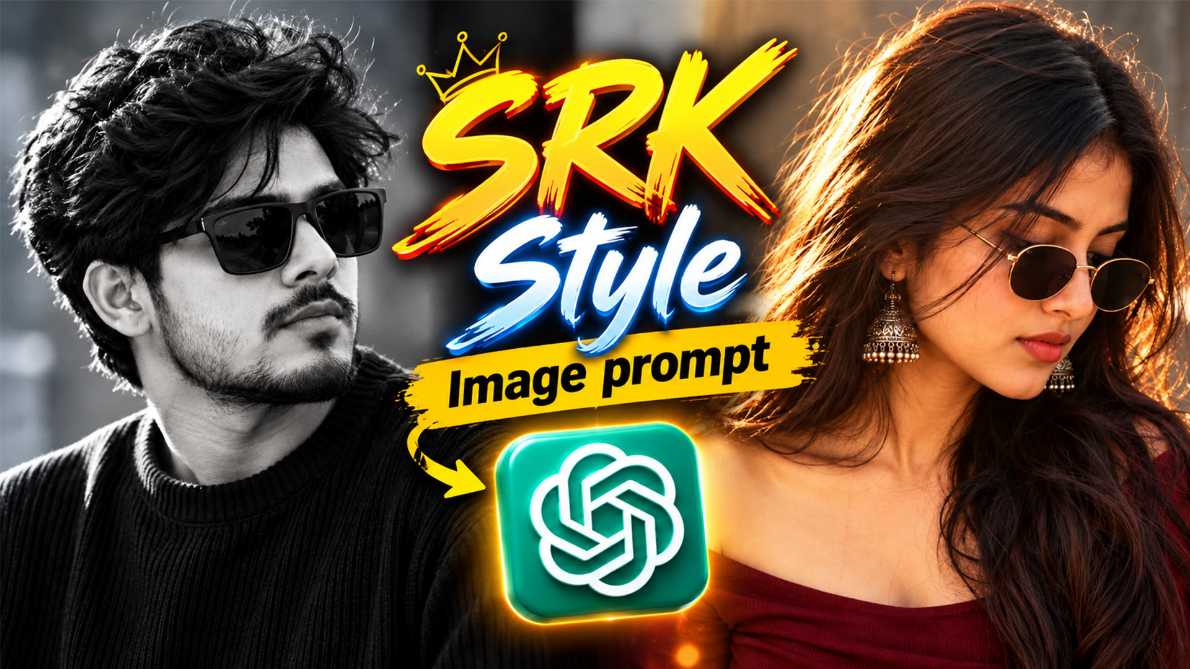
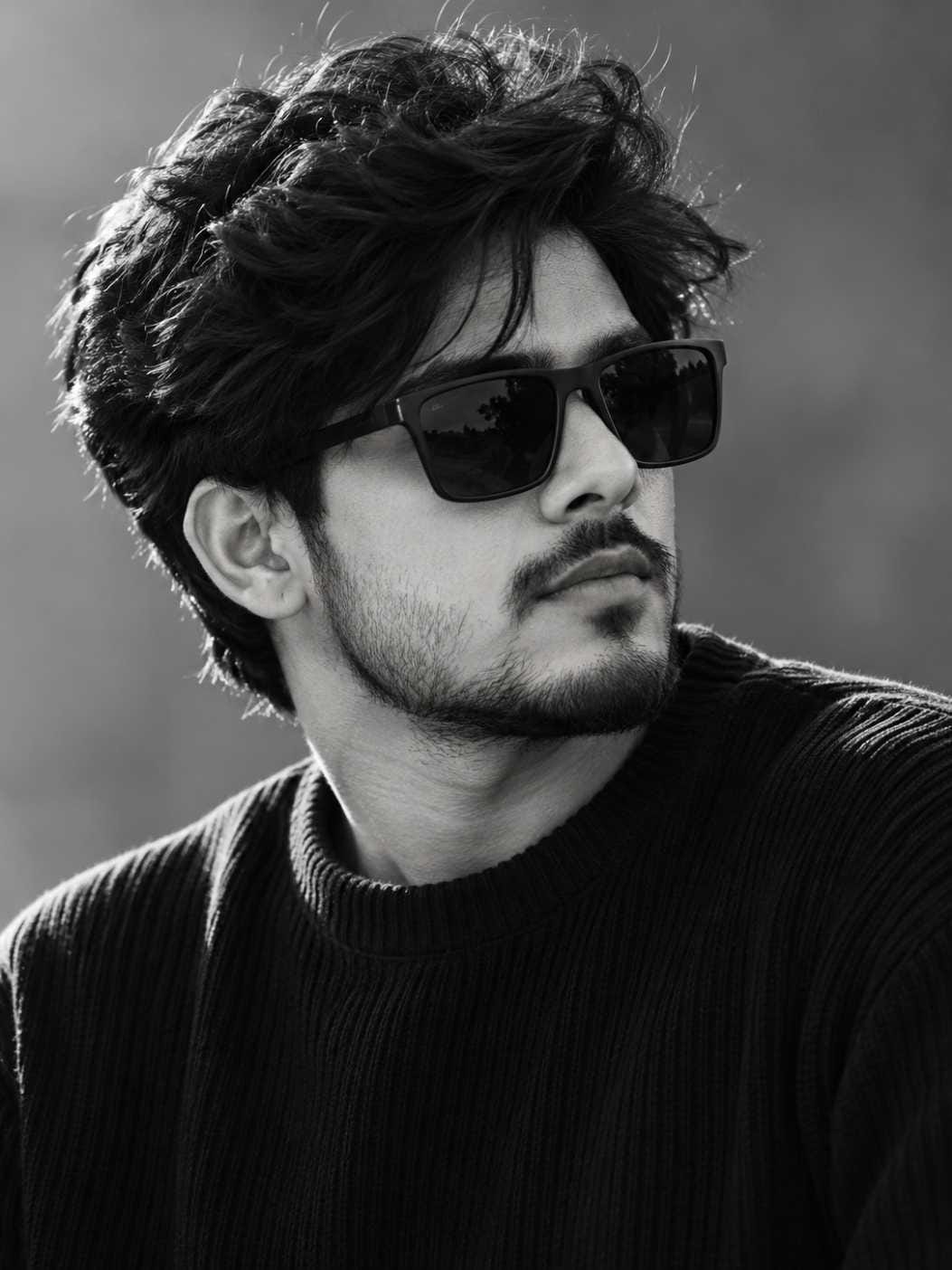
Right now, one photo style is going viral all over Instagram and WhatsApp status. People are turning their normal photos into moody, black and white portraits with sunglasses and cinematic lighting. This is the SRK style image prompt trend, and everyone wants to try it.
In this article, RonyTica will show you how to create this exact look using AI tools. You will get two versions of this SRK style image prompt one made for boys and one made for girls. Both give the same cinematic, editorial feel, just adjusted for each look.
If you love black and white AI photo prompts with a stylish, mysterious mood, this guide is for you. Keep reading to learn everything about this viral AI photo prompt trend.
Which AI Tool Works Best for This Prompt
For the SRK style image prompt, ChatGPT photo prompt generation gives the most realistic and detailed result. ChatGPT understands lighting, shadow, and skin texture very well, so your black and white portrait comes out looking like a real camera shot, not a cartoon or painting.
You can also try this prompt with Gemini photo prompt tools as a second option. Gemini can generate a similar cinematic look, though the fine hair texture and skin details may come out slightly softer than ChatGPT. If ChatGPT is not working for you, Gemini is a good backup choice. Both AI tools are free to use for basic photo generation, so you do not need any paid app to try this SRK style image prompt trend.
How to Use This Prompt (Step by Step)
Follow these simple steps to create your own SRK style image prompt photo :
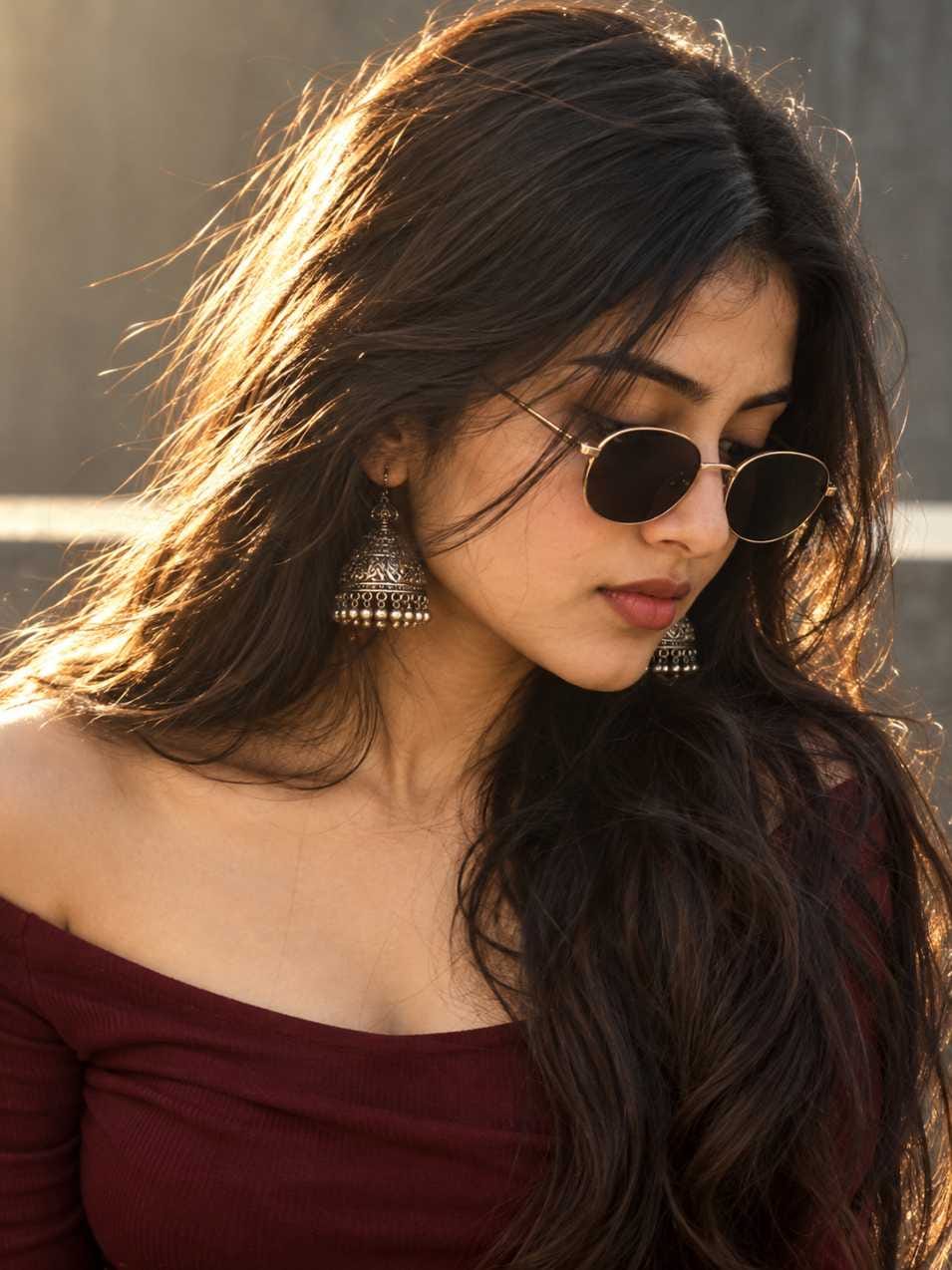
Create an ultra-realistic cinematic portrait photograph of a young adult woman, matching the reference image as closely as possible.
COMPOSITION:
Vertical portrait, 3:4 aspect ratio. Tight close-up / medium close-up framing from approximately the upper chest to the top of the head. The woman is positioned slightly toward the right side of the frame, with her head gently tilted downward and turned slightly toward the right. Her gaze is directed downward/off-camera. The composition feels intimate, elegant and editorial.
SUBJECT:
Young adult woman with delicate feminine facial features, fair-to-medium warm skin tone, naturally defined eyebrows, soft lips, subtle nose structure and realistic natural skin texture. Calm, composed and slightly mysterious expression. No smile.
HAIR:
Long, thick, naturally wavy dark brown-to-black hair, parted near the center. Hair falls freely over both shoulders and extends down the frame. Individual hair strands are highly detailed and visible. Slight natural wind movement creates loose strands around the face. Strong warm sunlight creates beautiful rim lighting and subtle golden highlights along the outer edges of the hair.
EYEWEAR:
Small vintage-inspired oval sunglasses with thin metallic gold/brass frames and very dark almost-black lenses. Sunglasses sit naturally on the bridge of the nose and partially obscure the eyes. Realistic reflections and subtle metallic highlights on the frame.
JEWELRY:
Traditional-looking ornate silver oxidized jhumka earrings, highly detailed with multiple tiny hanging beads. Earrings should appear naturally positioned beside the hair and catch subtle highlights.
CLOTHING:
Dark burgundy / deep wine-red off-shoulder or wide-neck fitted top. The neckline exposes the shoulders and upper chest area naturally. Minimal styling, elegant and sophisticated.
POSE:
Head slightly lowered and turned toward the right. Face shown in three-quarter profile. Shoulders relaxed. Natural posture. Expression calm, confident, sophisticated and slightly mysterious.
LIGHTING:
Soft warm late-afternoon sunlight coming strongly from the upper-left/back-left side of the subject. Beautiful golden rim light around the hair and face. Soft diffused frontal fill light. Natural cinematic contrast with gentle shadows across the face. Avoid harsh artificial studio lighting.
BACKGROUND:
Minimal neutral gray concrete/textured wall in soft focus. Background should be clean, muted and slightly blurred. A bright horizontal out-of-focus area appears behind the subject around shoulder level, creating subtle depth and separation. No distracting objects.
PHOTOGRAPHY STYLE:
Ultra-realistic high-end fashion editorial photography, cinematic lifestyle portrait, natural skin texture, realistic pores, individual hair strands, physically accurate lighting, subtle film grain, soft highlight roll-off, muted warm color grading, sophisticated analog-film aesthetic.
CAMERA:
Full-frame professional camera, 85mm portrait lens, approximately f/1.8 aperture, shallow depth of field, natural perspective, sharp focus on the woman’s face and sunglasses, creamy background bokeh.
COLOR GRADING:
Warm muted cinematic tones, slightly desaturated colors, deep burgundy clothing, dark brown-black hair, soft gray background, subtle golden highlights from sunlight, natural skin tones. Elegant moody editorial color grade.
DETAILS:
Photorealistic, extremely detailed skin, realistic hair texture, realistic sunglasses reflections, detailed metallic earrings, natural facial proportions, realistic shadows, subtle imperfections, authentic photographic depth of field.
NEGATIVE PROMPT:
cartoon, anime, illustration, CGI, 3D render, plastic skin, overly smooth skin, beauty filter, excessive makeup, exaggerated facial features, distorted face, asymmetrical eyes, deformed hands, extra fingers, artificial hair, oversaturated colors, excessive HDR, harsh sharpening, unrealistic sunglasses, futuristic clothing, busy background, text, logo, watermark.
OUTPUT:
3:4 vertical portrait, high resolution, premium cinematic photography, photorealistic, natural and sophisticated.
Open ChatGPT (or Gemini as a backup option) on your phone or laptop.
Upload a clear photo of your face. Make sure your face is visible and not covered by shadows.
Copy the full prompt from the box given below in this article. RonyTica has written two versions pick the one that matches you.
Paste the copied prompt into the chat along with your uploaded photo.
Send the message and wait a few seconds while the AI creates your image.
Once the photo is generated, check the face closely. If your face does not look natural, ask the AI to regenerate the image.
Download the final photo and save it to your gallery.
Post your new SRK style image prompt photo on Instagram or WhatsApp status and watch the likes come in.
This whole process takes less than five minutes, and you do not need any editing skill.
Tips Before Using This Prompt
Before you start, keep a few simple things in mind so your SRK style image prompt photo looks its best. Always use a photo where your face is clear, front facing, and well lit. A blurry or dark selfie will confuse the AI, and your final result may look strange. It also helps to use a recent photo, since the AI keeps your real face shape, skin tone, and features from the uploaded picture. Do not upload group photos. The AI works best with a single person in the frame. If more than one face is visible, the result can come out wrong or mixed up. Lastly, try to use a photo with normal, calm expression. Since this SRK style image prompt trend has a serious, cinematic mood, a soft or relaxed face works better than a big smile.
Best Settings for This Prompt
Setting
Recommended Choice
AI Tool
ChatGPT (primary), Gemini (backup)
Photo Type
Close-up face and shoulder photo
Lighting in Source Photo
Bright, natural light, no heavy shadow
Background of Source Photo
Simple, not too crowded
Output Style
Black and white, cinematic portrait
Aspect Ratio
Vertical, 3:4
Expression
Calm, natural, not overly smiling
Using these settings will help you get a clean, realistic SRK style image prompt result on your very first try.
Common Mistakes to Avoid
Many users make small mistakes that spoil their SRK style image prompt result. Here are the most common ones to avoid. The biggest mistake is uploading a low quality or pixelated photo. AI tools need a clear image to keep your face looking natural, so always pick your best quality picture. Another mistake is changing too many details in the prompt at once. If you are new to this, use the prompt as it is given, without adding extra instructions, so the AI does not get confused.
Some users also skip checking the final image properly. Always zoom in and look at the eyes, nose, and jaw area before posting, since small AI errors are easier to notice in these spots. Finally, avoid using very old or heavily filtered photos as your source image. The AI works best with a natural, unedited picture.
Why You Will Love This Prompt
This SRK style image prompt gives you a premium, editorial photo look without hiring a photographer or buying expensive camera gear. The final black and white portrait feels bold, stylish, and screen ready for any social media profile.
Both the boy version and girl version keep your real identity and face shape, so the photo still looks like you, just captured in a more cinematic and dramatic style. This makes it perfect for profile pictures, Instagram posts, or even print if you want a classy portrait. Since this trend is currently viral, using this AI photo prompt now means your photo will feel fresh and current, matching what is trending across social media today.
Conclusion
The SRK style image prompt is one of the most loved black and white AI photo trends right now, and it is very easy to try. Just follow the steps shared in this RonyTica guide, use the correct prompt for your look, and you will have a stylish, cinematic portrait ready in minutes. Keep visiting RonyTica for more viral AI photo prompts, ChatGPT prompt ideas, and trending template guides updated regularly.
Frequently Asked Questions
Q.1)Is the SRK style image prompt free to use?
Yes, you can create this photo for free using ChatGPT or Gemini, as long as you have a free account on these AI tools.
Q.2)Which AI tool gives the best result for this prompt?
ChatGPT photo prompt generation gives the sharpest and most realistic result. Gemini photo prompt can also be used if ChatGPT is not available for you.
Q.3)Can girls and boys use the same prompt?
RonyTica has shared two separate prompt versions in this article one made for boys and one made for girls so both get a result that matches their look naturally.
Q.4)Will the AI photo actually look like me?
Yes, if you follow the tips shared above and upload a clear, well lit photo, the AI keeps your real face shape and features while adding the cinematic black and white style.
Q.5)Do I need any editing app after generating the photo?
No extra editing app is needed. The AI tool itself gives you a ready to post black and white portrait.


❤️🩹