


Why Everyone Is Talking About This Chair Portrait Trend
Have you seen those cinematic photos where a person sits on a chair and looks straight into the camera? The photo looks like it was shot in a big film studio, with soft smoke, bold colours and very sharp light. Right now, this sitting on chair AI photo prompt is one of the most trending looks on Instagram, Reels and YouTube Shorts.
The best part is that you do not need a camera, a studio or a photographer to get this look. At RonyTica, we have made this page for everyone who wants to try the viral reverse chair AI photo prompt. The trend works for both boys and girls. You only need one clear photo of yourself and a ChatGPT photo prompt.
The AI creates a fresh studio portrait of you, and the face stays the same as your real face. In this article, we will explain how the trend works, which AI tools you can use, the best settings, and the mistakes you should avoid.
Which AI Tools Work Best for This Photo Style
The good news is that you can use more than one tool for this trend. ChatGPT is our top choice. Its image generation understands long and detailed instructions very well, and it does a good job of keeping your face close to the original photo. If you want to know how to make an AI photo with ChatGPT, this is one of the easiest styles to start with. Gemini is also a good option.
A Gemini photo prompt works well when you upload a reference photo along with the text. Some people find that Gemini gives slightly different colours and skin tones, so it is fun to try both. Many creators run the same copy paste AI photo prompt on ChatGPT and Gemini and then pick the better result. If you are choosing between the two, here is a simple thought. Use ChatGPT when you want the closest face match and a very clean cinematic look. Use Gemini when you want to test a second style or when ChatGPT is showing a usage limit. Both tools can create a great cinematic AI portrait when the prompt is used properly.
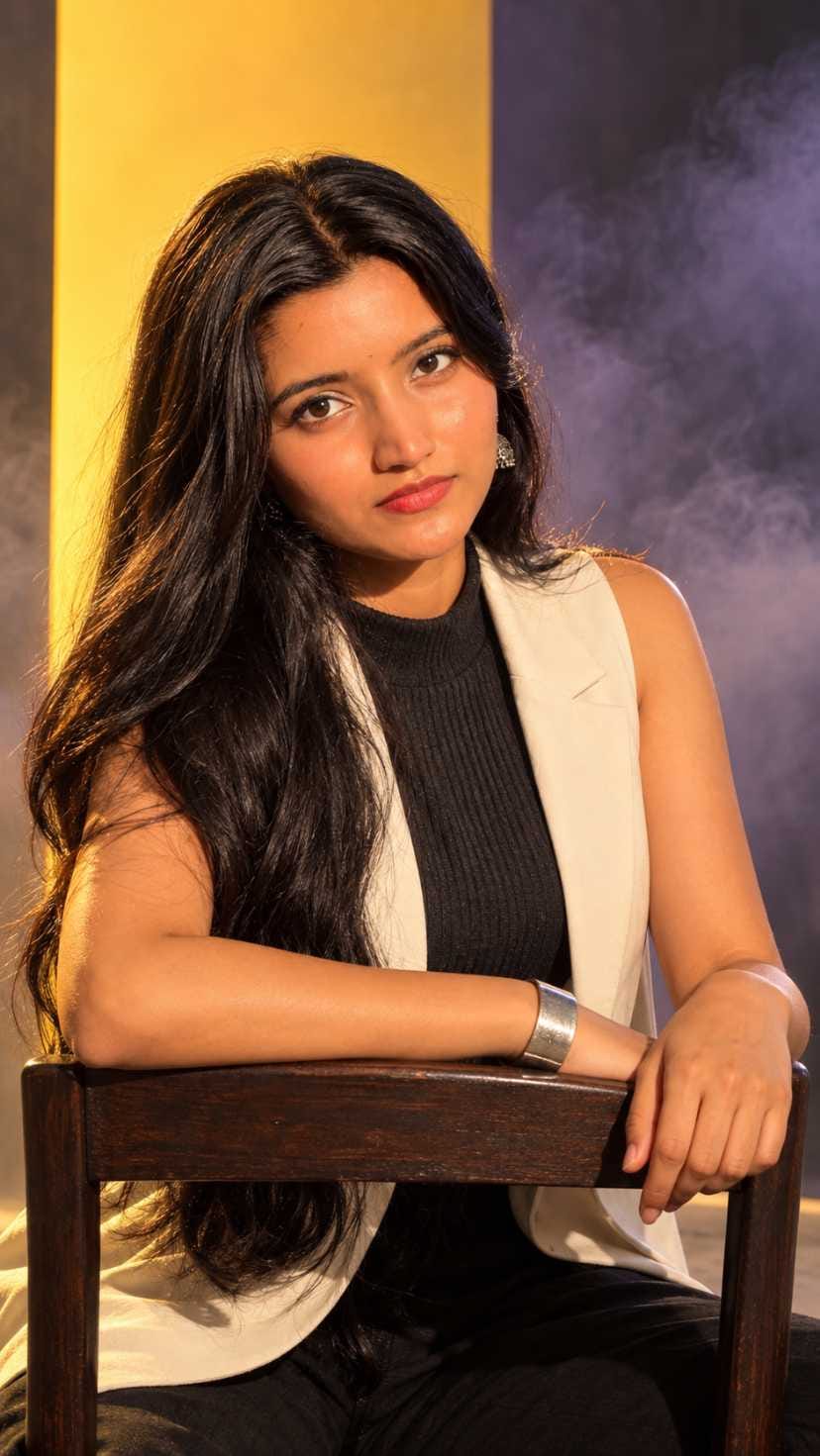
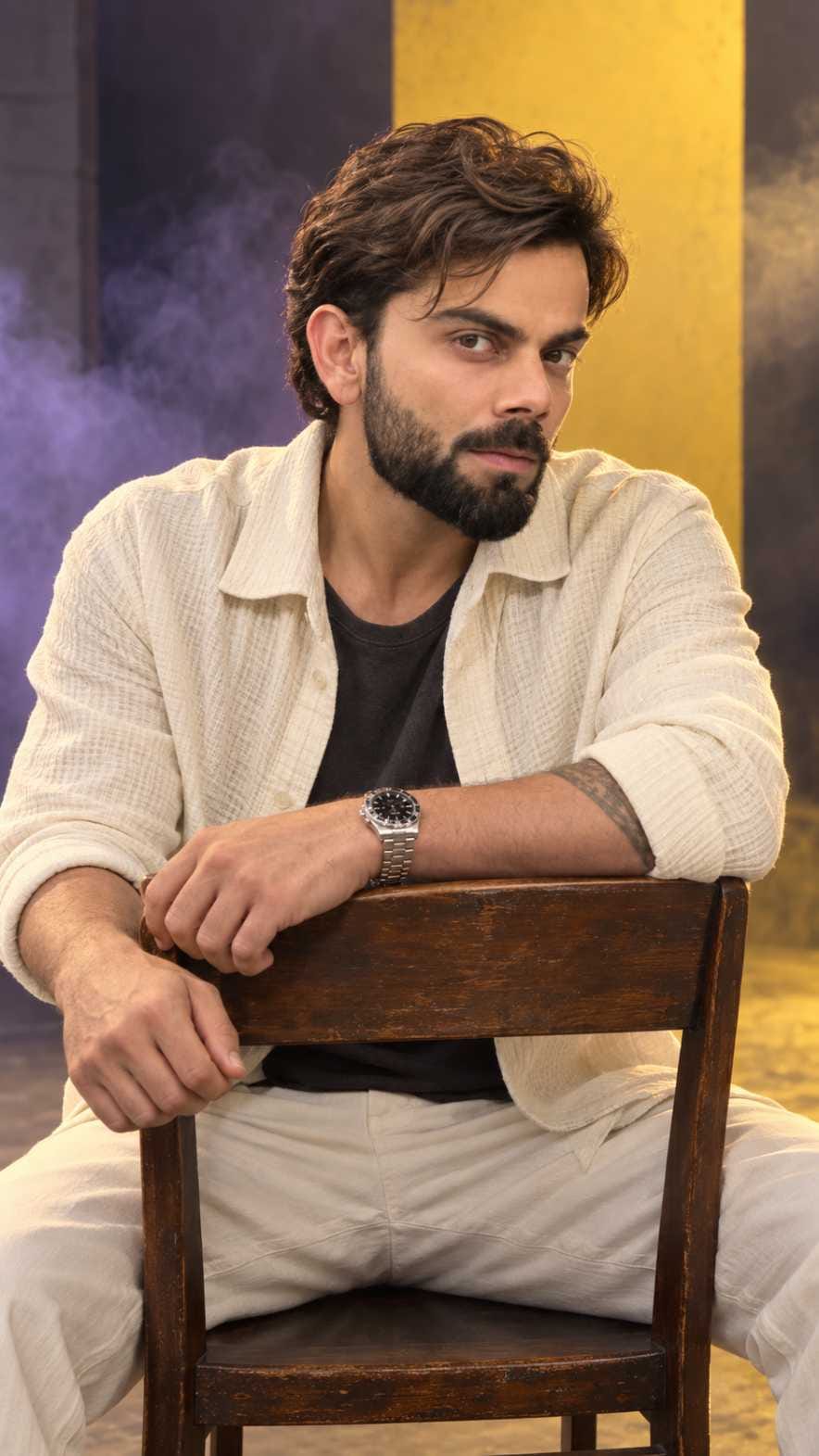
Easy Steps to Create Your Chair Portrait
The process is simple, and it takes only a few minutes. Follow these steps one by one.
- Open ChatGPT or Gemini on your phone or computer. Make sure you are using the version that supports image generation.
- Choose a clear, front-facing photo of yourself. Good light and no heavy filters will give you the best result.
- Upload that photo in the chat box first, before you paste anything else.
- Come back to RonyTica and copy the prompt from the prompt box given below in this article. Pick the boys version or the girls version.
- Paste the full prompt in the same chat, right after your uploaded photo. Do not change or cut any line of the prompt.
- Press send and wait for the image to generate.
- Check the result. If the face looks a little different, ask the AI in the same chat to keep the face exactly like the uploaded photo, then generate again.
- Download your favourite image and share it on Instagram or WhatsApp.
Small Tips to Try Before You Generate
A few small things can make a big difference to your final image. First, always use a sharp photo. If your uploaded picture is blurry or dark, the AI will not understand your face properly, and the result will look weak. Second, choose a photo where your face is not covered by sunglasses, a mask or thick hair.
Third, do not rush. Many people generate once and leave. It is better to generate two or three times and then choose the best one. Each time, the AI gives a slightly different pose, light and expression. Fourth, if you want the photo for Instagram, this AI photo prompt for Instagram works best in a tall, vertical shape, so keep that in mind before you post. Last, do not add too many extra lines of your own. The prompt is already balanced, and too many new ideas can confuse the AI.
Best Settings for a Studio Portrait AI Prompt
These settings help you get a clean and professional result every time. You can use the same table for both ChatGPT and Gemini.
| Setting | Best Choice | Why It Helps |
|---|---|---|
| AI Tool | ChatGPT (first choice), Gemini (second choice) | ChatGPT gives a closer face match and cleaner details |
| Image Shape | Vertical, 9:16 | Fits Instagram Reels, Stories and phone screens perfectly |
| Image Quality | Highest quality available | Gives sharp skin, hair and cloth texture |
| Reference Photo | Clear, front-facing, good light | Helps the AI keep your face the same |
| Face Instruction | Keep the same face as the uploaded photo | Stops the AI from changing your looks |
| Camera Feel | Portrait lens look, seated eye level | Creates a natural close-up with soft depth |
| Lighting | One strong main light with soft fill | Gives the cinematic mood and clean shadows |
| Background | Simple studio with smoke and bold colours | Keeps the focus on your face |
| Expression | Calm, confident, direct look at camera | Matches the serious cinematic style |
| Number of Tries | Two to three generations | Helps you pick the best result |
Common Mistakes That Spoil the Result
The most common mistake is uploading a low quality photo. When the AI cannot see your face properly, it guesses, and the face changes. Another big mistake is changing the prompt too much. Some people remove lines they think are not needed, and then the light, pose or background goes wrong. Some users also forget to upload the photo before pasting the prompt. In that case, ChatGPT may create a random person instead of you. Always upload first, then paste. Another mistake is asking for many changes at once, like a new outfit, new hair, new colour and new place in one go. Make one small change at a time so the AI can follow you. Also, do not use a photo where you are looking far away from the camera or tilting your head too much. The AI works best when it can clearly see your eyes, nose and jaw. Finally, remember that AI is not perfect. If hands or fingers look strange in the first result, just generate again.
Why You Will Love This Viral AI Photo Prompt
First of all, it is fast. You get a studio style portrait in less than a minute. Second, it is free or very low cost, because you do not need to book a photographer or rent a studio. Third, it works for everyone, boys and girls, and it can be used with many different looks and moods. This trending AI photo prompt also gives you photos that look real and cinematic, not fake or cartoon like. The light, the smoke and the strong colours in the background make your face stand out. It is perfect for your profile picture, Instagram post, Reels cover or WhatsApp DP. Many people also use a boys AI photo prompt or a girls AI photo prompt like this to make a small photo series for their page. Best of all, it is very fun. You can try it with your friends and compare whose result looks better. Once you learn one prompt, you can try many other styles on RonyTica in the same way.
Final Words on This Chair Portrait Trend
The sitting on chair AI photo prompt is easy, fun and looks amazing when done right. Use a clear photo, paste the prompt properly, keep the settings simple, and try more than once. That is all you need for a viral cinematic portrait that looks like it came from a real studio.
We hope this guide from RonyTica helped you understand the trend. Copy the prompt from the box above, try it on ChatGPT or Gemini, and share your result with friends. Keep visiting RonyTica for more trending AI photo prompts, ChatGPT photo prompts and easy AI tutorials.
Frequently Asked Questions
It is a ready-made text instruction that you paste into an AI tool along with your photo. The AI then creates a cinematic studio portrait of you sitting on a chair, usually in a reverse chair pose, with a stylish background.
Both can work well. ChatGPT is usually better at keeping the same face and following long prompts. Gemini is a good second option when you want to compare styles. You can try the same prompt on both and choose the one you like.
Yes. This trend works for boys and girls. Just use the prompt box that matches you, and upload your own clear photo.
Upload a sharp, front-facing photo and do not cut any line from the prompt. If the face still changes, write one more message in the same chat asking the AI to keep the face exactly the same as your uploaded photo, and generate again.
Yes. The tall vertical shape is perfect for Instagram Reels, Stories and profile posts. Many creators use this cinematic portrait prompt with a smoke background to get more views and saves.
Many people can try it on the free plan, but there may be daily limits. If you see a limit, you can wait, or you can try the same prompt on the other tool.
You can, but change only one small thing at a time. If you change too much, the AI may lose the original look of the trend.



Deepu sahani