


Krishna VN video editing is the new trend everyone is talking about on Instagram these days. In this Krishna reels editing trend, your own simple video slowly changes into Lord Krishna’s divine look, and after a few seconds, it comes back to your normal self again. This trending Krishna VN code is getting lakhs of views, and many people are searching how this Radha Krishna AI video editing style is made.
Good news is, you don’t need any editing skill for this Krishna video editing trend. Just your phone, the VN app, and our ready VN code is enough to make this viral Krishna reel.
What This Krishna VN Video Editing Trend Looks Like
This Krishna VN video editing is a special morph video where your normal video changes into a Shri Krishna avatar look – blue skin colour, peacock feather crown, golden dhoti, and a flute in hand. Then slowly the video turns back into your own normal look. This happens again and again in a smooth loop, with soft devotional music and peacock, flower stickers on top. This kind of Krishna transition video editing is loved so much because it looks divine, unique, and full of aesthetic feel, all in one small reel.
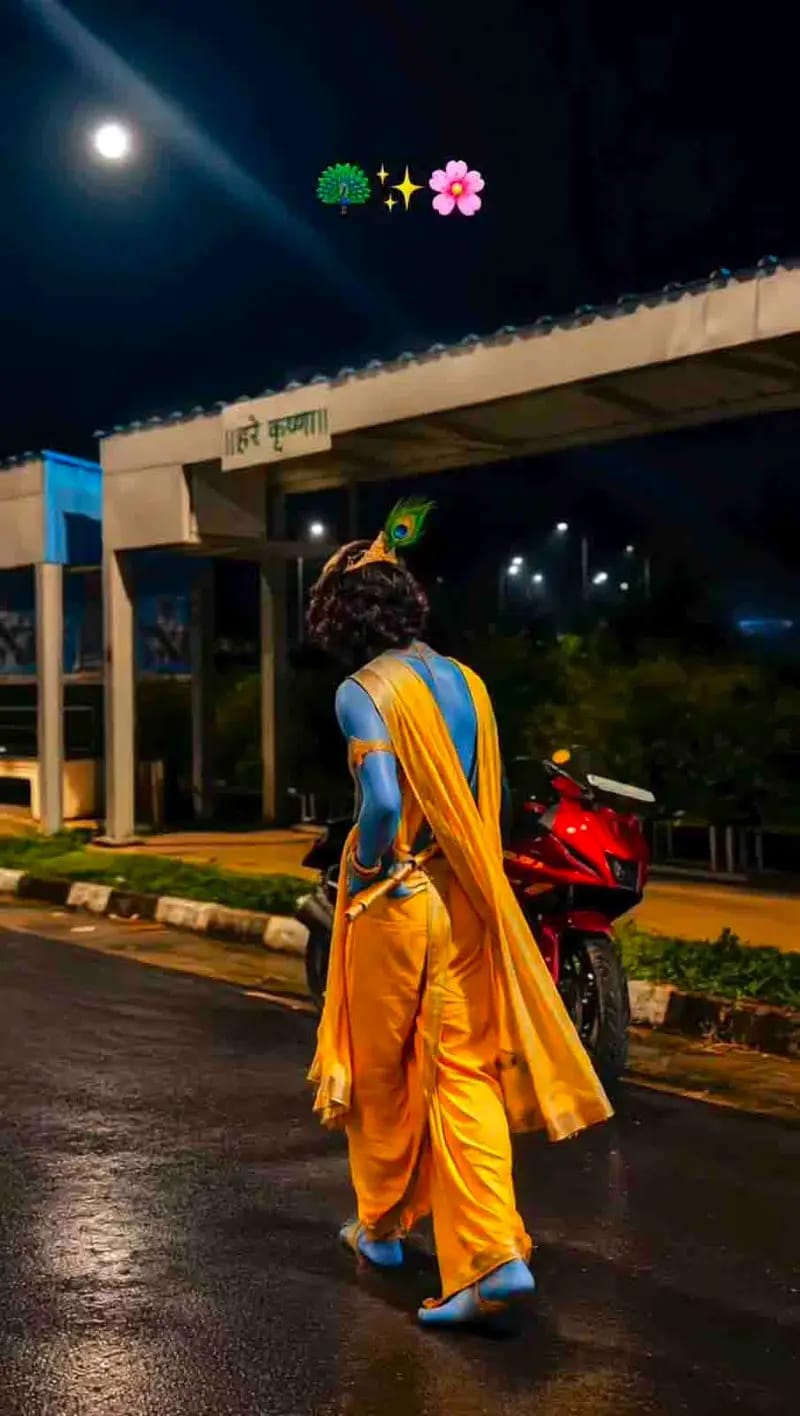
Things You Need Before Making This Krishna Video
- VN Video Editor app (free on Play Store and App Store)
- One simple video of yourself, best shot at night time or in good outdoor light
- Just 2-3 minutes of free time, nothing more
Easy Steps to Use This Trending Krishna VN Code
- Open Play Store or App Store on your phone and download the VN Video Editor app, if you don’t have it already.
- Come to our website and find the Krishna VN Code given below in this Krishna reels editing article.
- Open VN app, tap the scan option next to the plus (+) sign, and scan our Krishna VN code.
- As soon as you scan, VN app will open a ready timeline for this Krishna video editing trend, with the avatar effect, music, and transition already set.
- Now just add your own normal video clip in the given box.
- That’s it. Your video will start normal, change into Krishna’s divine look, and come back to your own look again, exactly like the trending video.
- Tap Export and save your Krishna VN video. Now you can post it on Instagram Reels, Facebook, or WhatsApp Status.
Krishna VN Code (Scan This in VN App)

Why This Krishna Reels Editing Trend Is So Big Right Now
Krishna Janmashtami 2026 is coming on 4th September, so Krishna Janmashtami video editing and devotional reels are trending everywhere on Instagram and Facebook. This Krishna avatar video editing gives your reel a holy, festival look without using any big software or paid AI tool. You just scan our Krishna VN code in VN app, and most of the work is already done for you. Many creators are also using this Krishna Janmashtami reels editing 2026 style for temple visit videos, festival posts, or just to share a devotional video editing VN code with their followers.
Best Camera and Video Settings for This VN Template
| Setting | What to Use |
|---|---|
| Video Shape | Portrait (9:16) |
| Best Time to Shoot | Night time, near street lights |
| Background | Open road, park, or bus stop type area |
| Video Quality | 1080p or higher |
| Save Format | MP4 |
Small Tips For a Better Krishna VN Video
- Walk slowly or turn a little while shooting your normal video clip. This makes the Krishna morph video editing transition look more smooth and real.
- Night time shots with lights around match closely with the viral Krishna reels editing videos everyone is making right now.
- Keep your background clean and simple, so the Krishna avatar look stands out nicely in the video.
- Use soft devotional or lo-fi music for best result. Don’t worry, this Krishna VN code already has matching music added inside.
Who Should Try This Krishna VN Template
This trending Krishna VN video editing template is perfect for :
- Krishna Janmashtami 2026 reels and posts
- Daily devotional video editing creators
- Temple visit or festival day videos
- Anyone who wants a unique, divine looking video without knowing any editing
Final Words
This Krishna VN video editing code is one of the easiest ways to make a beautiful, devotional reel this Janmashtami season. Just scan the Krishna VN code, add your own video, and let VN app do all the hard work. No editing knowledge needed, no big software needed. Try this trending Krishna reels editing template today and see the magic in your own video. And don’t forget to check RonyTica again soon for more such trending and viral templates like this one.

Welcome to Gboard clipboard, any text that you copy will be saved here.Tap on a clip to paste it in the text box.Use the edit icon to pin, add or delete clips.Touch and hold a clip to pin it. Unpinned clips will be deleted after 1 hour.
Welcome to Gboard clipboard, any text that you copy will be saved here.Touch and hold a clip to pin it. Unpinned clips will be deleted after 1 hour.Use the edit icon to pin, add or delete clips.Touch and hold a clip to pin it. Unpinned clips will be deleted after 1 hour.
Use the edit icon to pin, add or delete clips.Use the edit icon to pin, add or delete clips.
Anil Kumar
Rrrrrrrrrrrrr
Tgujyy
Thu