If your Instagram feed is full of soft, glowing, magical looking phone wallpapers these days, you are not alone. The dreamy wallpaper images prompt trend is everywhere right now, and everyone wants to know how these pictures are made. The good news is, you don’t need a professional photographer or fancy camera for this. You just need the right AI photo prompt and a tool like ChatGPT.
In this RonyTica guide, we are sharing two of the most loved dreamy wallpaper styles going viral on Instagram and YouTube Shorts. The first one gives you a moody, flash-style disposable camera look with a bouquet of flowers. The second one turns your own photo into a realistic iPhone lock screen wallpaper, complete with time, date, and signal bar. Both are simple ChatGPT photo prompts, and both look incredibly real once generated.
Whether you are new to AI photo prompts or you have already tried a few Gemini photo prompt styles before, this dreamy wallpaper images prompt guide will help you create something truly aesthetic. Let’s get started, RonyTica style, step by step.
Which AI Tool Works Best For This Dreamy Wallpaper Prompt
For this dreamy wallpaper images prompt trend, ChatGPT (using its image generation feature) gives the most realistic and natural looking output. It keeps skin texture, lighting, and facial details looking real instead of plastic or cartoonish, which is exactly what this aesthetic wallpaper prompt style needs.
You can also try this AI wallpaper prompt on Gemini, but ChatGPT currently gives better results for face matching and lock screen text placement. So if you are looking for the best AI prompt for aesthetic wallpaper, ChatGPT should be your first choice.
How To Use This AI Wallpaper Prompt
We have two separate prompts here. Both prompt boxes are given below in this article, so you just need to copy them and paste into ChatGPT.
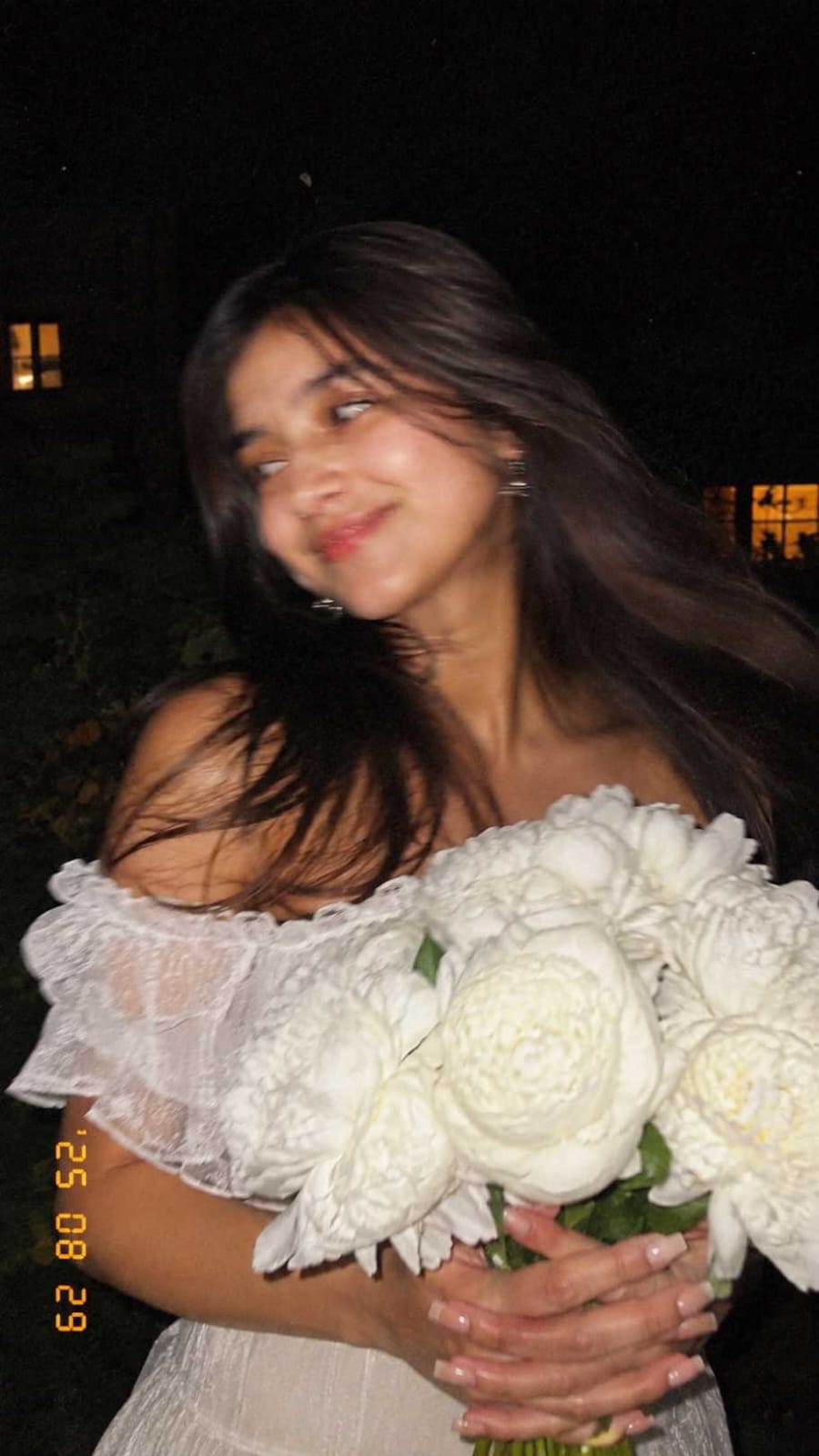
Style 1: Flash Bouquet Dreamy Photo
- Open ChatGPT and start a new chat with image generation enabled.
- Copy the Style 1 prompt from the prompt box on this page.
- Paste the prompt into ChatGPT and hit send.
- ChatGPT will generate a dreamy, flash-style photo with a soft blurred look, just like a disposable camera shot at night.
- If the face or hair does not look right, simply ask ChatGPT to regenerate the image.
Style 2: iPhone Lock Screen Wallpaper Photo
- Open ChatGPT and upload a clear, well-lit selfie or portrait photo of yourself.
- Copy the Style 2 prompt from the prompt box given in this article.
- Paste the prompt after uploading your photo, then send it.
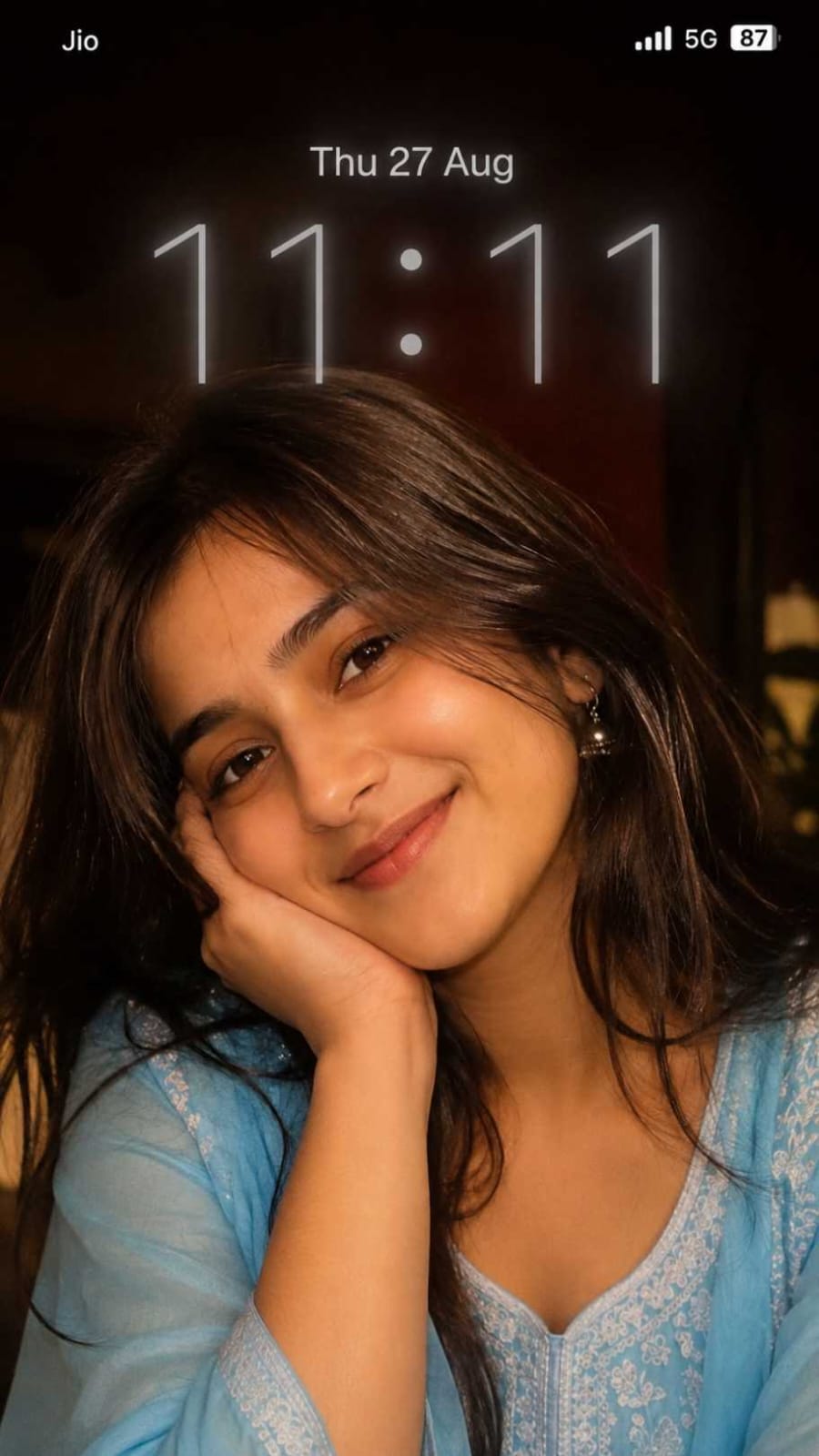
- ChatGPT will turn your photo into a realistic iPhone lock screen wallpaper, with date, time, and signal icons added on top.
- Check the face closely. If your face changes too much, regenerate with a clearer reference photo.
This is one of the easiest ways to get a viral lock screen wallpaper prompt result without any editing app.
Tips Before Using This Dreamy Wallpaper Prompt
For Style 1 (Flash Bouquet Look)
- Ask ChatGPT for a vertical 9:16 image, since this style is made for phone wallpapers, not desktop.
- If you want a different flower or dress color, just add that detail before sending the prompt.
- Generate the image two or three times, because slight motion blur effects can look different every time.
For Style 2 (iPhone Lock Screen Look)
- Always upload a bright, front facing photo. Blurry or dark selfies give weak face matching.
- Do not upload group photos. This AI photo editing prompt works best with a single clear face.
- If the lock screen time or date looks wrong, just ask ChatGPT to fix only the text part, keep the rest same.
Best Settings For This AI Wallpaper Prompt
Style 1 Settings
| Setting | Recommended Value |
|---|---|
| Aspect Ratio | 9:16 (vertical) |
| Style | Flash photography, film grain |
| Background | Dark, night setting |
| Best For | Instagram story, WhatsApp status |
Style 2 Settings
| Setting | Recommended Value |
|---|---|
| Aspect Ratio | 9:16 (vertical) |
| Style | Realistic iPhone lock screen |
| Reference Photo | Clear front-facing selfie |
| Best For | Actual phone lock screen wallpaper |
Common Mistakes To Avoid
- Uploading a low quality or dark reference photo for the lock screen style, which leads to a face that does not match you properly.
- Forgetting to mention 9:16 aspect ratio, which can give you a horizontal image instead of a wallpaper-friendly vertical one.
- Not asking ChatGPT to keep the same face, which sometimes changes small facial features on its own.
- Skipping small style details like dress, flowers, or lighting, which makes your output look generic instead of aesthetic.
- Using someone else’s photo without permission for the lock screen prompt.
Why You’ll Love This Dreamy Wallpaper Prompt
This dreamy wallpaper images prompt trend is loved because it feels personal and premium at the same time. Style 1 gives you a soft, aesthetic, film-like memory even if you clicked it in your own garden. Style 2 turns your simple selfie into something that looks like a professionally shot lock screen, complete with date and time exactly like a real phone screenshot.
Both styles are free to try, need no editing skill, and take just a few minutes on ChatGPT. That is exactly why RonyTica keeps bringing you the latest AI photo prompt and AI wallpaper prompt trends before they blow up everywhere.
Conclusion
That’s it for this dreamy wallpaper images prompt guide from RonyTica. Both the flash bouquet style and the iPhone lock screen style are trending hard right now, and now you know exactly how to recreate them using simple ChatGPT photo prompts. Just copy the prompt from the prompt boxes above, follow the steps, and you will have your own aesthetic wallpaper ready in minutes.
Keep visiting RonyTica for more trending AI photo prompt and AI video prompt guides, and don’t forget to try both dreamy wallpaper styles today.
Frequently Asked Questions
It is a text prompt used with AI tools like ChatGPT to create soft, aesthetic, dream-like wallpaper images, often used for phone lock screens or Instagram posts.
ChatGPT currently gives the most realistic results for this trend, especially for face matching and lock screen text.
Yes, for Style 2 you need to upload your own clear selfie so ChatGPT can create a lock screen wallpaper using your real face.
Simply copy the prompt from RonyTica’s prompt box, paste it into ChatGPT, upload a reference photo if needed, and generate your image.
Yes, you can generate these images for free using ChatGPT’s standard image generation feature, though usage limits may apply.
Gemini can also try this prompt, but ChatGPT currently gives better and more realistic results for both styles shown here.