

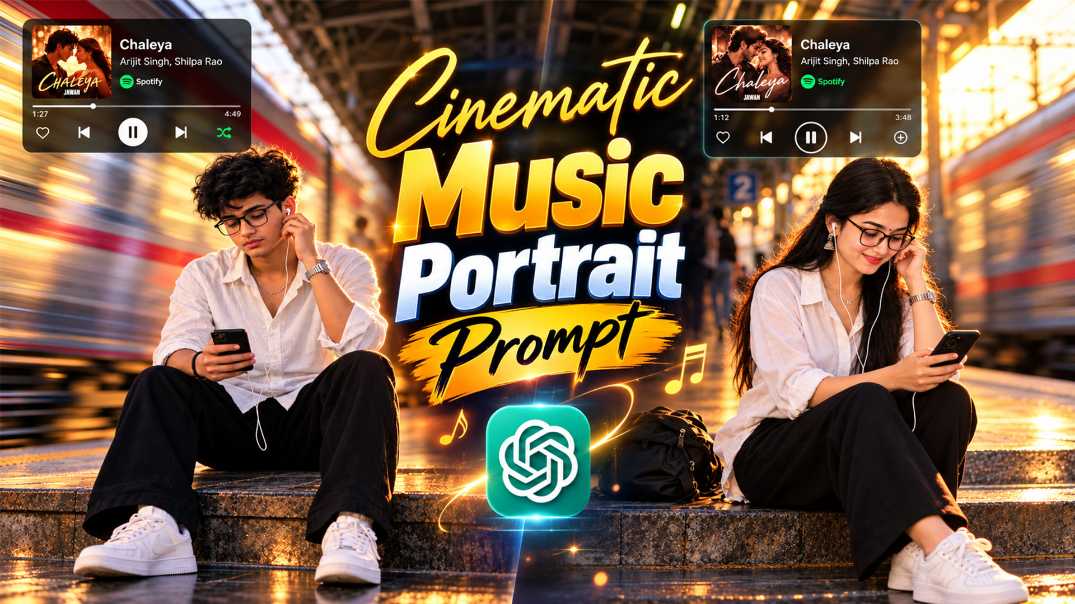
Have you seen those Instagram photos where a person sits on a railway platform, listening to music, while a fast train blurs behind them? And a small Spotify-style player sits in the corner of the photo? That is the Cinematic Music Portrait Photo Prompt trend, and it is going viral right now.
At RonyTica, we made two ready prompts for this look, one for a girl and one for a boy. This is a simple, viral Instagram AI photo prompt, and you can make it in ChatGPT in a few minutes. In this article, I will explain the trend, show you how to use it step by step, and share the best settings and tips for a real-looking photo.
Why ChatGPT Works Best for This Photo Prompt
This photo has many small parts. There is a person, a moving train, golden light, a phone, earphone wires and a music card with text. Many AI tools miss one or two of these parts. In our tests at RonyTica, ChatGPT handles most of them well. The first reason is face reference. When you upload your photo, ChatGPT can keep your face close to the original, if you tell it clearly. The second reason is the text. A good ChatGPT photo editing prompt can write the song name and artist name on the music card quite clearly. The third reason is the mood. ChatGPT follows lighting words like “golden hour” and “rim light” nicely.
What about Gemini? You can also try a Gemini AI photo prompt version with the same text. Results can be different, though, so we suggest ChatGPT first. If the face or text does not come out right, try again with small changes.
How to Use This Cinematic Portrait Prompt in ChatGPT
Follow these simple steps. At RonyTica, we use the same steps every time.
- Pick a clear photo. Choose a front-facing photo with good light. Your face should be easy to see. Do not use a very dark or blurry photo.
- Open ChatGPT. Open the ChatGPT app or website and start a new chat. Make sure image creation is available on your plan.
- Upload your photo. Add your reference photo to the chat first. Wait until it is fully uploaded.
- Paste the prompt. Paste Prompt 1 (girl) or Prompt 2 (boy) from this page. The prompt already tells ChatGPT to keep your face the same.
- Change the song if you want. Replace the song name and the artist name in the prompt with your own favourite song.
- Generate the image. Send the message and wait. ChatGPT will make your Cinematic Music Portrait Photo Prompt photo.
- Fix small problems. If hands, glasses or earphone wires look odd, write a short follow-up. For example: “Fix the hand and keep everything else same.”
- Save and post. Download the image in 4:5 size and share it on Instagram.
What Is the Cinematic Music Portrait Photo Prompt Trend?
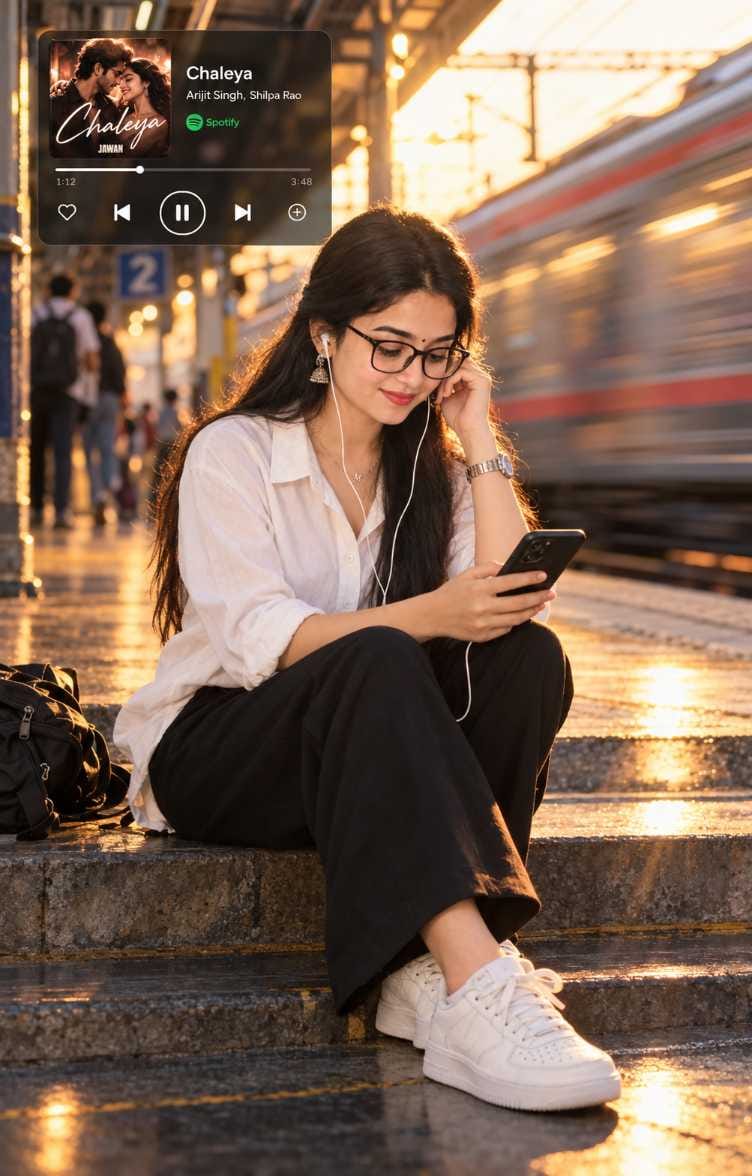
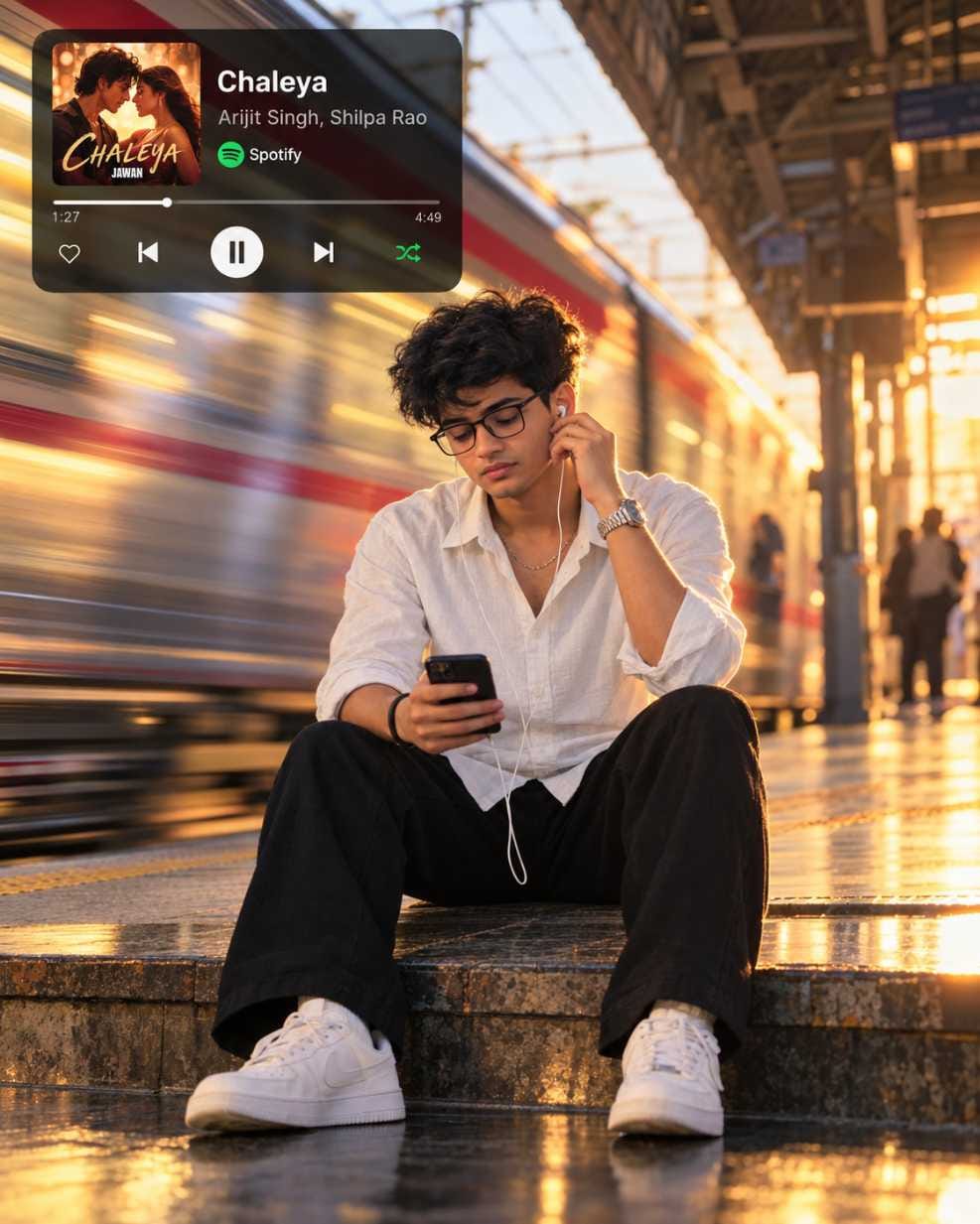
The Cinematic Music Portrait Photo Prompt creates a photo that looks like a still from a movie. A person sits on the steps of a railway or metro station. They look at their phone and hold one earphone near the ear. Behind them, a train rushes past, and the train looks stretched and blurry, while the person stays sharp. The warm golden light of the evening falls on the hair and shoulders. In the top corner, there is a small dark music card, just like the Spotify player on your phone. In our version, the card shows the song “Chaleya” with cover art inspired by the movie Jawan.
So why is it viral? Because it feels real, and it feels emotional. People see the photo and think of their own lonely evenings with headphones on. Many creators now search for a Spotify AI photo editing prompt ChatGPT can follow, and this railway version is one of the most loved. It is also a very good Chaleya Spotify AI photo prompt for people who love that song.
Prompt 1: Girl Version of the Railway Station AI Photo Prompt
This is the girl version. She sits on the platform steps in a white shirt, loose black trousers and white sneakers. She wears black glasses and white wired earphones. Her long wavy hair catches the golden rim light, and her face looks calm and a little thoughtful.
This works very well as an AI photo prompt for girls who like soft, filmy and aesthetic photos. It is also a great railway station AI photo prompt if you want a nostalgic mood. Copy the full prompt from the box below and use it with your own reference photo.
Prompt 2: Boy Version of the Metro Station AI Photo Prompt
This is the boy version. He sits on the platform step with his legs slightly apart. He wears a white shirt with rolled-up sleeves, black trousers and white sneakers. He has messy dark hair, glasses, and a silver watch. His eyes look down at the phone, and one hand touches the earphone.
If you want a metro station AI photo prompt for a boy, this is a perfect start. The look is calm, stylish, and a little sad, which people love on Instagram. You can use it as an AI photo prompt for boys for your profile picture, your story or your reel cover.
Best Settings and Tips for a Real-Looking Photo
Small settings make a big difference. This table shows the best choices for this photo.
| Setting | Best Choice | Why It Helps |
|---|---|---|
| Aspect ratio | 4:5 vertical | Fits Instagram posts perfectly |
| Reference photo | Clear, front-facing, good light | Keeps your face more accurate |
| Light | Golden hour from the right side | Gives warm rim light on hair and shoulders |
| Train effect | Strong horizontal blur on the train only | Keeps you sharp and the photo real |
| Colour grade | Teal and orange, warm highlights | Gives the cinematic movie look |
| Film effect | Light grain and soft glow | Adds a nostalgic feel, not too heavy |
| Music card | Top-left, dark and rounded | Looks like a real Spotify-style player |
| Negative prompt | Keep it in the prompt | Avoids bad hands, extra fingers and plastic skin |
Now some extra tips. For a good train motion blur portrait, always say that the person must stay sharp and only the train must blur. If the whole photo becomes blurry, add this line: “Face and body must stay perfectly sharp.” Hands and earphone wires are where AI makes mistakes most often. So write “natural hands” and “realistic earphone wires” in your follow-up message. If your skin looks too smooth, ask for “natural skin texture”. The golden hour cinematic portrait prompt style looks best when you do not over-edit it, so keep the colours warm and simple.
Customization Ideas for Your Own Version
Once you get your first photo, you can play with the idea. Here are some easy changes you can try. Change the song. Use your favourite song on the music card. This is the easiest way to make the photo feel personal. Any Spotify music player overlay photo prompt becomes more special with a song you really love. Change the place. Try a metro station, a bus stop or an old bridge. For a metro look, ask for cooler blue tones and a silver metro train. Change the weather. A rainy evening with wet floor reflections looks very emotional. Just add “light rain and wet platform reflections” to your prompt. bChange the outfit. Try a hoodie, a denim jacket or a kurta. Keep the rest same, so the cinematic mood does not break. You can also use this idea as a music player AI photo prompt for Instagram stories, reel covers and WhatsApp DP.
Final Words
The Cinematic Music Portrait Photo Prompt is a simple way to make a calm, filmy and stylish photo. All you need is a clear photo, ChatGPT and the right prompt. Remember the basics: 4:5 size, golden hour light, sharp person, blurry train and a clean music card.
Try both the girl and boy versions from this page, then change the song and the place to make it your own. We at RonyTica share new AI photo prompts, video prompts and editing templates regularly, so keep visiting. If you make your own Cinematic Music Portrait Photo Prompt photo, share it on Instagram and tag us.
Frequently Asked Questions (FAQ)
Yes, you can copy the prompt for free from RonyTica. But how many images ChatGPT lets you make depends on your plan, so check the limit in your app.
You can try it. A Gemini AI photo prompt works in a similar way. But we made and tested the look for ChatGPT, so we suggest starting there. If you use Gemini, you may need to change a few words.
Yes. Prompt 1 is made for a girl and Prompt 2 is made for a boy. Just pick the one that fits you and upload your own photo.
Change “railway station” to “metro station” in the prompt. Ask for a silver or yellow metro train, cooler light and clean tiled floors. Everything else can stay the same.
Of course. Just replace the song name and artist name with your own. Keep the names short so ChatGPT can write them clearly on the music card.

Sir good