

Want AI photos that look like a real photoshoot? Here are two ready-to-use couple image prompt ideas. One is a calm, sunny lap scene. The other is a stylish restaurant evening scene. Upload your photo, paste the prompt, and you are done.
Prompt 1: Sunlight Lap Couple
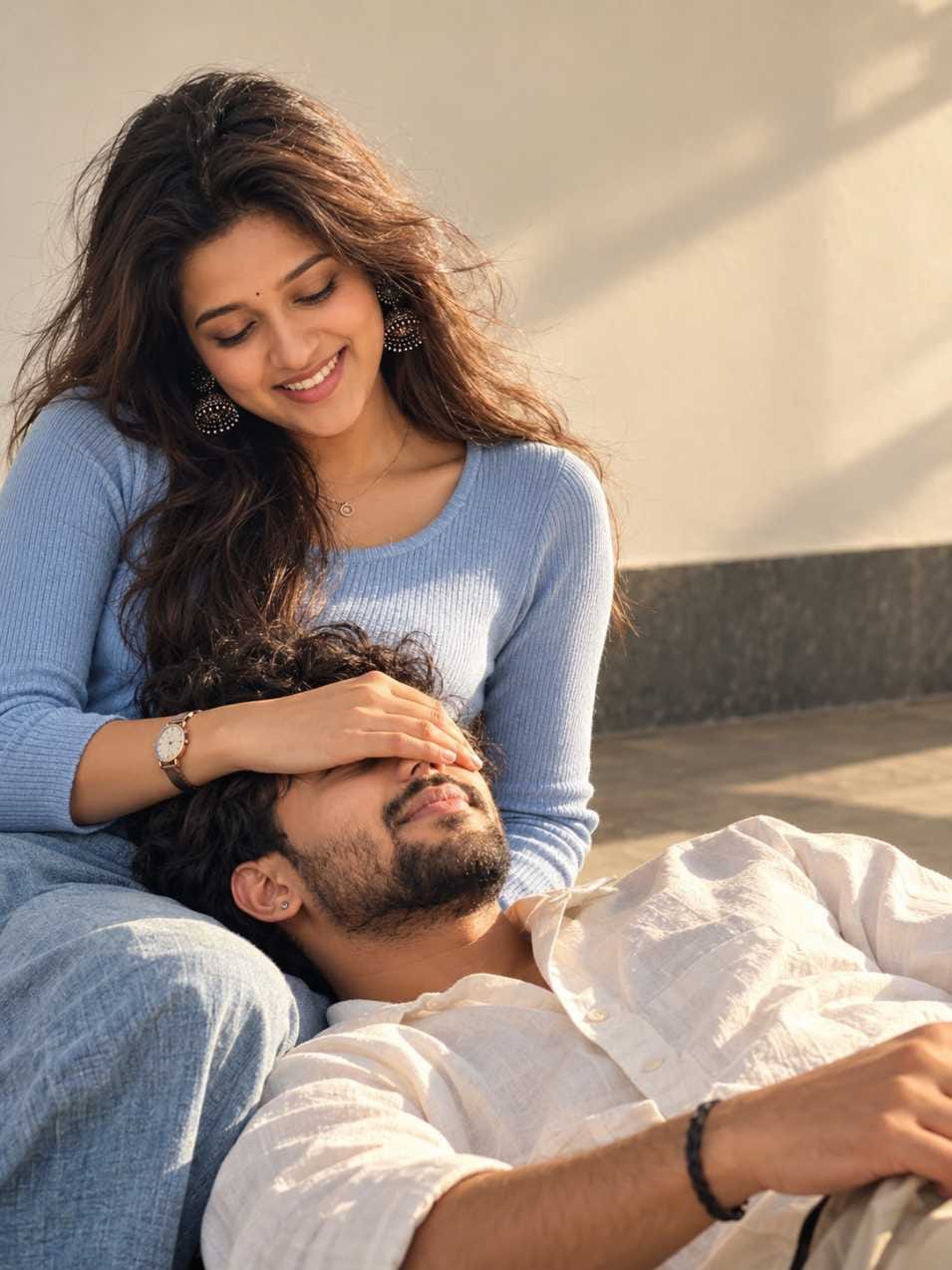
This one is soft and peaceful. A girl in a light blue knit top sits on the left. A boy in a cream shirt rests his head on her lap. She gently covers his eyes with her hand. The wall is warm beige, and golden sunlight falls from the right side.
The prompt asks for 3:4 vertical size, so it fits Instagram and Facebook posts nicely. It works in both ChatGPT and Gemini, but ChatGPT gives better hands and cleaner faces.
Prompt 2: Restaurant Hair-Touch Couple
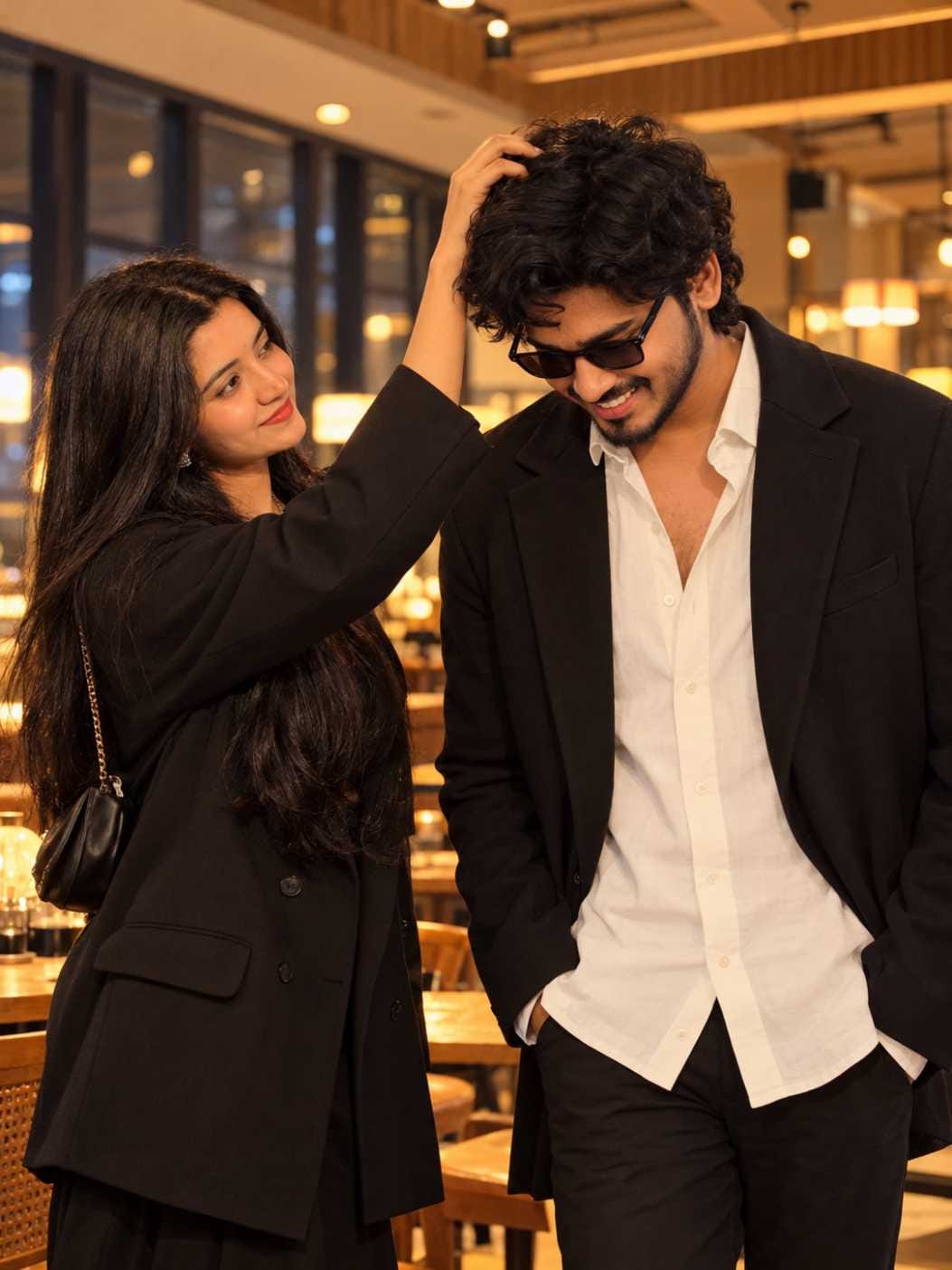
This one feels like a movie scene. A girl in a black blazer touches the boy’s curly hair. He looks down, shy and smiling, wearing sunglasses and a white shirt. Warm restaurant lights glow softly behind them.
This prompt is in JSON format. It looks like code, but don’t worry. Just copy it fully and paste it in ChatGPT. Do not remove any bracket or comma. If your tool gives a strange result, paste it as plain text instead. Remove the brackets and keep only the lines. It will still work.
How to Use These Prompts
First, upload a clear photo of yourself or a couple photo. Then paste the prompt in the same message. Both prompts say “uploaded reference image”, so the AI needs a photo to copy the pose from.
The best part is that you can change small things. Want a red top instead of blue? Just change the colour word. Want short hair? Change the hair line. You can also change the time. Replace “golden hour” with “evening”, and the whole mood becomes darker and more romantic.
A small tip: change only one or two things at a time. If you change everything, the AI may forget the original pose.
Common Mistakes and Easy Fixes
Wrong fingers. This is the most common problem. Just generate again, or add this line: “natural hands, five fingers on each hand.” Most of the time, the second try is better.
Face does not match. Use a front-facing photo with good light. Blurry or dark photos confuse the AI. Also, don’t use sunglasses in your reference photo for Prompt 1.
Skin looks like plastic. Add the words “natural skin texture, visible pores, no smoothing” to the prompt. This makes the photo look more real.
Pose changed. Add this line at the end: “Keep the same pose and framing as the reference.”
Frequently Asked Questions
Yes, but free plans have limits. You may get fewer photos per day, or lower quality.
Yes. Use a clear photo where your face is easy to see. The result will be better.
ChatGPT gives the best result. Gemini also works well.


Pls creat this prompt
Akash kumar