

You type your name, and the AI puts it as giant cracked red 3D letters behind you and a black bike. I ran this AI bike photo editing prompt in both ChatGPT and Gemini, and the results were not the same.
IMAGE 1: Smiling young woman with long wavy dark hair leaning on a black cruiser bike, huge cracked red letters spelling PRIYA behind her, red smoke, light rays from upper right, wet ground
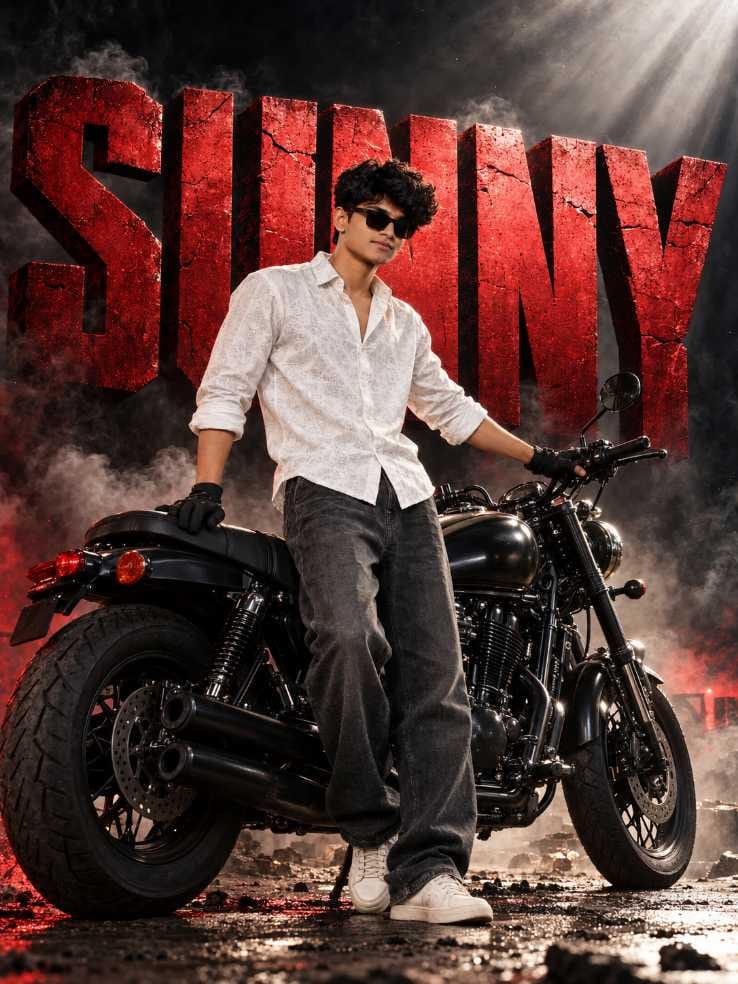
IMAGE 2: Young man with curly black hair and dark sunglasses leaning on a black motorcycle, large cracked red letters behind him, dark smoky scene, rocky ground
Prompt 1 is the girl version with the name Priya. Prompt 2 is the boy version with the name Sunny. The boy one has sunglasses, gloves and a grittier, rocky ground. The girl one has a wet road and a smiling pose.
How I Tested Both Tools
I ran the trend prompt in ChatGPT first. Then I gave the exact same prompt to Google Gemini. I made two pictures in each tool, Sunny and Priya. I wanted you to know the difference before you spend your time.
Here is how to use it :
- Copy the prompt from the box.
- Paste it in ChatGPT or Gemini.
- Find the name part. In the boy prompt it says Sunny. In the girl prompt it says Priya.
- Write your own name there. Check the spelling.
- Hit generate.
IMAGE 1
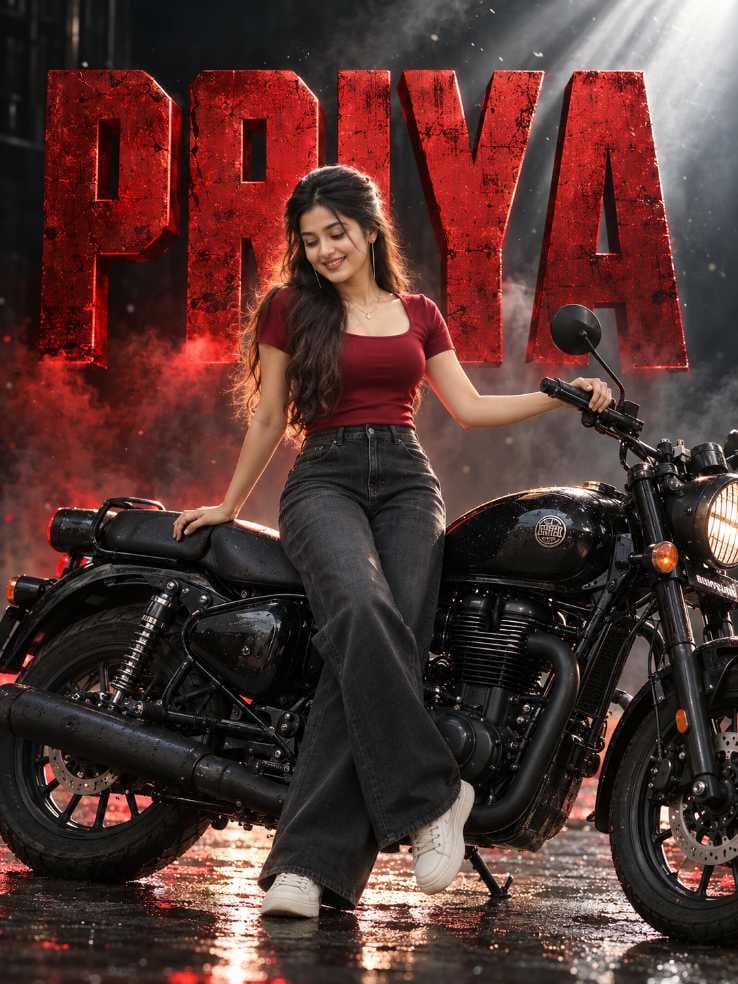
IMAGE 2
ChatGPT Result : Poster Feel and Mood
My first thought when I saw the ChatGPT image was simple. It looks like a poster of a big action movie.
There was red smoke behind. The huge red letters had a cracked texture. Light rays came down from above, and the wet road below had red glints on it. All of it gave the picture energy. I asked for a dramatic red theme in the prompt, and ChatGPT gave me the full thing. It looks like the first look of a film.
Priya’s picture came out even better. She smiles. She leans on the bike in a very natural way. The photo feels like it is telling a story. It is the kind of picture that makes people stop scrolling. Another thing I noticed is that the text and the person feel like one scene. The letters don’t look pasted on top.
But ChatGPT has problems too, and I should say them honestly. In my Sunny picture the letters were touching each other. His head also came in front of a few letters, so “SUNNY” was a bit hard to read at first look. In Priya’s picture, her hair and hand covered a part of some letters. My guess is that a longer name will make this worse, because the letters get squeezed or bend a little.
Also, the faces in ChatGPT can look a bit stylised and smooth. They are less realistic than Gemini’s. So don’t expect a perfect picture in one go. In my experience you may need to generate once or twice more. You can also add a line in the prompt asking for space between the letters and asking the person not to cover them. And a free account can have a limit on image making, so keep that in mind before you try again and again.
The photo notes show the same problem in my own results. In the girl picture the letters look merged, and the R can be mistaken for an I. In the boy picture the word can read like SIJNY. The bike’s front part looked a bit stretched too. Hands and small bike parts can come out odd, so zoom in and check.
Gemini Result : Clean but Flat
Gemini gave a different kind of picture. It is clean and clear. But I didn’t get the same impact.
IMAGE 3: Gemini version of Priya, woman standing in front of a black cruiser bike looking down, big red weathered PRIYA letters, grey smoke, wet dark ground
IMAGE 4: Gemini version of Sunny, man with curly hair and sunglasses in front of a chrome cruiser, red-grey smoke, orange sparks, SUNNY in cracked red letters
IMAGE 3
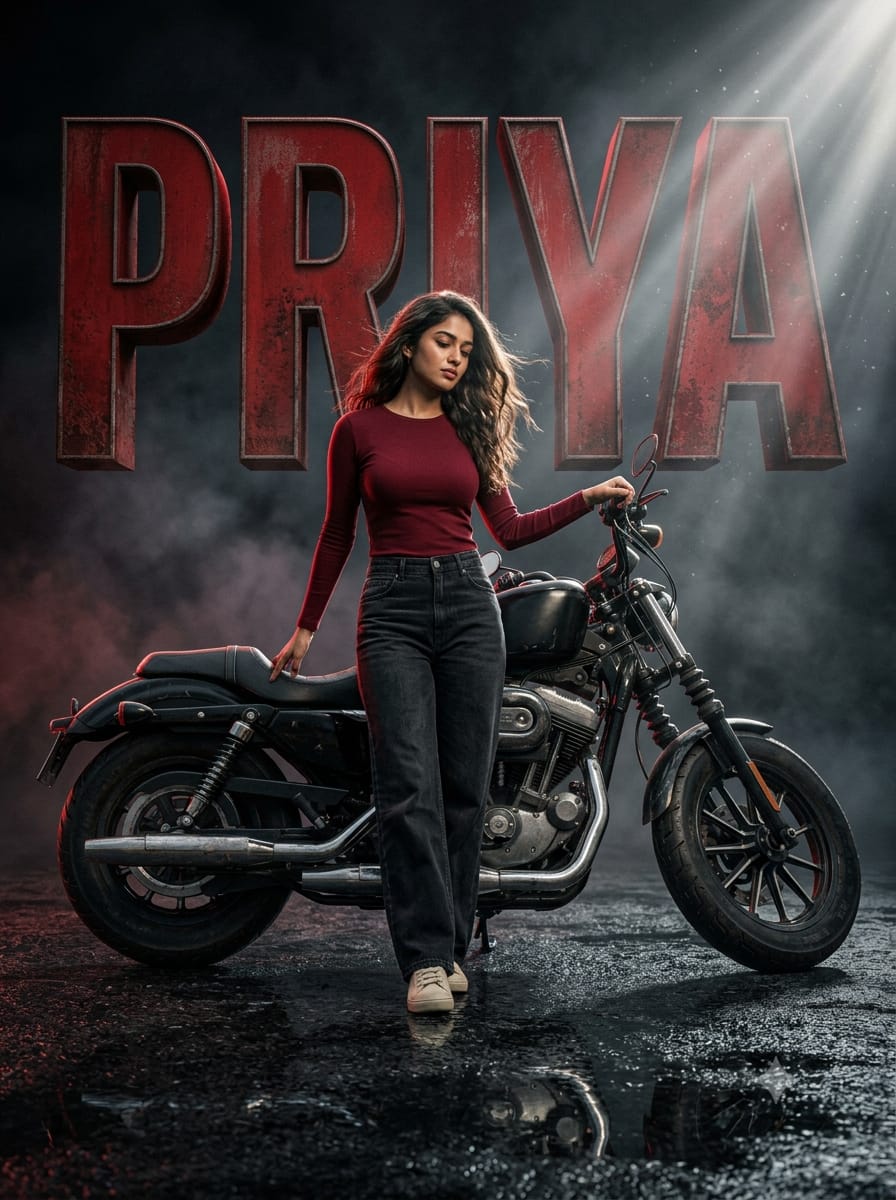
IMAGE 4
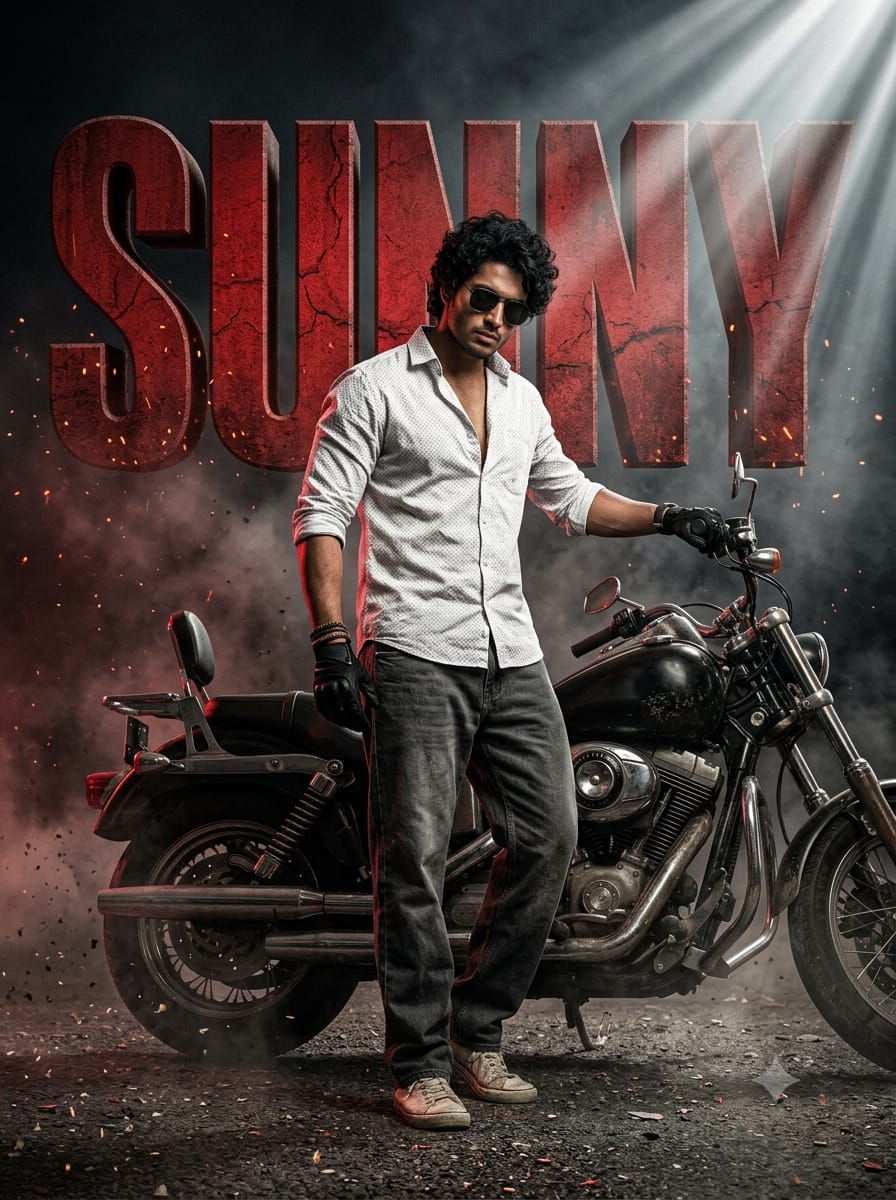
These two are comparison images only. The same prompts that were in the previous prompt box were used to generate these two images. They were generated from Gemini, and you can see the results yourself.
In Sunny’s picture there are small sparks and dust. The chrome parts of the bike came out in good detail. The letters are separate, so you can read the name in one glance. I will say these are Gemini’s good points.
Priya’s picture is where it falls down. She stands straight and looks down. The pose feels stiff. The whole mood is cold and flat. It is not bad. But nothing in it makes you stop. The fiery red feeling I asked for was mostly pushed down.
Two more things. Gemini puts a small sparkle icon at the bottom right corner, which works like a watermark. And sometimes the name letters look placed on top of the photo. The person and the text don’t blend together.
Speed and Text Clarity
Gemini is much faster. ChatGPT takes quite a bit more time for one image. If you want to see many variations quickly, Gemini wins here.
But what is the use of getting a picture a few seconds early if it only makes you say “okay”? ChatGPT is slower, and I think the wait is worth it.
Gemini wins on text that is easy to read. ChatGPT wins on how the text sits inside the scene.
My Pick and Why
My view is simple. For this viral cinematic poster trend, ChatGPT gives the better and more eye-catching result. Drama, mood, pose and poster feel are all better there.
Use Gemini when you need a fast result or when you want clear, readable letters. But if you want a picture people will stop for and share, I would pick ChatGPT. Just check the name letters properly before you save.
Skip Gemini for the girl version if you want a warm, smiling mood. That was the weakest picture I got.
Change This, Get That
| What you change | What usually happens |
|---|---|
| Letter colour or texture | The whole poster mood shifts, for example metal instead of cracked red |
| Outfit colour | The person stands out more or blends into the smoke |
| Light colour, like blue rim light | The mood turns cooler and less fiery |
| Background, like night street, desert or rain | The story of the picture changes |
| Bike type, like sport or vintage | The attitude of the photo changes |
| Smoke and sparks amount | More means more drama, less means a cleaner look |
Common Mistakes and Fixes
Name looks wrong. Letters merge and some look like other letters. Generate again, or ask for space between letters.
Person covers the letters. Ask in the prompt that the body should not hide the name.
Odd hands or bike parts. Zoom in. Regenerate if the hands look wrong.
Sunglasses and face match. Sunglasses hide the face, so a close face match is hard. Use a version without them if that matters to you.
Long name. Letters get crowded. A shorter name or nickname works better.
Post It on Instagram and Facebook
A single post fits this image best. It is one strong poster, so one strong frame is enough. A carousel works if you want to show ChatGPT and Gemini side by side. A reel works if you want to show the name coming in.
Sizes : use 4:5 portrait, 1080×1350, for feed posts. Use 9:16, 1080×1920, for reels and stories.
Three captions in different voices :
Fun: “My name is on a movie poster now. Not bad, right?”
Short and cool: “Main character, red smoke, one bike.”
Question: “ChatGPT or Gemini? Which one would you pick?”
Hashtags : #BikeNamePoster #3DNameBike #RedSmokePoster #CinematicNameArt #AIBikePhoto #AIPhotoPrompt #ChatGPTPrompt #GeminiPrompt #MovieFirstLook #CrackedTextArt
Put words like “AI bike photo editing prompt”, “3D name poster” and “ChatGPT prompt” in the caption. People search for these.
Turn It Into a Reel
- Save the final image and open Google Flow or any video editor app.
- Add the image and use a slow zoom in towards the person.
- Add a short bass sound or a bike engine sound, and export in 9:16.
Frequently Asked Questions
I would use ChatGPT for the mood and poster feel. Use Gemini if you want speed.
In the name part of the prompt. The boy prompt has Sunny there and the girl prompt has Priya. Replace it with your name.
Letters can merge or get covered. Check it after generating and try again.
Maybe not. In my experience you may need to generate once or twice more.
హెస్బ్స్జ్స్ a