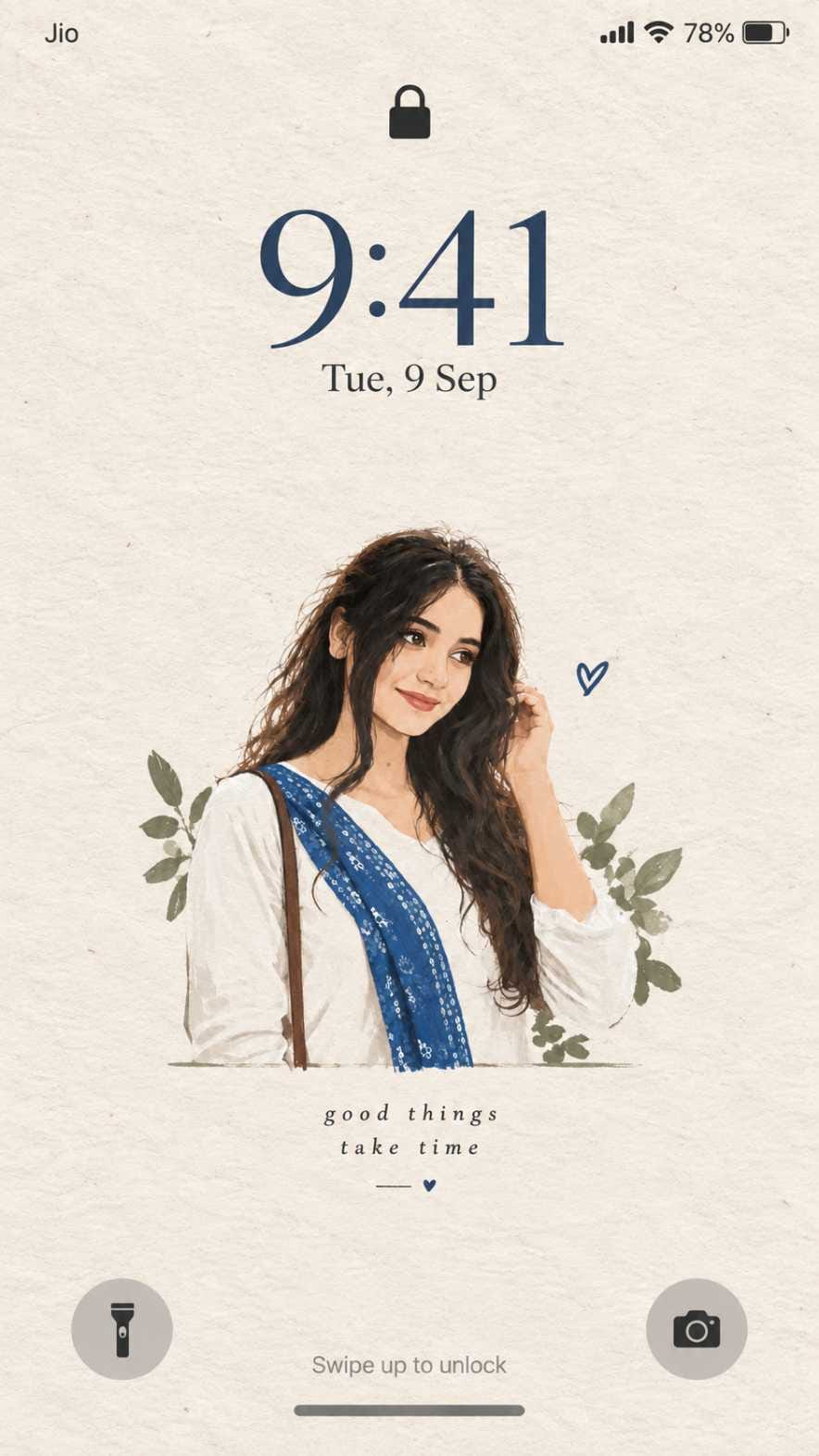
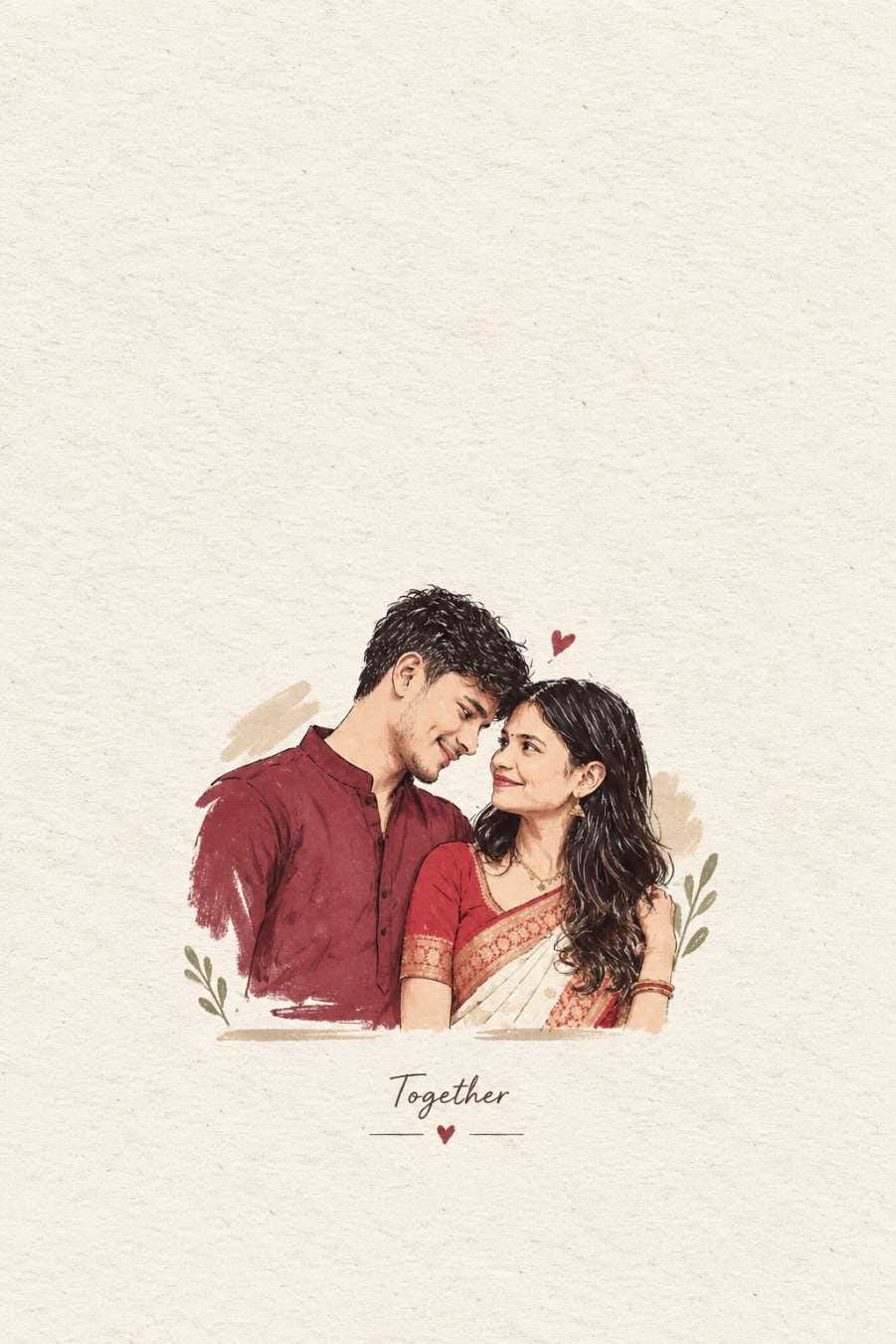
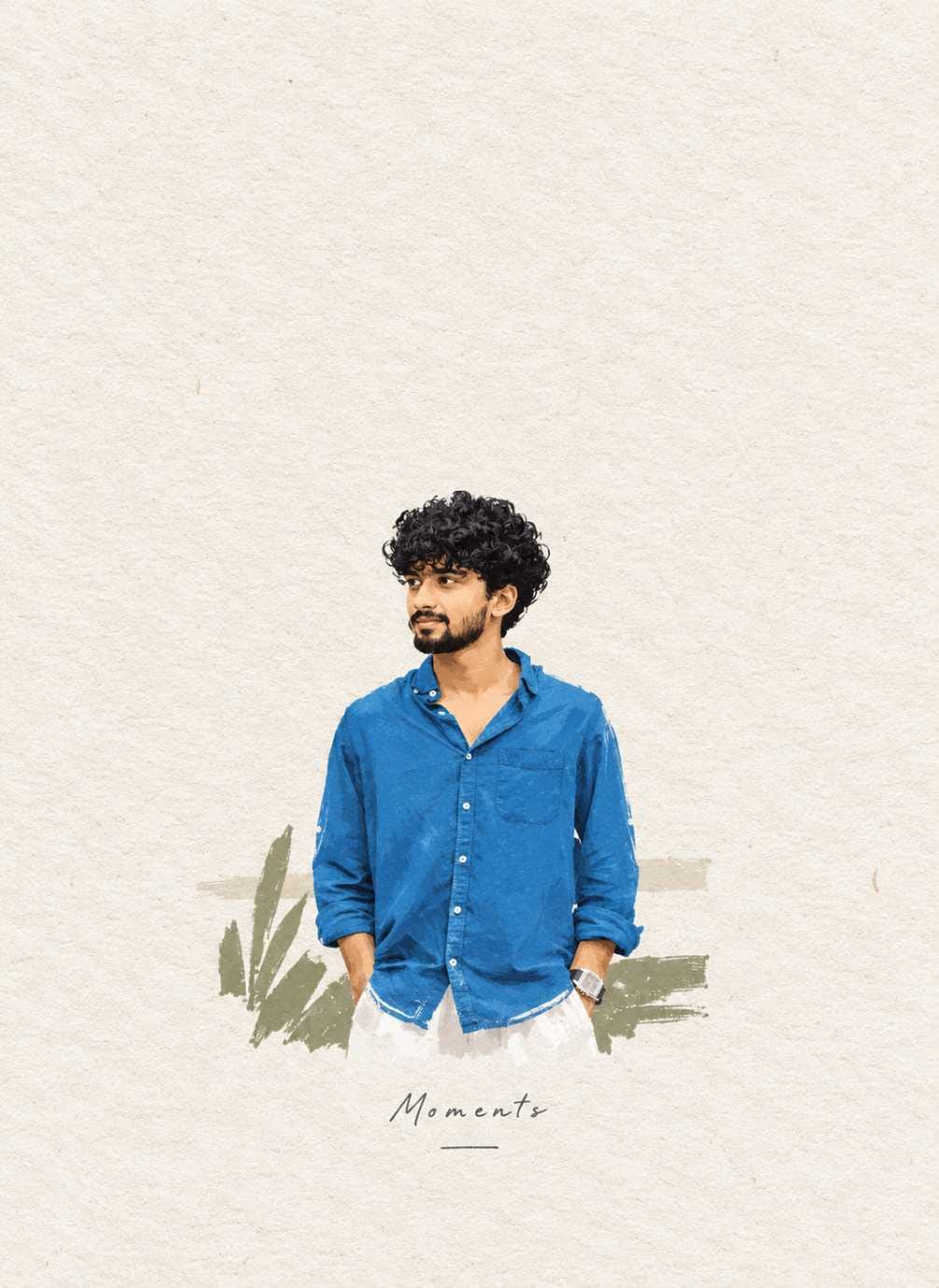
Have you seen those soft, hand-drawn lockscreen wallpapers going viral everywhere on Instagram and Pinterest right now? They look like a small illustrated poster, printed on soft paper, with a tiny quote at the bottom and a lot of calm empty space around the subject. People are turning their own photos into this exact style using a simple AI lockscreen wallpaper prompt, and it is one of the most loved AI photo prompt trends of 2026.
At RonyTica, we keep adding fresh, tested AI photo prompt collections in this style so you always have new options to try. This is not a one-time thing. New looks, new color palettes, and new poster styles get added here regularly, so you can bookmark this page and keep coming back for more.
In this article, we will show you how this trend works, which AI tool gives the best result, some useful tips, and answers to common questions. The actual ready-to-use prompts are given separately below in the prompt box on this page, so you can simply copy and paste them into your AI tool.
Which AI Tool Works Best For This
For this kind of minimalist illustration wallpaper prompt, ChatGPT gives the most consistent and clean result. It understands paper texture, soft color blocks, and hand-drawn line style very well, and it keeps your face and pose recognizable in the final output.
Gemini is a good second option if you want to try a slightly different texture or color mood, or if ChatGPT is busy or giving errors. Both tools are free to use with a basic account, so you don’t need any paid subscription to try this AI lockscreen wallpaper prompt trend.
How To Use This Prompt
Getting your own illustrated lockscreen wallpaper is very simple. Just follow these steps :
⫷RonyTica Prompt Box
Extract the most recognizable visual elements from the original photograph and reinterpret them as a minimalist hand-drawn paper-cover illustration. Preserve: The most recognizable subject Essential silhouette and proportions Key pose or gesture Important objects The core narrative relationship between people and objects Highly simplify the image. Remove unnecessary details and retain only the visual information needed for immediate recognition. Use: Delicate, slightly imperfect hand-drawn lines A small number of bold, clearly defined acrylic-style flat color shapes Rough paper texture Visible handmade brush marks Slightly irregular, organic edges Subtle imperfections that make it feel genuinely handmade The main illustrated subject should be small, centered, and carefully composed, occupying approximately 10–20% of the bottom half. Leave a large amount of negative space around the illustration. The background should primarily resemble: Rough white paper Warm off-white paper Pale natural paper Minimal editorial book-cover stock Use only a few lines or small color shapes to suggest the surrounding environment. COLOR PALETTE Extract the dominant colors directly from the original photograph. Compress the palette into no more than 4 main colors. Keep the colors restrained, sophisticated, and harmonious. Use bold but controlled flat color blocks. Avoid excessive color variation. Preserve subtle paper grain and handmade brush texture. The illustration should visually feel like a simplified color interpretation of the photograph. TYPOGRAPHY A small amount of simple typography may be included when appropriate. Possible elements: A short title Keyword Object name Location Year Number Short phrase Text should be minimal, understated, and editorial. Typography should naturally interact with the large areas of negative space and the small illustration, evoking: Art book covers Independent publishing Contemporary editorial design Thoughtful children’s picture books Do not force text into the composition if it does not naturally fit the photograph. VISUAL LANGUAGE The final poster should feel: Quiet · Poetic · Refined · Minimal · Innocent · Relaxed · Artistic · Thoughtful · High-recognition · Premium The visual concept should be: “A small subject surrounded by a large amount of empty space.” The result should resemble a carefully designed independent art publication cover, rather than a commercial advertisement. AVOID Do not use: Colored-pencil aesthetics Crayon textures Bleeding watercolor Pure line-art illustration Complex realistic illustration Heavy oil-painting effects Smooth polished digital illustration 3D rendering Glossy 3D textures Commercial cartoon aesthetics Cute commercial character design E-commerce advertising aesthetics Generic poster templates Excessive decorative elements Busy compositions Excessive typography
⫷RonyTica Prompt Box
Extract the most recognizable visual elements from the original photograph and reinterpret them as a minimalist hand-drawn paper-cover illustration. Preserve: The most recognizable subject Essential silhouette and proportions Key pose or gesture Important objects The core narrative relationship between people and objects Highly simplify the image. Remove unnecessary details and retain only the visual information needed for immediate recognition. Use: Delicate, slightly imperfect hand-drawn lines A small number of bold, clearly defined acrylic-style flat color shapes Rough paper texture Visible handmade brush marks Slightly irregular, organic edges Subtle imperfections that make it feel genuinely handmade The main illustrated subject should be small, centered, and carefully composed, occupying approximately 10–20% of the bottom half. Leave a large amount of negative space around the illustration. The background should primarily resemble: Rough white paper Warm off-white paper Pale natural paper Minimal editorial book-cover stock Use only a few lines or small color shapes to suggest the surrounding environment. COLOR PALETTE Extract the dominant colors directly from the original photograph. Compress the palette into no more than 4 main colors. Keep the colors restrained, sophisticated, and harmonious. Use bold but controlled flat color blocks. Avoid excessive color variation. Preserve subtle paper grain and handmade brush texture. The illustration should visually feel like a simplified color interpretation of the photograph. TYPOGRAPHY A small amount of simple typography may be included when appropriate. Possible elements: A short title Keyword Object name Location Year Number Short phrase Text should be minimal, understated, and editorial. Typography should naturally interact with the large areas of negative space and the small illustration, evoking: Art book covers Independent publishing Contemporary editorial design Thoughtful children’s picture books Do not force text into the composition if it does not naturally fit the photograph. VISUAL LANGUAGE The final poster should feel: Quiet · Poetic · Refined · Minimal · Innocent · Relaxed · Artistic · Thoughtful · High-recognition · Premium The visual concept should be: “A small subject surrounded by a large amount of empty space.” The result should resemble a carefully designed independent art publication cover, rather than a commercial advertisement. AVOID Do not use: Colored-pencil aesthetics Crayon textures Bleeding watercolor Pure line-art illustration Complex realistic illustration Heavy oil-painting effects Smooth polished digital illustration 3D rendering Glossy 3D textures Commercial cartoon aesthetics Cute commercial character design E-commerce advertising aesthetics Generic poster templates Excessive decorative elements Busy compositions Excessive typography
⫷RonyTica Prompt Box
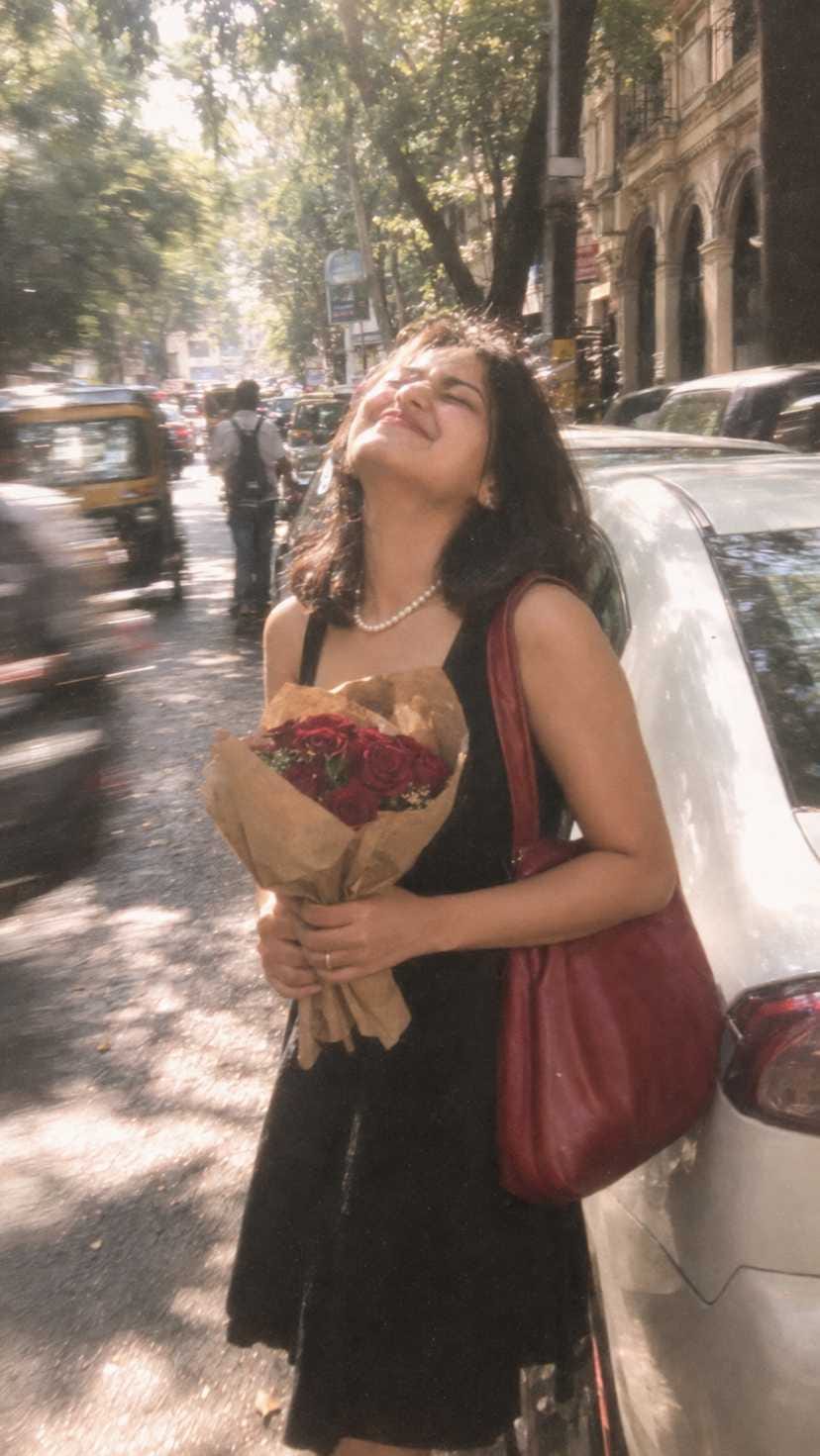
Ultra realistic candid street photo, vertical 9:16. Young South Asian woman, natural youthful face, short shoulder length dark brown hair, sleeveless black dress, pearl necklace, large red leather shoulder bag. She holds a bouquet of deep red roses wrapped in brown kraft paper with both hands. Exact pose: standing beside a parked white car, body leaning slightly back, head tilted far backward, face lifted to sunlight, eyes tightly closed, broad joyful closed mouth smile, carefree laughing expression. Busy tree lined city street, parked cars and old building arches behind. Bright midday sunlight, dappled shadows, dreamy glowing highlights, soft overexposure, heavy motion blur, lens softness, smeared edges, low resolution digital camera texture, intense film grain, faded muted colors, bloom, hazy glow, imperfect focus, candid snapshot realism, no beauty filter, no AI look.
⫷RonyTica Prompt Box
Extract the most recognizable visual elements from the original photograph and reinterpret them as a minimalist hand-drawn paper-cover illustration. Preserve: The most recognizable subject Essential silhouette and proportions Key pose or gesture Important objects The core narrative relationship between people and objects Highly simplify the image. Remove unnecessary details and retain only the visual information needed for immediate recognition. Use: Delicate, slightly imperfect hand-drawn lines A small number of bold, clearly defined acrylic-style flat color shapes Rough paper texture Visible handmade brush marks Slightly irregular, organic edges Subtle imperfections that make it feel genuinely handmade The main illustrated subject should be small, centered, and carefully composed, occupying approximately 10–20% of the bottom half. Leave a large amount of negative space around the illustration. The background should primarily resemble: Rough white paper Warm off-white paper Pale natural paper Minimal editorial book-cover stock Use only a few lines or small color shapes to suggest the surrounding environment. COLOR PALETTE Extract the dominant colors directly from the original photograph. Compress the palette into no more than 4 main colors. Keep the colors restrained, sophisticated, and harmonious. Use bold but controlled flat color blocks. Avoid excessive color variation. Preserve subtle paper grain and handmade brush texture. The illustration should visually feel like a simplified color interpretation of the photograph. TYPOGRAPHY A small amount of simple typography may be included when appropriate. Possible elements: A short title Keyword Object name Location Year Number Short phrase Text should be minimal, understated, and editorial. Typography should naturally interact with the large areas of negative space and the small illustration, evoking: Art book covers Independent publishing Contemporary editorial design Thoughtful children’s picture books Do not force text into the composition if it does not naturally fit the photograph. VISUAL LANGUAGE The final poster should feel: Quiet · Poetic · Refined · Minimal · Innocent · Relaxed · Artistic · Thoughtful · High-recognition · Premium The visual concept should be: “A small subject surrounded by a large amount of empty space.” The result should resemble a carefully designed independent art publication cover, rather than a commercial advertisement. AVOID Do not use: Colored-pencil aesthetics Crayon textures Bleeding watercolor Pure line-art illustration Complex realistic illustration Heavy oil-painting effects Smooth polished digital illustration 3D rendering Glossy 3D textures Commercial cartoon aesthetics Cute commercial character design E-commerce advertising aesthetics Generic poster templates Excessive decorative elements Busy compositions Excessive typography
⫷RonyTica Prompt Box
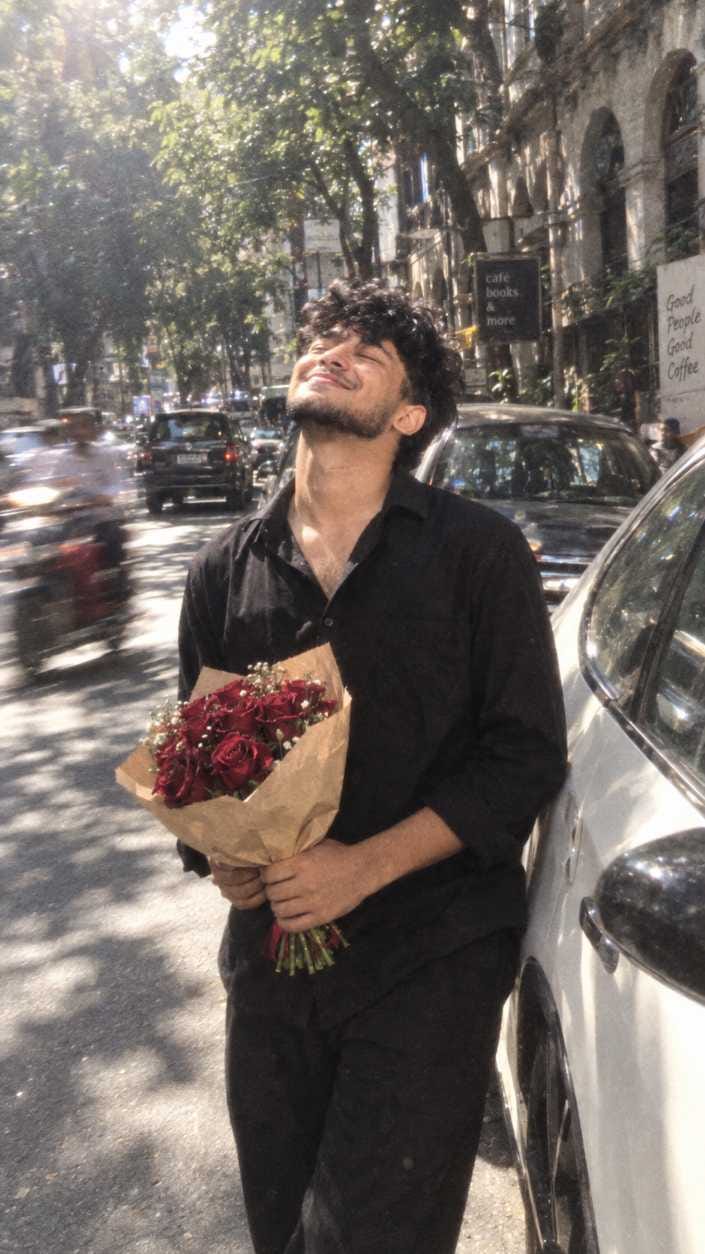
Ultra realistic candid street photo, vertical 9:16.
Young South Asian man, natural youthful masculine face wearing a simple black shirt, black trousers. He holds a bouquet of deep red roses wrapped in brown kraft paper with both hands.
Exact pose: standing beside a parked white car, body leaning slightly back, head tilted far backward, face lifted toward the sunlight, eyes tightly closed, broad joyful closed-mouth smile, carefree laughing expression.
Busy tree-lined city street, parked cars and old building arches in the background. Bright midday sunlight, dappled shadows, dreamy glowing highlights, soft overexposure, heavy motion blur, lens softness, smeared edges, low-resolution digital camera texture, intense film grain, faded muted colors, bloom, hazy glow, imperfect focus, authentic candid snapshot realism, no beauty filter, no AI look, natural skin texture, realistic imperfections.
⫷RonyTica Prompt Box
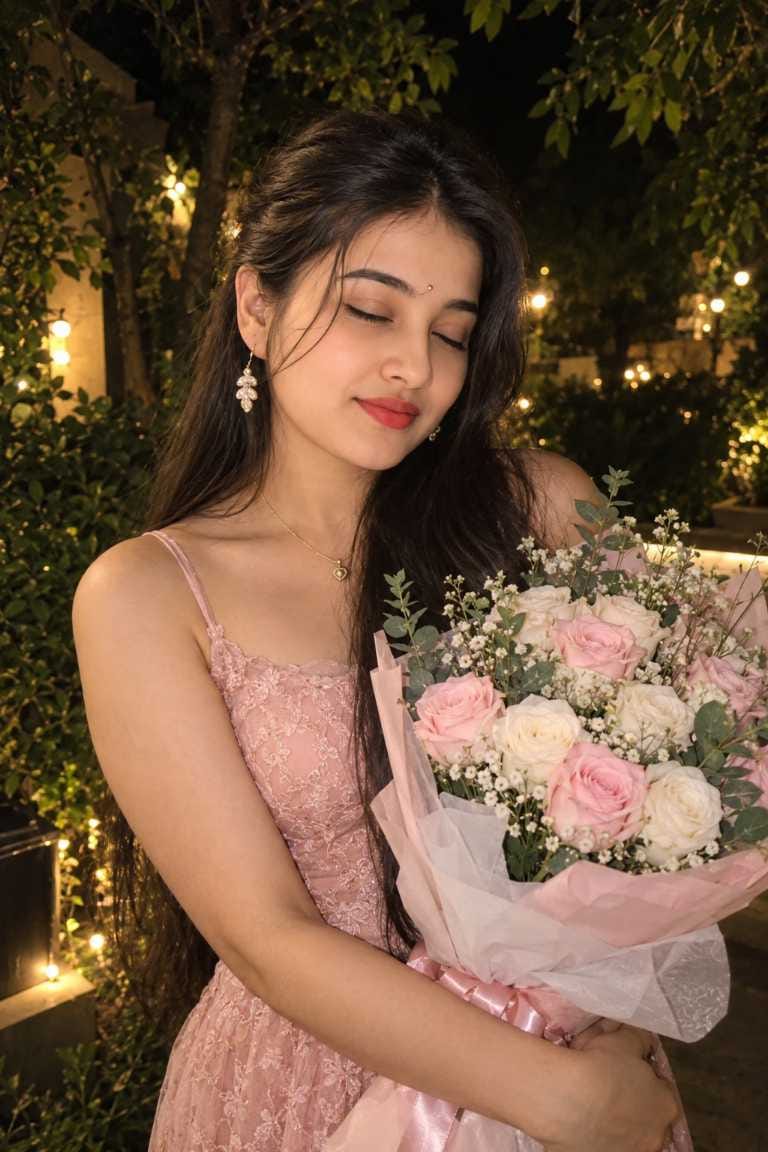
“Create a highly photorealistic
candid nighttime garden portrait of
me using my uploaded photo,
keeping my face, facial features,
skin tone and identity unchanged.
I’m standing in a dark lush garden
surrounded by deep green foliage
and trees, with a few soft warm
golden lights in the background
creating natural bokeh. Use a subtle
direct-flash effect with dreamy
low-light photography and slight
natural motion blur. I’m wearing an
elegant pastel blush-pink delicate
lace dress with thin straps, long
naturally falling dark hair, and
holding a large fresh bouquet of
white and soft pink roses and
flowers. My eyes are gently closed
with a soft natural smile, creating a
romantic, dreamy and effortless
candid feel. Keep everything
realistic, with natural skin texture,
realistic lighting and proportions.’
Open ChatGPT (or Gemini) on your phone or laptop.
Upload a clear photo of yourself. A photo with good lighting and a visible face works best.
Copy the prompt given in the prompt box on this RonyTica page and paste it in the chat.
Send the message and wait for the AI to generate your illustration.
Once you get the result, save it and set it as your lockscreen wallpaper.
If the first result does not look right, just ask the AI to try again or tweak small details like color or pose.
That’s it. In a few minutes, you get a personalised, poster-style wallpaper made from your own photo.
Tips Before Using This Prompt
Before you jump in, keep these small things in mind for a better result. Use a photo where your face is clearly visible, not covered by hair, sunglasses, or heavy shadows. Good, even lighting in your original photo always gives a cleaner illustration, and a simple background helps the AI focus only on you. Try uploading a half-body or full-body photo if you want the pose and outfit details to show properly. If the colors in the result look too dull or too bright, ask the AI to adjust the color palette slightly. And keep checking this RonyTica page, because new prompt variations in this same style get added from time to time.
Best Settings
Setting
Recommended Value
Aspect Ratio
9:16 (best for phone lockscreen)
Photo Type
Clear face, good lighting
Background in Original Photo
Simple, not too busy
AI Tool
ChatGPT (primary), Gemini (alternate)
Output Style
Minimal, illustrated, paper-texture look
Best For
Lockscreen wallpaper, home screen wallpaper, social media post
Common Mistakes To Avoid
Many people don’t get a great result on their first try, mostly because of small mistakes. Uploading a blurry or dark photo and still expecting a sharp illustration is one common issue, and so is using a photo where the face is turned too much to the side. Skipping details in the prompt or shortening it can also confuse the AI and change the final look. Sometimes people forget to mention that the result should look hand-drawn, which makes the AI generate something closer to a realistic photo instead. And a lot of people simply give up after one bad result instead of asking the AI to regenerate. Avoiding these simple mistakes will save you a lot of time and give you a much better looking wallpaper.
Why You’ll Love This Prompt
This trend is not just another filter. It turns your own photo into something that feels personal, artistic, and calm, almost like a page from a small art book. The soft paper texture, the gentle colors, and the tiny bit of negative space around the subject give it a premium, editorial feel that looks completely different from regular filters or stickers.
Since RonyTica keeps adding new photo collections in this same illustration wallpaper style, you don’t need to search anywhere else. Every new style added here follows the same simple process, so once you learn it, you can keep creating new wallpapers again and again with different moods and looks.
Conclusion
This AI lockscreen wallpaper prompt trend is a simple, fun way to turn your everyday photo into a soft, artistic illustration that actually feels personal. With just a photo and a few minutes on ChatGPT or Gemini, you can create a wallpaper that stands out from the usual stock designs.
At RonyTica, we are committed to bringing you the latest and most loved AI photo prompt trends, and this collection will keep growing with fresh styles over time. Try the prompt given above, set your new wallpaper, and don’t forget to visit RonyTica again for more additions to this collection.
Frequently Asked Questions
Q.1)Which AI tool is best for this lockscreen wallpaper prompt?
ChatGPT gives the most reliable result for this style, and Gemini also works well as an alternative option.
Q.2)Is this AI photo prompt free to use?
Yes, both ChatGPT and Gemini offer free access that is enough to try this prompt.
Q.3)Can I use this style for a home screen wallpaper too, not just lockscreen?
Yes, the same illustration style works nicely for both lockscreen and home screen wallpapers.
Q.4)Will the AI keep my face accurate in the illustration?
Yes, if your original photo is clear and well-lit, the AI keeps your face recognizable while still giving it an illustrated, artistic look.
Q.5)Will more prompts and photo styles be added to this page?
Yes, RonyTica regularly adds new photo collections and prompt variations in this same trending style, so keep checking back.







Ho
atf
𝑬𝒖𝒉𝒚
80’s
Pruthviraj ghode
May
Boy foto grafar
Nice app
Wait for mee too wallpaper
Sahilsafil
Share sut
Hamko bhii bana hai
Promote
Vipul
Tehgdhjyf ydhgdhgf gdjfgjffjf
Htgjtjkhfh
Ritesh
Ritesh Gupta
Super
Ashutosh raj