


Why Everyone Is Sharing Flower Bouquet Photos Right Now
Have you seen those dreamy night photos where someone is gently smelling a bouquet, with soft golden light on their face? These photos are all over Instagram and Reels these days. And the best part is, you do not need a camera or a photographer to make one. A good flower bouquet AI photo prompt is all you need.
On RonyTica, we have picked viral prompts in this style for girls, boys and couples. The photos have a warm, movie-like feel. There is a sunflower bouquet in the frame, the city lights are soft and blurry in the background, and the whole mood feels calm and emotional. People love it because it looks real, and it feels personal.
In this article, you will learn how to use a ChatGPT flower bouquet prompt to make your own photo. We will also talk about the best settings, some simple tips, and the common mistakes you should avoid. It does not matter if you want a solo portrait or a couple flower photo prompt for you and your partner. This guide is for everyone.
Which AI Tools Work Best With These Prompts
ChatGPT is the best choice for this flower bouquet AI photo prompt. It understands long prompts well, and it does a nice job with small details like flowers, lights and camera style. If you want a ChatGPT photo prompt with flowers to look real and clean, ChatGPT is a safe pick. You can also upload your own photo and ask it to keep your face the same.
Gemini is another good option. Many people use a Gemini flower photo prompt to make similar photos. The result may look a little different from ChatGPT, so it is a good idea to try once and check. Some prompts may need a small change to give you the look you want.
Other AI image tools that accept long prompts can also work. But in most cases, ChatGPT gives the most steady and natural results for this kind of viral AI photo prompt 2026 trend.
How to Create Your Photo Step by Step
Follow these simple steps. You will get your photo in just a few minutes.
- Open ChatGPT on your phone or computer and start a new chat.
- Pick a clear photo of yourself. Your face should be fully visible, and the light should be good. For a couple photo, choose one where both faces are clear.
- Upload that photo to the chat.
- Copy the prompt from the prompt box on this page. This is a copy paste AI photo prompt, so you do not need to type anything yourself.
- Paste the prompt in the chat. Then add one more line: “Keep my face and features exactly the same.”
- Send the message and wait for the image to be ready.
- Check the result carefully. Look at the face, the hands and the flowers. If something looks wrong, ask ChatGPT to fix only that one thing.
- Download the best photo and share it. You can find more prompts like this on RonyTica anytime.
Simple Tips to Follow Before You Start
First, always use a good reference photo. A sharp, well-lit photo helps the AI copy your face better. Blurry or dark photos often give weak results.
Second, keep the pose simple. The best results come when the person is just holding or smelling the bouquet. Complicated hand poses can confuse the AI, and fingers may look strange. A sunflower bouquet AI photo prompt works best when the bouquet is held close to the chest or face in a natural way.
Third, do not remove the lighting part of the prompt. The soft golden glow is the heart of a golden hour night portrait AI prompt. Without it, the photo will look flat and plain.
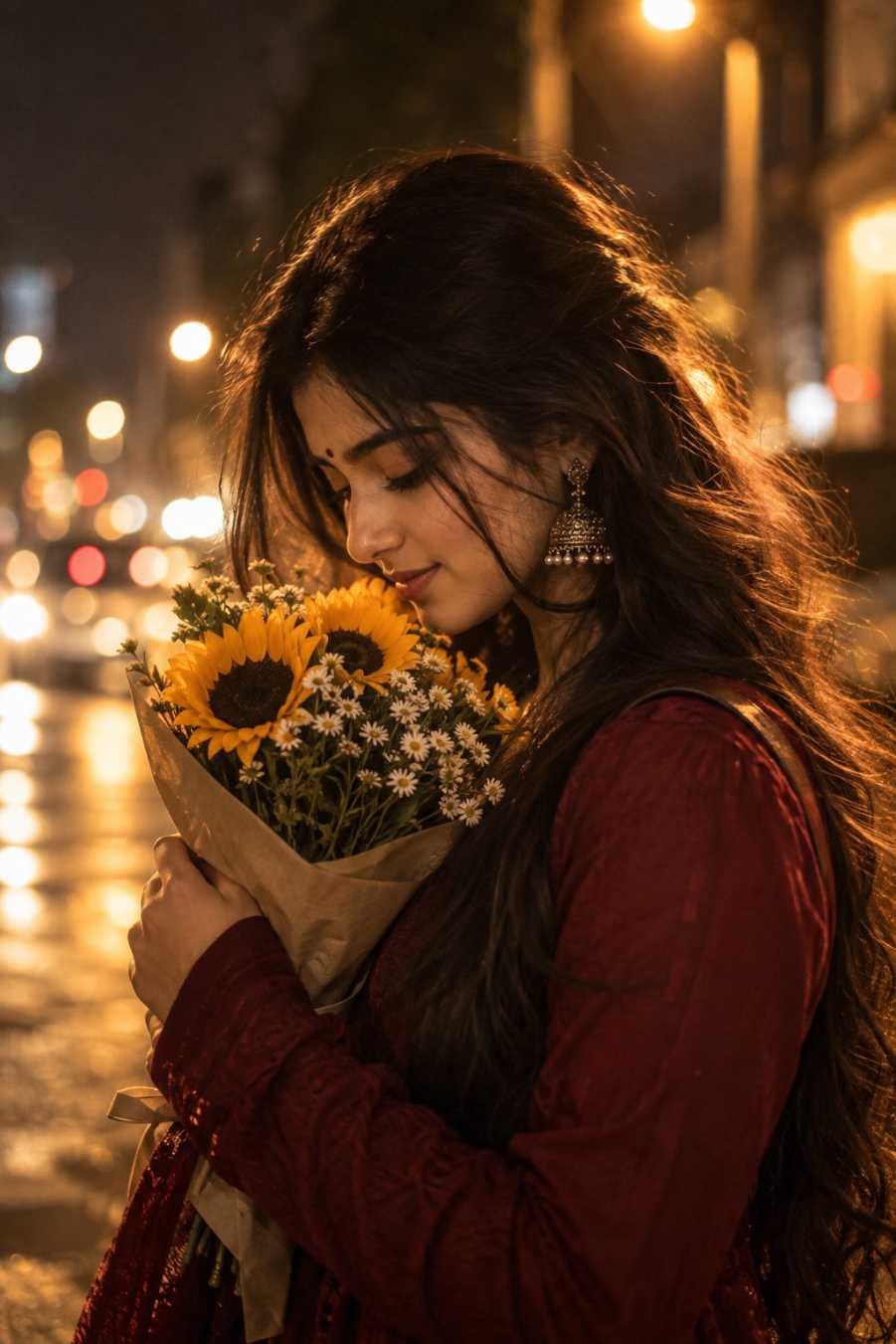
Fourth, try changing small things one at a time. You can change the flowers, the colour of the clothes or the background. But if you change everything together, the AI may miss some details. For an Indian girl AI photo prompt, you can also try a traditional look with earrings and a small bindi, and see how it suits you.
Last, for couple photos, make sure both people are clearly visible in the reference image. This helps the AI keep both faces right.
Best Settings for Clean and Real-Looking Results
These settings help your flower bouquet AI photo prompt give a sharp and natural photo. Use them as a guide while you check or edit your prompt.
| Setting | What to Choose | Why It Helps |
|---|---|---|
| Photo Shape | Vertical portrait (9:16 or 4:5) | Fits Instagram stories, Reels covers and phone screens perfectly |
| Lighting | Warm golden light with a soft glow | Gives that dreamy, emotional night look |
| Camera Style | 50mm to 85mm portrait lens look | Keeps the face sharp and the background soft |
| Background | Blurred city lights with soft bokeh | Adds depth without taking attention from the person |
| Colour Tone | Warm, cinematic colours | Makes the photo feel like a scene from a film |
| Skin and Details | Natural skin texture, real hair strands | Stops the photo from looking fake or over-smooth |
| Extra Elements | No text, no logo, no watermark | Keeps the photo clean and ready to post |
This bokeh portrait prompt style works well because the light and the blur do most of the magic. If you follow the table above, your cinematic portrait prompt will look much better.
Mistakes That Can Spoil Your Photo
The most common mistake is asking for too many changes in one go. When a prompt has too many ideas, the AI may drop some of them. Keep it simple and ask for small fixes after the first image.
Another mistake is using a reference photo with sunglasses, heavy shadows or a side angle. In this case, the AI has to guess your face, and the result may not look like you. A straight or slightly turned photo in good light is much better.
Many people also forget to check the small details. Always zoom in and look at the hands, fingers and flowers before you post. If the hands look odd, ask for a simpler pose, like just holding the bouquet.
Also, do not expect a perfect result on the very first try. Even a great flower bouquet AI photo prompt may need one or two small edits. That is normal. Be patient and improve step by step.
Finally, do not ask for text or logos inside the photo. AI tools often make spelling mistakes in written words, and it can spoil the whole picture.
Why Boys, Girls and Couples All Love This Trend
For Girls
A girl holding bouquet prompt gives a soft and romantic look. The golden light, the flowers and the calm expression make a very pretty portrait. Girls love to use these photos as profile pictures, Instagram posts and Pinterest boards.
For Boys
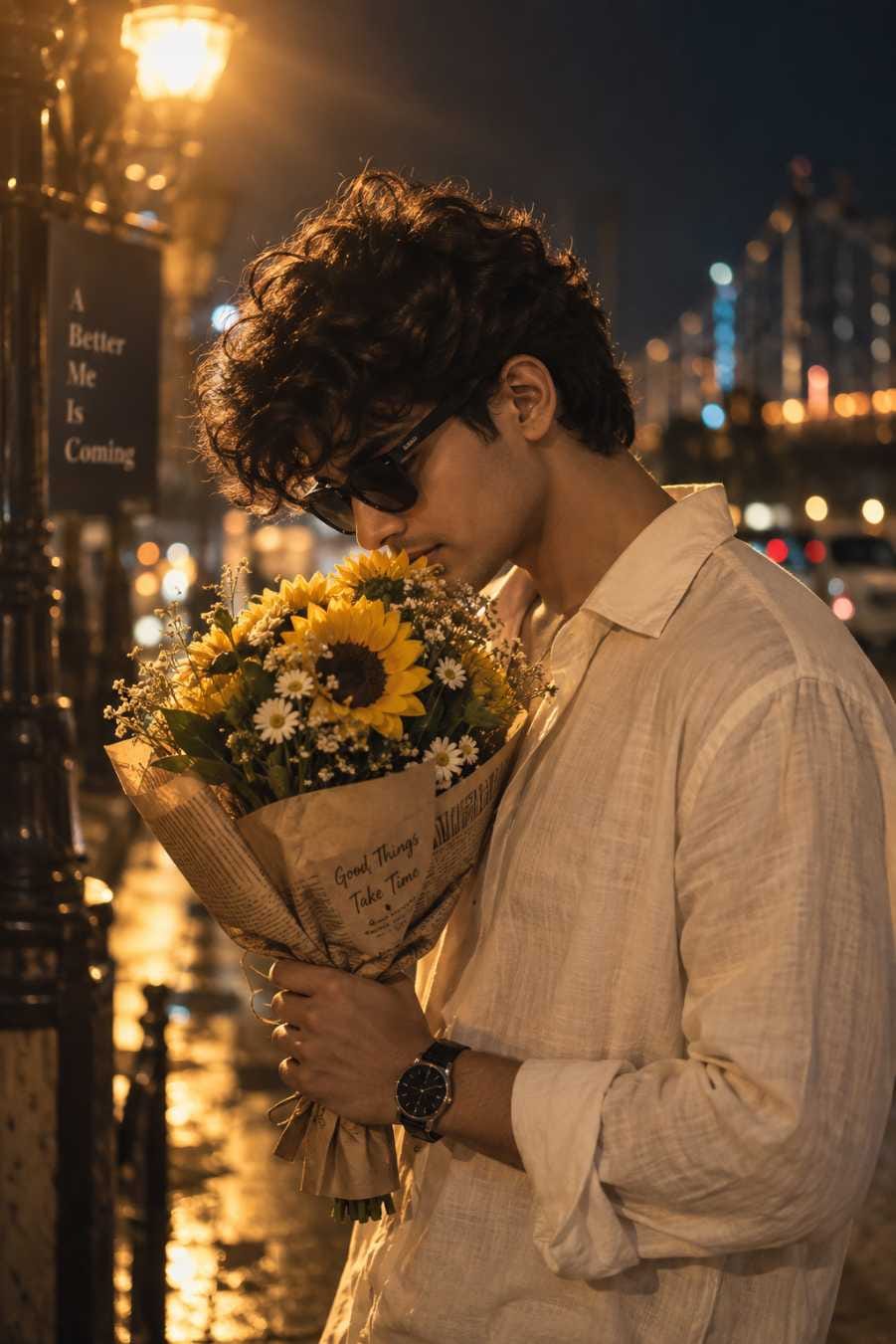
A boy holding flowers AI prompt gives a very different and fresh look. Most boys are not seen with flowers in photos, so this style stands out right away. The moody light and the quiet expression make it feel stylish and thoughtful.
For Couples
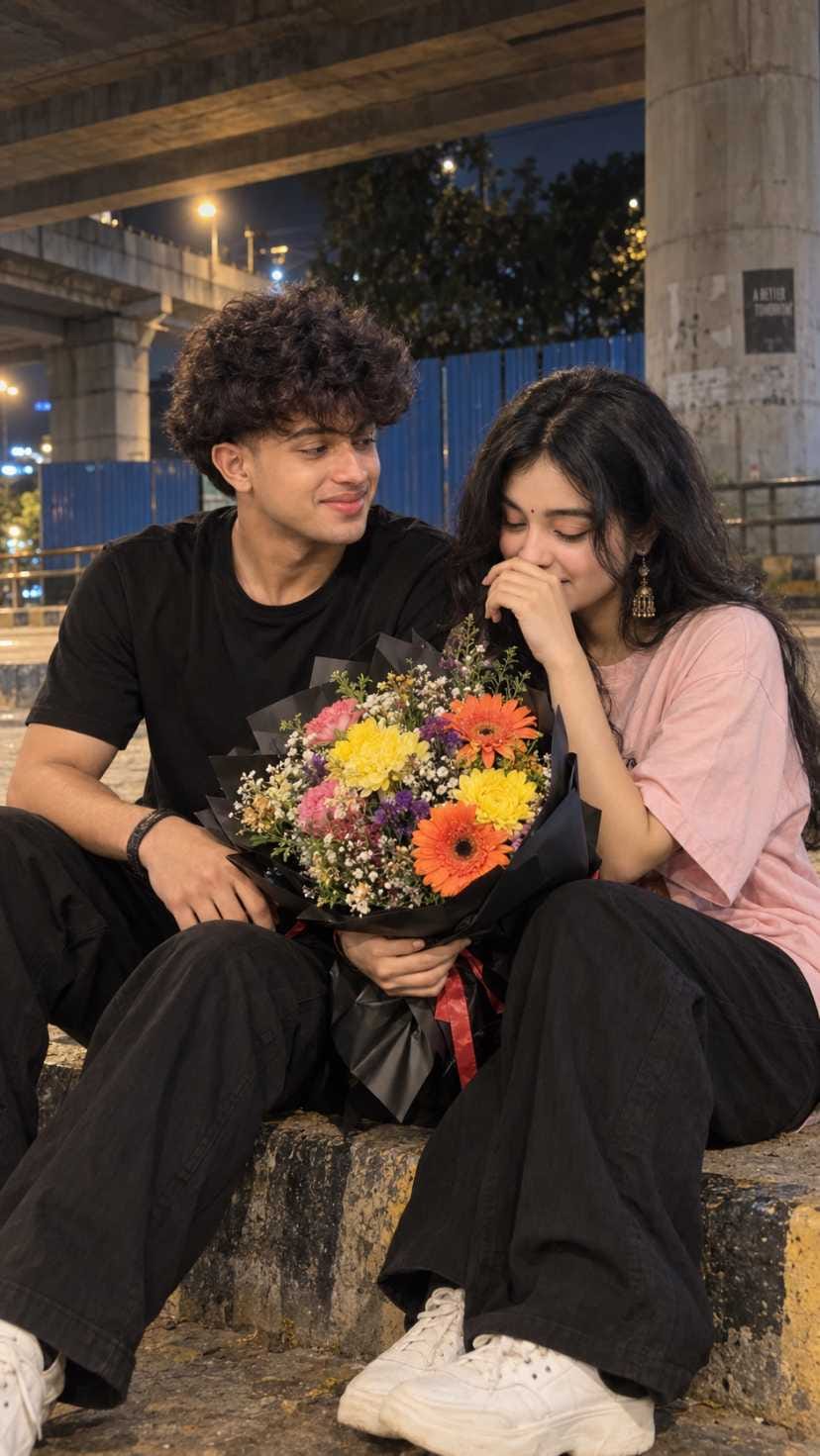
A couple flower photo prompt is perfect for anniversaries, birthdays and special days. An AI couple photo prompt like this gives a natural, candid feel, as if someone clicked a real moment between two people. It is a lovely way to make a memory look beautiful.
This is one of the best Instagram viral photo prompt styles right now, because it works for everyone. You can use the photos for stories, Reels covers, DPs and posts. And since the look is warm and simple, it fits almost any feed.
Final Words
A flower bouquet AI photo prompt is one of the easiest ways to make a beautiful, cinematic photo without any special skills. With a clear reference photo, the right settings and a little patience, you can create a portrait that looks like a real night-time photoshoot. ChatGPT gives the best results, and Gemini is a good second option.
We hope this guide helped you. Try the prompts above, share your photos, and explore more viral prompts on RonyTica. New trending AI photo prompts are added here regularly, so keep visiting.
Frequently Asked Questions
Open ChatGPT, upload your photo, and paste the prompt. Then add a line asking it to keep your face the same. Wait for the image, check it, and ask for small changes if needed.
Yes, you can. Most prompts work in Gemini as well. The result may look slightly different, so you may need to change a few words to get the look you want.
Use a clear, front-facing photo in good light. Avoid sunglasses and heavy shadows in the reference image. Also add a line in your message asking the AI to keep your face and features exactly the same.
Of course. You can swap the sunflowers for roses, tulips or any flowers you like. Just change one thing at a time, so the rest of the photo stays the same.
Yes. It works very well for couples. Just upload a photo where both faces are clear, and the AI will make a warm and natural couple portrait.
AI tools sometimes find hands difficult. Ask for a simpler pose, such as holding the bouquet close to the chest. You can also ask ChatGPT to fix only the hands.



