Why Everyone Is Trying This Doodle Photo Trend
Have you seen those photos where a real person turns into a small, cute, hand-drawn character, but the place around them stays completely real? That is the Funny Doodle Prompt, and it is going viral on Instagram and other social media apps. It is a simple AI doodle photo prompt, and anyone can try it in just a few minutes. At RonyTica, we love easy AI trends like this one.
The effect looks like a child drew the person with crayons and colour pencils and then placed the drawing on top of a real photo. The head is big, the body is small, the lines are shaky, and the cheeks are a little pink. The background, the sky, the trees, the walls and the furniture, all stay as real as before. This mix of a real photo and a doodle character is the reason people find it so funny and so cute.
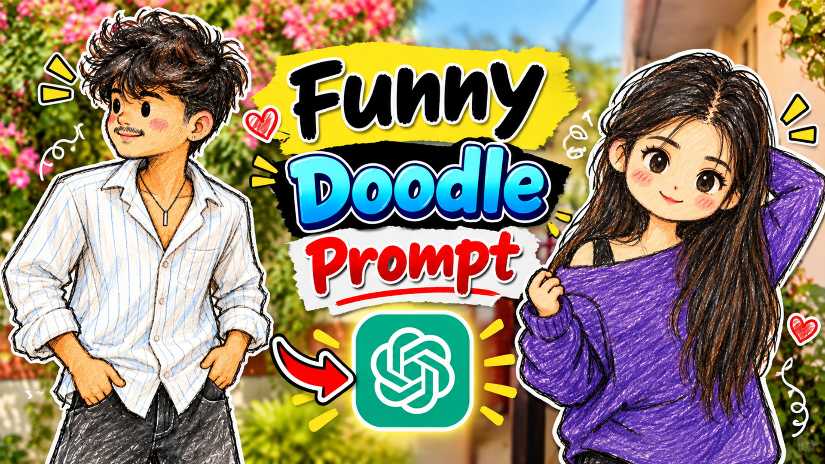
You do not need to know drawing. You only need your own photo, ChatGPT and the prompt. In this guide, you will learn which AI tool works best, how to use the prompt step by step, some easy tips, the best settings, common mistakes, and answers to the questions people ask most.
Which AI Tool Works Best for This Funny Doodle Prompt
ChatGPT is the best choice for this prompt. A ChatGPT doodle prompt works well because ChatGPT can read long instructions properly. It understands that only the person should become a doodle, while the background should stay the same. That is why we at RonyTica suggest ChatGPT as the first option for anyone who wants to turn a photo into a doodle.
You can also try the same ChatGPT photo prompt in Gemini. A Gemini photo prompt or Gemini doodle prompt can give a nice result too, but the doodle style and the background may look a little different. If you have both apps, try the prompt in both and keep the image you like more.
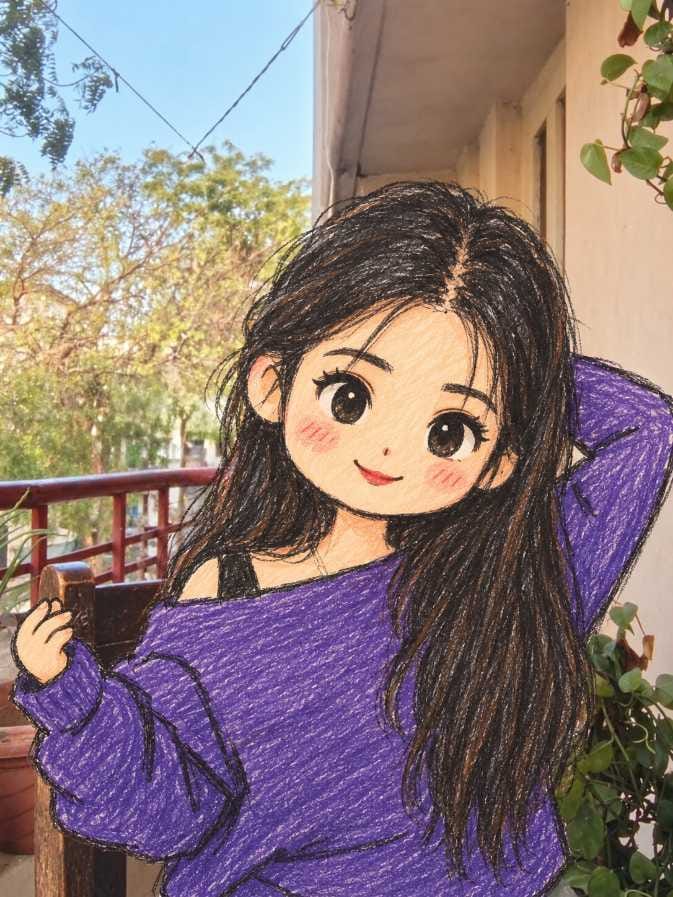
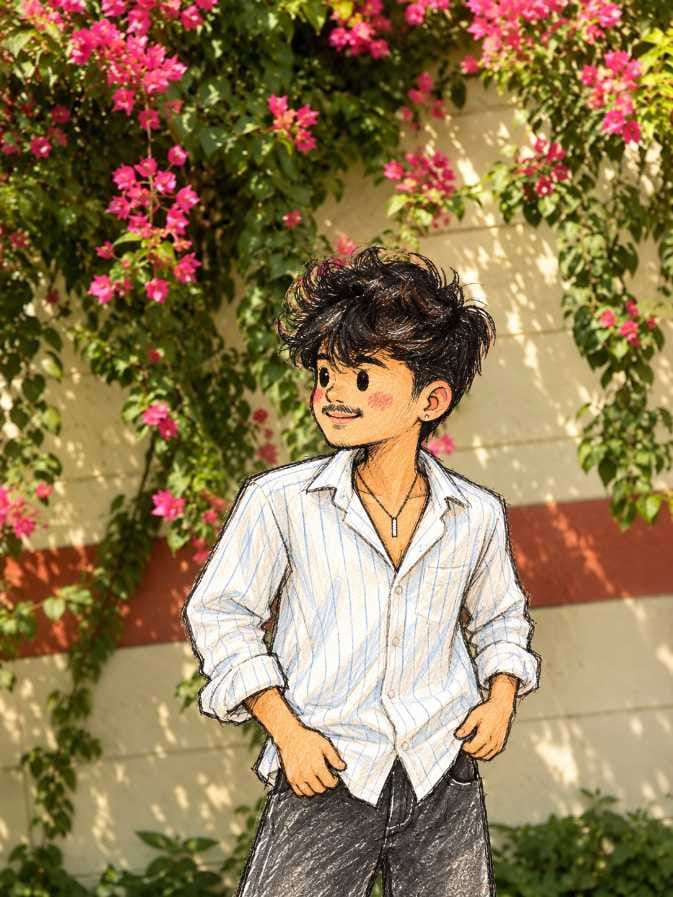
How To Use This Funny Doodle Prompt, Step by Step
Using this prompt is very easy. If you want to turn a photo into a doodle with ChatGPT, just follow the steps below. The same steps work in Gemini also.
- Open the ChatGPT app on your phone or the website on your computer. If you want to try Gemini, open that instead.
- Choose a clear photo of yourself or your friend, and upload it to the chat. The prompt works on a photo that you upload, so do not forget this step.
- Go to the prompt box on this page on RonyTica and copy the Funny Doodle Prompt.
- Paste the prompt in the chat, along with your photo, and send it.
- Wait for a few moments while the AI makes your doodle image.
- Look at the result carefully. Check if the background is the same and if the pose looks right.
- If you are not happy, try again with the same prompt. Small changes in the result are normal, so a second or third try often gives a better image.
- Download the image you like and share it with your friends.
Easy Tips To Get a Better Doodle Photo
A good photo gives a good doodle. Always start with a clear picture where the person is easy to see. Natural daylight works best because the colours stay bright and the AI can understand the photo better. A blurry or very dark photo can confuse the AI and spoil the result. Try to use a photo with a nice, real background. Since the background stays the same, a pretty garden wall, a balcony, a street or a park can make the final image look even better. Plain walls are fine too, but a lively background makes the doodle character stand out more. Colours of the clothes also matter. The doodle character keeps the same clothing colours as the photo, so bright and solid colours look very cute. Very small patterns may look messy in a doodle. Keep the pose simple and natural. A person standing, smiling, or looking to the side usually gives a very cute doodle character. If you want to add more people, make sure everyone is clearly visible and not hiding behind each other. This helps the AI draw each person properly.
Best Settings for the Funny Doodle Prompt
You do not need any difficult setting for this prompt. Just use the choices in the table below to get a clean and cute result.
| Setting | Best Choice | Why It Helps |
|---|---|---|
| AI Tool | ChatGPT first, Gemini as second option | ChatGPT follows long prompts very well |
| Photo Type | Clear, sharp photo with the person fully visible | The AI can copy the pose and clothes properly |
| Photo Size | Vertical (portrait) photo | The prompt keeps the same frame, so portrait photos look best on mobile |
| Light | Natural daylight or good light | Colours stay bright and the doodle looks fresh |
| Background | Real, simple and not too crowded | The background stays real, so a clean one looks neat |
| Number of People | One person or a small group | Each person gets drawn clearly |
| Photo Quality | High quality, not zoomed or edited | A clean photo gives a clean doodle |
| Tries | Generate more than once | You can pick the best image from different results |
Common Mistakes People Make With This Doodle Photo Prompt
The biggest mistake is using a low quality photo. If the photo is blurry, small, or full of filters, the AI cannot see the person properly, and the doodle may look wrong. Always use the original photo if you can. Another mistake is forgetting to upload the photo. This prompt needs your own picture to work. If you paste only the text, ChatGPT will not know which person to turn into a doodle. Many people also change too many words in the prompt. When you remove or add many lines, the AI may start to draw the whole image as a cartoon, and the real background can be lost. It is better to use the prompt as it is and try again if needed. Some people give up after one try. AI results are not always the same, so one image may look perfect and the next may look a little off. Give it two or three tries before you decide. Last, do not use a photo where the person is very far from the camera or hidden behind many things. When the person is too small in the frame, it is hard to turn a real photo into a doodle character in a clean way.
Why You Will Love This Viral Doodle Photo Effect
This effect is different from the normal AI art that you see everywhere. It does not make you look like a perfect model. It makes you look like a cute, funny, hand-drawn character standing in the real world, and that makes people smile. The kids drawing style AI photo look feels warm, simple and full of fun. It is also very easy. There is no app to learn and no editing skill needed. One photo and one prompt are enough. The result works for boys, girls and friends, and you can try it with many different photos. The images are perfect for Instagram posts, WhatsApp status, profile pictures and group chats. Your friends will surely ask you how you made it. Keep visiting RonyTica for more viral AI photo prompts like this one, so you can always try something new.
Try the Funny Doodle Prompt Today
The Funny Doodle Prompt is one of the easiest and most fun AI photo trends right now. With just one clear photo, ChatGPT and the right prompt, you can turn a real photo into a cute doodle character while the background stays real. Remember to use a good quality photo, follow the simple steps, and try a few times to get the best image. Go to the prompt box on this page, copy the prompt, and make your own doodle photo today. RonyTica will keep bringing you more viral AI photo prompts, so visit again and try the next trend with us.
Frequently Asked Questions
The Funny Doodle Prompt is an AI photo prompt that turns the people in your photo into cute, hand-drawn doodle characters. The background of the photo stays real, so the final image looks like a mix of a real photo and a child’s drawing.
Yes, you can try it in Gemini. Many people use a Gemini doodle prompt to get similar results. The style may be a little different from ChatGPT, so it is good to test both and see which one you like.
The prompt is free to copy and use on RonyTica. Both ChatGPT and Gemini may have free options for making images, but they can have daily limits. These limits can change from time to time, so please check the app you are using.
No, not at all. The AI does all the drawing for you. You only need to upload your photo and paste the prompt.
No, they are a little different. The ugly doodle trend makes a photo look messy and funny on purpose. This prompt makes a cute doodle character and keeps the real background untouched. Both are fun, but this one has a sweeter and cleaner look.
Sometimes the AI changes small things in the background. If this happens, just generate the image again with the same prompt and the same photo. Using a clear photo with a simple background also helps.
Yes, you can. Just make sure everyone is clearly visible in the photo. When the people are easy to see, the AI can draw each person properly.
Yes, these images are very popular as Instagram posts and stories. Many people share a funny doodle prompt photo along with the original photo, so that others can see the before and after.