


Open Instagram or Pinterest right now, and you will see it everywhere girls holding transparent umbrellas in golden monsoon light, couples walking through thick fog, raindrops glowing like tiny diamonds. This is the cinematic rainy photo trend, and it has completely taken over social media in the last few weeks. The best part? You don’t need a rainy day, a professional camera, or even a photographer. With the right AI prompt, ChatGPT can turn your own photo into a dreamy, movie-style rain portrait in minutes.
In this post, we are sharing 3 of the most viral cinematic rainy photo prompts we found trending right now. One gives you a soft golden-hour look, another gives you a bright garden rain vibe, and the third creates a candid foggy couple moment. All three keep your real face, so the final photo still looks like you.
Let’s get into how to use each one.
Which AI Supports This Prompt
These prompts are written specifically for ChatGPT (with image generation turned on), since it handles face preservation and realistic lighting the best right now. You can also try them on Gemini, but the skin texture and rain detail may look slightly less natural compared to ChatGPT.
Why You’ll Love These Cinematic Rainy Photo Prompts
These prompts are so popular because they don’t need any editing skill, expensive camera, or actual rain outside your window. You just need one good photo and a few minutes. The results look professional enough to post directly, and they genuinely keep your real face, so friends and followers can instantly tell it’s you just in a beautifully cinematic version.
Prompt 1: Orange Garden Rain
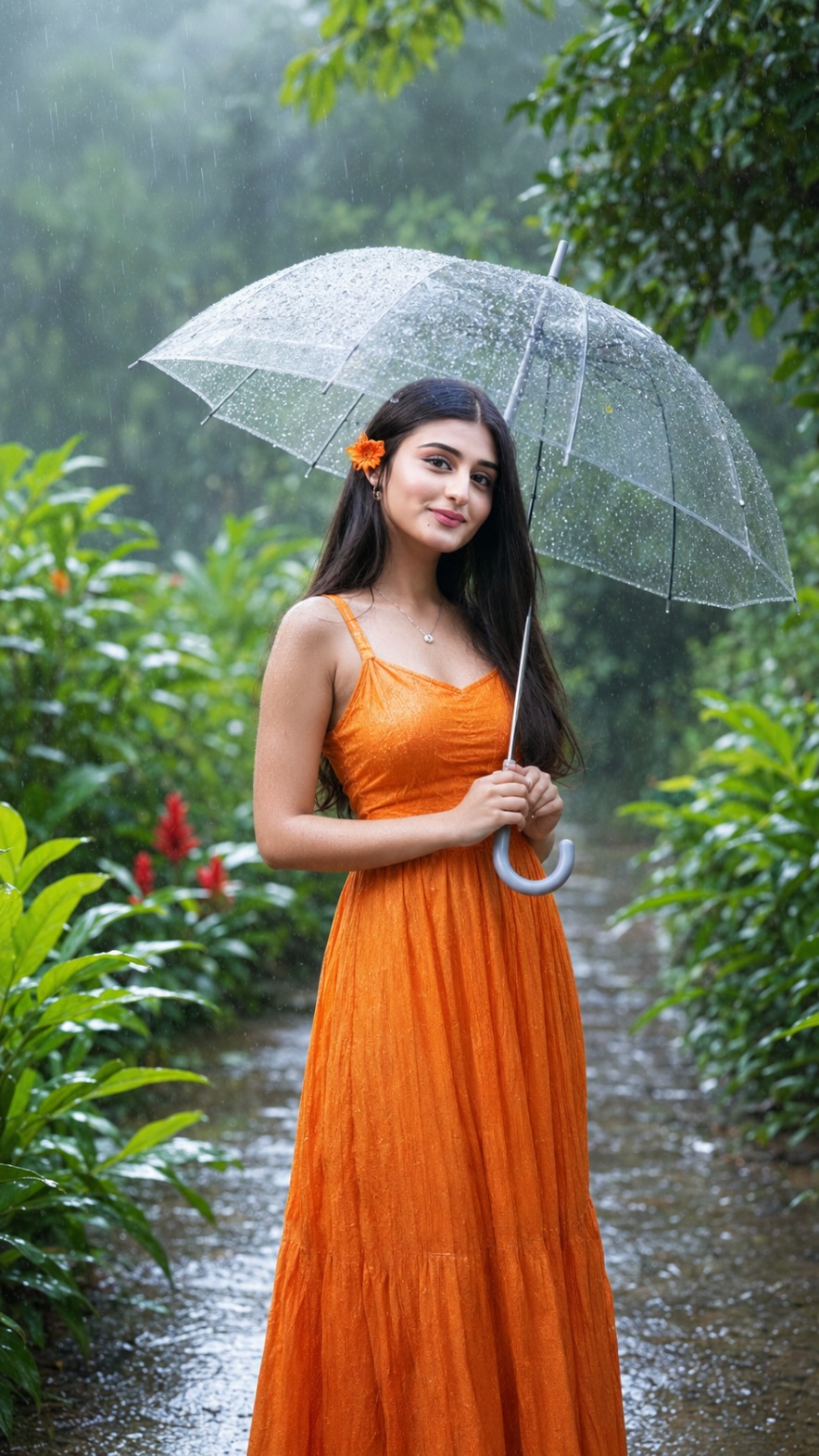
This one is bright, cheerful, and full of life a flowing orange dress, a flower tucked behind the ear, and soft rain falling through a lush green garden. It’s perfect if you want a happy, natural-smile photo instead of a moody one.
How To Use This Prompt
- Open ChatGPT and upload a clear photo of yourself.
- Paste the prompt exactly as written above.
- Mention your preferred dress color if you want something other than orange.
- Generate the image and check the face match carefully.
- Ask for a regeneration if the lighting looks too flat or unnatural.
Tips Before Using
- Photos with natural daylight give the most realistic rain effect.
- Keep hair details visible in your original photo for a better match.
- If your original photo has busy background elements, results may vary a simple background works best.
Best Settings
- Image ratio: 9:16
- Lighting style: soft natural daylight
- Focus: shallow depth of field with green garden bokeh
Prompt 2: Golden Rain Elegance
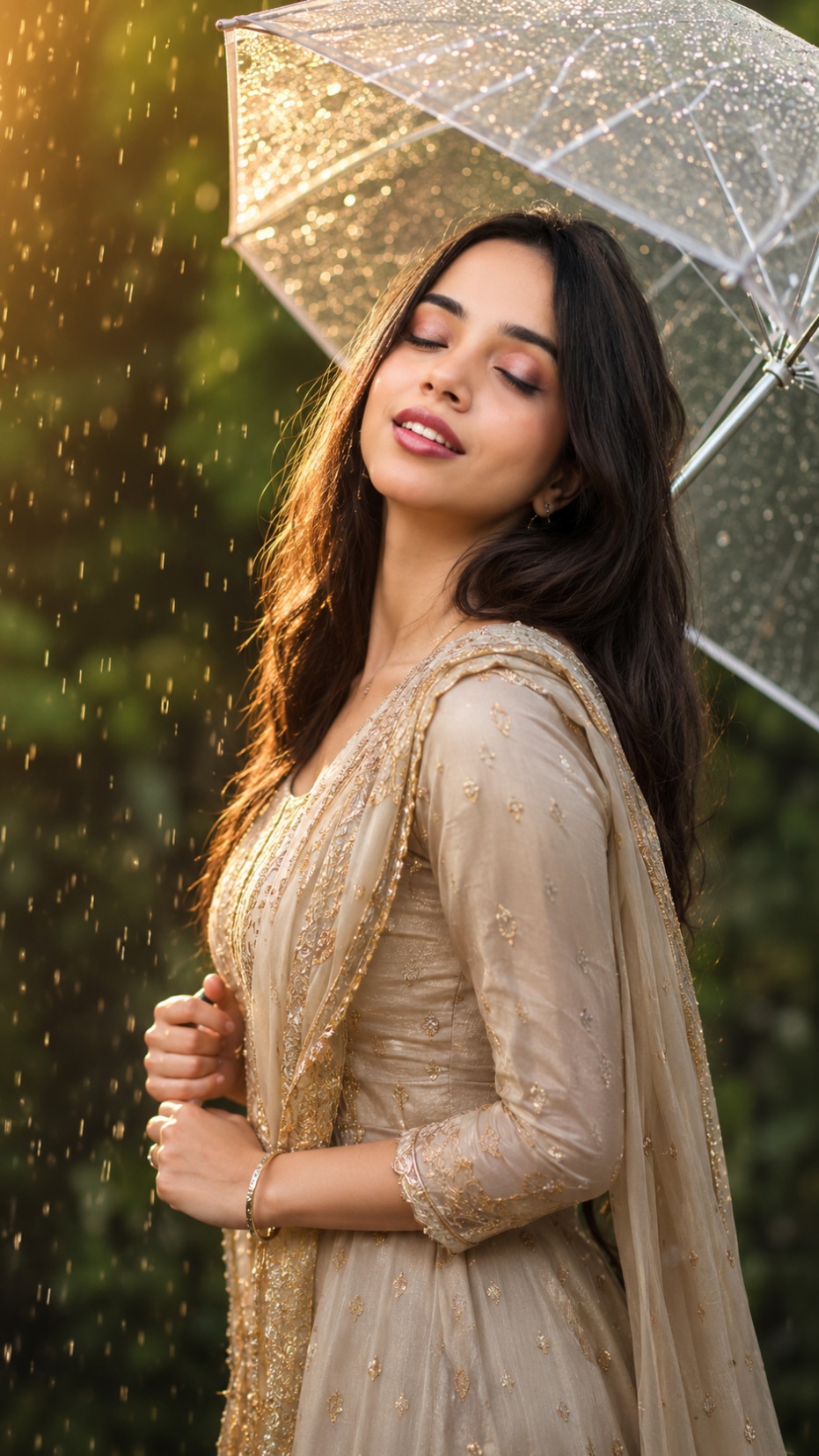
This look gives you a soft, warm, golden-hour portrait eyes closed, gentle smile, glowing raindrops falling around a sparkling transparent umbrella. It has that “I’m-in-my-own-movie” feeling that people are loving right now.
How To Use This Prompt
- Open ChatGPT and make sure image generation is active.
- Upload a clear, front-facing photo of yourself with good lighting.
- Paste the prompt above exactly as it is.
- Wait for ChatGPT to generate the image, then check if your face looks accurate.
- If something feels off, simply ask ChatGPT to “keep the face exactly the same” and regenerate.
Tips Before Using
- Use a photo where your face is clearly visible, not turned too much to the side.
- Avoid sunglasses, caps, or heavy filters in your original photo.
- A plain or simple background in your original photo works better.
- If you want a specific outfit color, mention it clearly in the prompt.
Best Settings
- Image ratio: 9:16 (perfect for Instagram Reels and Stories)
- Lighting style: warm golden-hour tone
- Focus: soft blur background (bokeh), sharp face
Prompt 3: Foggy Monsoon Walk (Couple Edition)
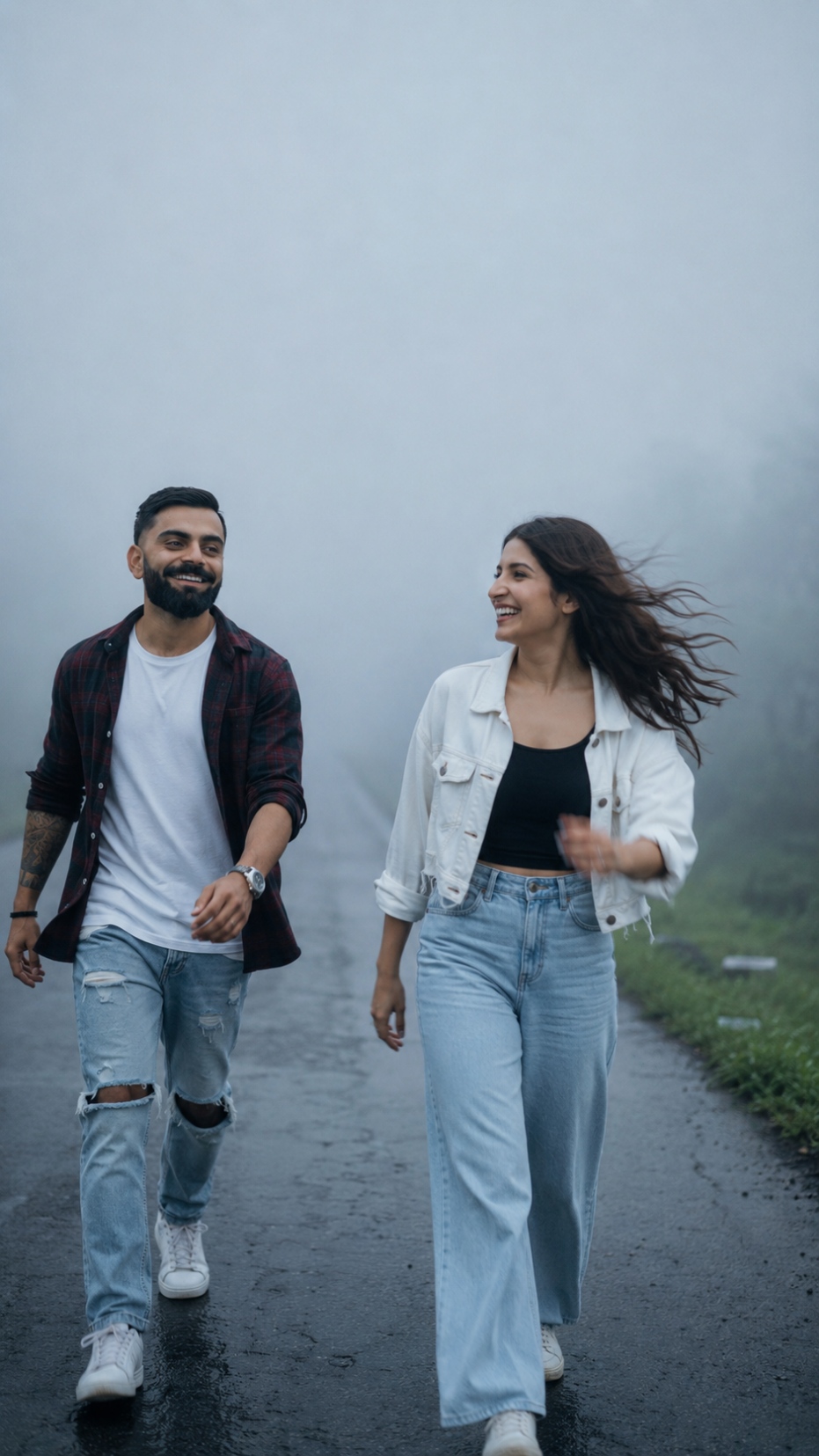
This is the trending couple version two people walking toward each other on a foggy road, mid-laugh, hair blowing in the wind. It looks like a still frame from a romantic movie, and it’s one of the most-shared prompts this monsoon season.
How To Use This Prompt
- Upload one clear photo of each person (or a photo of both together, if available).
- Paste the prompt into ChatGPT.
- Mention clothing preferences if you want a different outfit combination.
- Generate the image and compare both faces to the original photos.
- Regenerate if either face looks slightly changed.
Tips Before Using
- Use two separate solo photos if a joint photo isn’t available mention this to ChatGPT so it blends both faces properly.
- Choose photos where both faces are clearly lit and visible.
- Keep expectations realistic group or couple prompts sometimes need 2-3 tries to get both faces accurate.
Best Settings
- Image ratio: 9:16
- Lighting style: cool, desaturated, foggy tone
- Focus: candid motion blur with cinematic haze
Common Mistakes People Make With These Prompts
- Using a blurry or low-light photo ChatGPT needs a clear face reference to keep your identity accurate.
- Forgetting to mention “don’t change face” this line matters a lot for keeping your real features.
- Ignoring the aspect ratio always mention 9:16 if you want a Reels or Story-friendly result.
- Expecting a perfect result in one try sometimes you need to regenerate once or twice, especially for couple photos.
- Skipping outfit or color details if you don’t mention specifics, ChatGPT may choose something different from what you imagined.
FAQ
1. Do I need a paid ChatGPT plan to use these prompts?
Image generation works on both free and paid ChatGPT plans, though paid plans usually generate faster and allow more attempts.
2. Will the AI change my face?
If you include “don’t change face” in the prompt and upload a clear photo, ChatGPT usually keeps your features very close to the original. Minor differences can still happen occasionally.
3. Can I use these prompts for a male photo too?
Yes, you can adjust the outfit and pose details in the prompt to match a male subject.
4. Why does my result look different from the example photo?
Results depend on your original photo’s lighting, angle, and clarity. Using a better-quality photo usually improves accuracy.
5. Can I use Gemini instead of ChatGPT for these prompts?
Yes, but ChatGPT currently gives more realistic skin texture and rain detail compared to Gemini for this specific style.
Conclusion
Cinematic rainy photos are one of the easiest ways to turn a simple selfie into a stunning, movie-like portrait no rain, no photographer, no editing skills needed. Try all three prompts above, tweak the details to match your style, and you’ll have a set of scroll-stopping photos ready for your feed this monsoon season.




Sfgggcvghhjncsergv