


Right now, everyone’s Instagram and Pinterest feed is full of one thing dreamy ethnic saree portraits made with AI. This is the trending aesthetic girls ChatGPT prompt that is going viral everywhere. Girls are turning their normal photo into a royal, golden-hour saree portrait, and it looks so real that people can’t believe it’s AI-made.
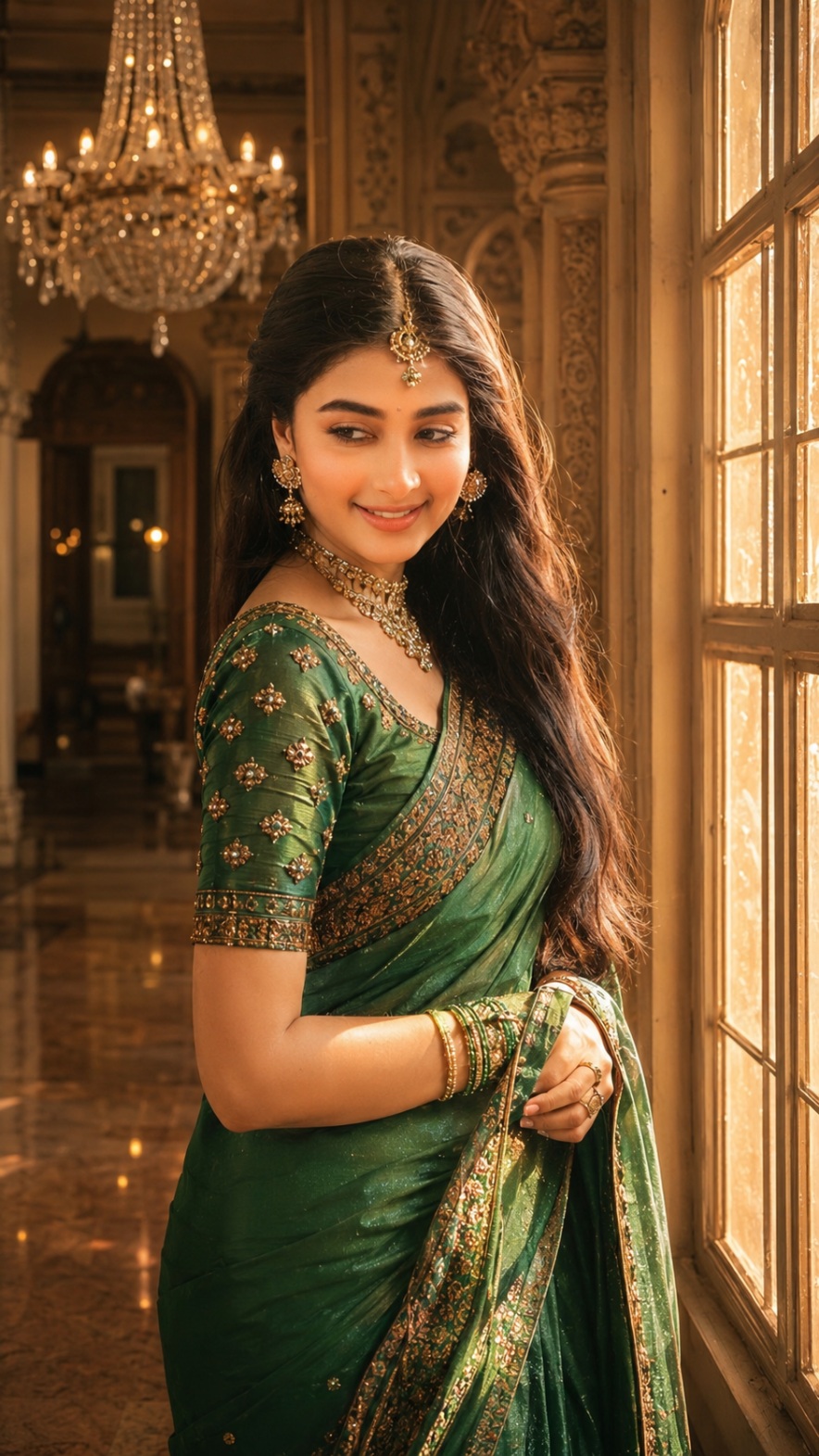
On RonyTica, we bring you two such viral looks today. One is a deep-red saree portrait sitting on a shiny marble floor. Another is a green silk saree portrait standing near a big palace window. Both look like a professional photoshoot, but you just need one photo and one prompt to make it.
Let’s see how you can create this trending aesthetic girls ChatGPT prompt look for yourself.
Which AI Tool Works Best For This
ChatGPT (with image generation) is the best tool for this trending aesthetic girls ChatGPT prompt style. It understands face details very well and keeps your face same in the new photo.
You can also try this prompt on Gemini, but the result may not match your face as closely as ChatGPT does. So for best and safe result, we suggest ChatGPT only. RonyTica always tests every prompt before sharing, so you can trust this one.
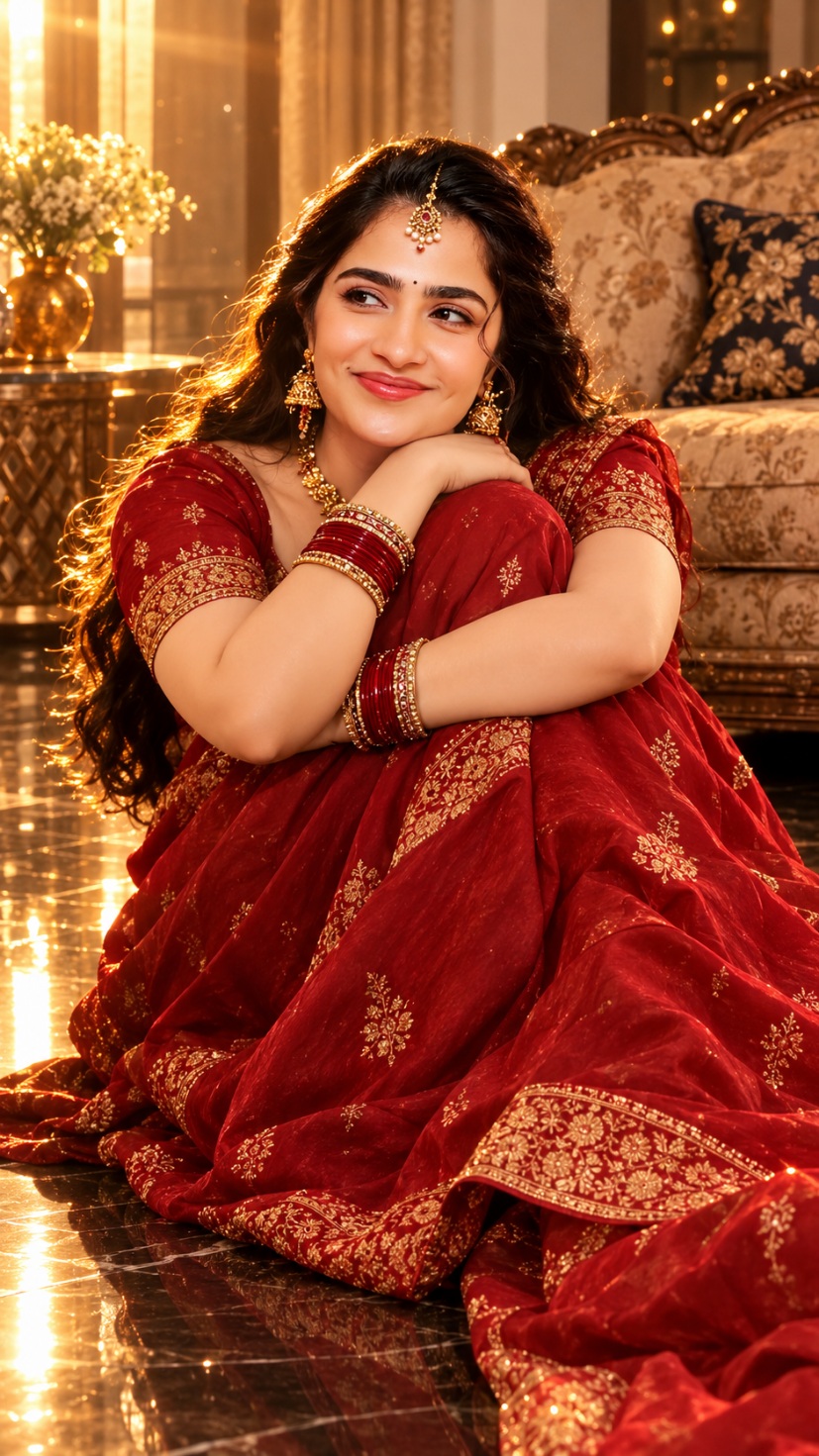
Look 1 – Red Saree Golden Hour Portrait
This first look is a deep-red saree with gold embroidery, sitting on a glossy black floor. Soft golden light falls on the face, giving a warm, dreamy vibe. It has that old Y2K camera feel, mixed with royal Indian elegance.
How To Create This Red Saree Look
1) Open ChatGPT and start a new chat
2) Upload a clear, front-facing photo of yourself
3) Copy-paste the Prompt 1 box given below (in the prompt section of this post)
4) Send it and wait for ChatGPT to generate the image
5) If face is not matching properly, ask ChatGPT to “keep the face same as reference photo” and try again
Tips Before You Try This Prompt
1) Use a bright, clear selfie without sunglasses or filters
2) Face should be fully visible, not covered by hair or hand
3) Avoid group photos, only single face photo works best
4) Try in portrait mode (9:16) for correct aspect ratio
5) If output looks blurry, regenerate 2-3 times for better result
Best Settings For Red Saree Portrait
1) Image ratio: 9:16 (vertical, perfect for Instagram Reels and Stories)
2) Lighting style: Golden hour, warm amber tone
3) Quality: Choose HD or highest quality option if ChatGPT gives that choice
4) Style: Photorealistic, cinematic look
Look 2 – Green Saree Royal Window Portrait
This second look is more royal and elegant. A rich green silk saree, standing beside a big palace-style window, with sunlight coming through in soft rays. This one gives a heritage mansion feel, like a princess from an old palace.
How To Create This Green Saree Look
1) Open a new ChatGPT chat (or same chat, your choice)
2) Upload your clear face photo again
3) Paste the Prompt 2 box given below (check the prompt section)
4) Generate the image and check if face matches properly
5) You can ask ChatGPT to fix small details like jewelry or hand position if needed
Tips Before You Try This Prompt
1) This prompt needs a good, sharp reference photo, so don’t use low quality images
2) Natural light selfie works better than flash photo
3) Keep hair a bit open in the reference photo for more natural blend
4) Don’t use side-angle face photo, front face gives best matching result
5) Regenerate if the eyes or skin tone look different from your real photo
Best Settings For Green Saree Portrait
1) Image ratio: 9:16 (vertical, best for mobile screens)
2) Lighting style: Warm golden sunlight through window, soft light rays
3) Quality: HD or maximum quality setting
4) Style: Editorial fashion photography, photorealistic, cinematic
Mistakes People Usually Make
1) Uploading a blurry or dark photo as reference
2) Using a photo where face is partly covered
3) Not mentioning “don’t change the face” in the prompt
4) Expecting perfect result in first try (AI sometimes needs 2-3 tries)
5) Using very old or low-resolution photos
Why This Prompt Is So Popular
This trending aesthetic girls ChatGPT prompt is loved by so many people because it turns a normal phone photo into a magazine-style royal portrait. No studio, no expensive photographer, no heavy editing skill needed. Just your photo, this prompt, and ChatGPT does the rest.
That’s why RonyTica keeps bringing more of these viral, easy-to-use AI prompts, so beginners can also create stunning photos without any extra tool or app.
Common Questions About This Prompt
Q1) Is this prompt free to use?
Yes, if you use free ChatGPT, but image generation limit may be less. Paid plan gives more tries.
Q2) Will my face look exactly same?
Mostly yes, if your reference photo is clear. Sometimes small changes happen, so you may need to regenerate once or twice.
Q3) Can boys also use this same prompt?
This particular prompt is made for saree look, so it’s mainly for girls. But you can ask ChatGPT to change the outfit style for boys.
Q4) Which app should I use, ChatGPT app or website?
Both work fine, but website version sometimes gives better quality output.
Q5) Do I need any editing after generating the image?
Not really, but you can do light editing if you want to adjust brightness or color.
Final Thoughts
This trending aesthetic girls ChatGPT prompt is one of the easiest ways to get a royal, cinematic saree portrait without any photoshoot. Both looks the red saree floor portrait and the green saree window portrait are trending right now, and you can create them in just a few minutes.
Try both prompts from RonyTica today, and don’t forget to share your result. Keep visiting RonyTica for more such trending and viral AI photo prompts every week.



