


Have you seen those close-up eye photos everywhere on Instagram and YouTube these days? People are turning their normal selfies into deep, cinematic, movie-style eye portraits using AI. This is called the Cinematic Eyes Photo Prompt, and honestly, it is one of the most viral AI photo trends right now.
The best part is you don’t need any camera or editing skill for this. You just need a good reference photo and the right AI prompt. ChatGPT can turn your simple photo into a dramatic, high quality, macro style eye portrait that looks like it came straight out of a movie poster.
In this RonyTica guide, we will show you everything about this trend. From which AI tool to use, how to use it the right way, best settings, common mistakes people make, and a full FAQ section too. So grab your best photo and let’s get started with this Cinematic Eyes Photo Prompt trend.
Best AI Tool For This Trend
For the Cinematic Eyes Photo Prompt, ChatGPT works the best. It understands facial details very well and keeps the person’s real identity while turning it into a cinematic macro shot. You can also try this prompt on other AI image tools like Gemini, but the results and skin texture quality are more realistic and sharp when you use ChatGPT for this style.
Step By Step Guide To Create This Photo
Making this Cinematic Eyes Photo Prompt is very easy. Just follow these simple steps:
- Open ChatGPT and start a new chat.
- Upload a clear, close-up photo of your face as the reference image.
- Cpoy the prompt from given below in the prompt box.
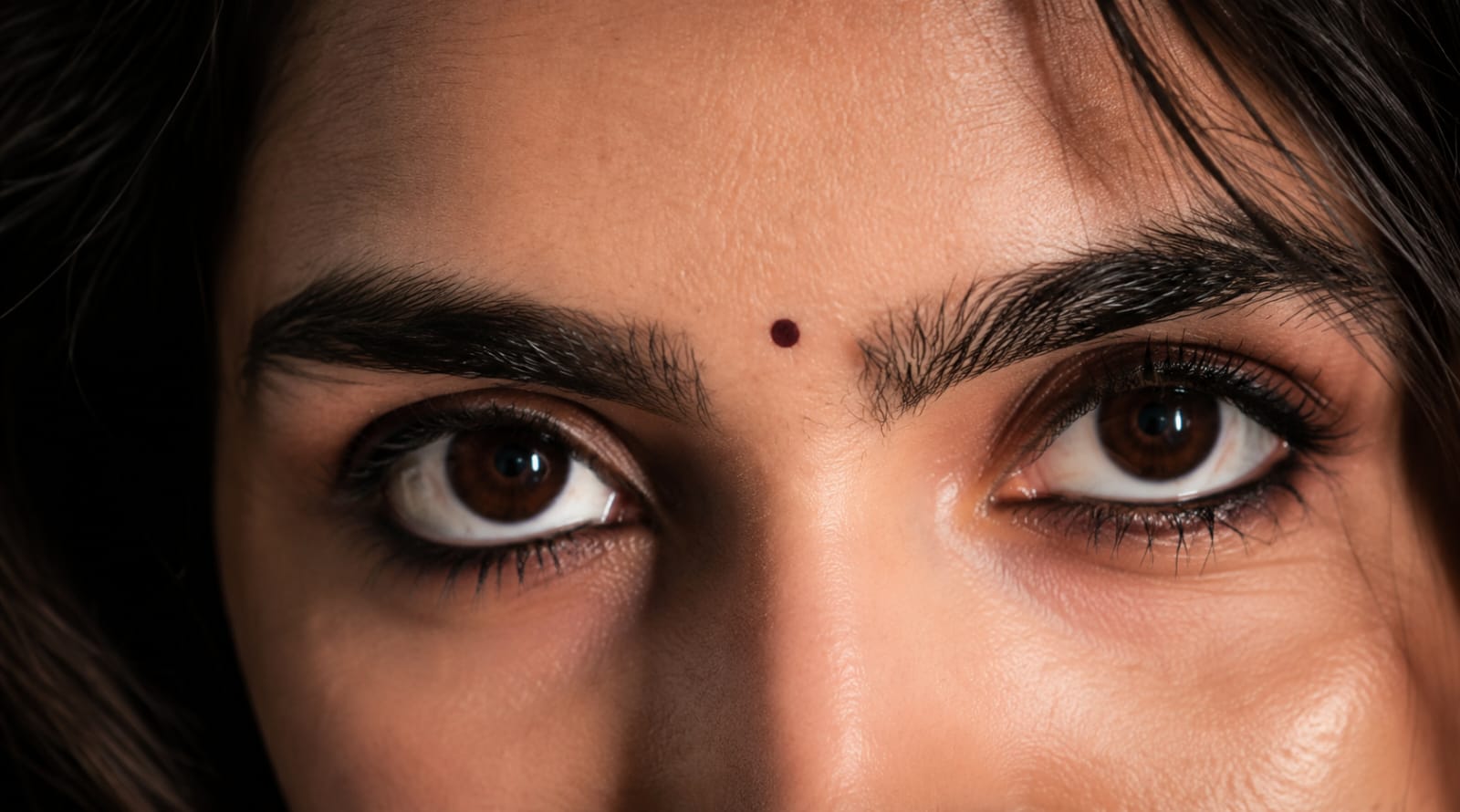
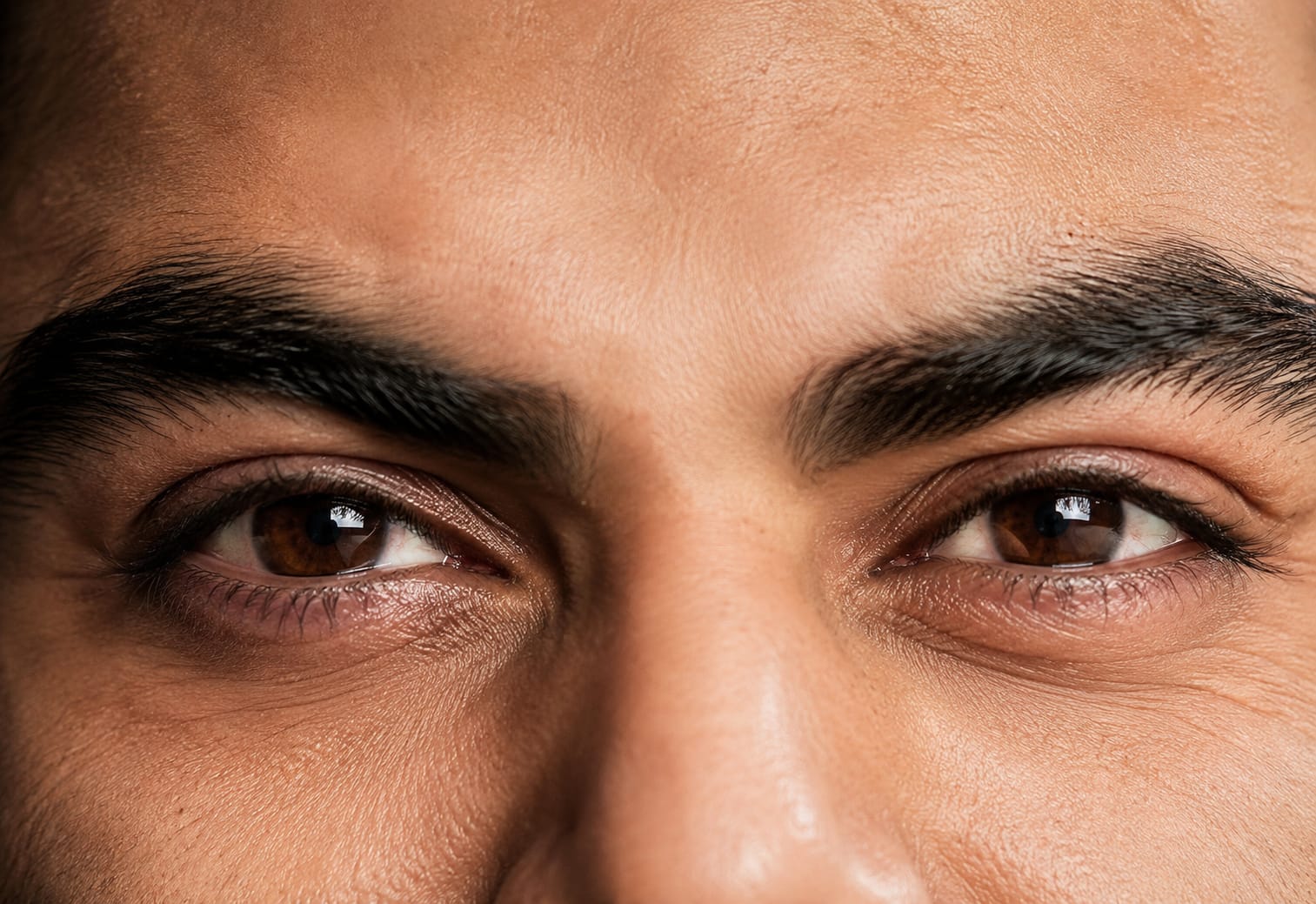
Send it and wait a few seconds for the AI to generate your cinematic eye portrait.
- Download the image once you are happy with the result.
That’s it. In just five simple steps, you get a professional, movie-style eye close-up photo, all thanks to RonyTica’s Cinematic Eyes Photo Prompt.
Things To Check Before You Start
Before you use this prompt, keep these small things in mind. They will help you get a much better result.
- Use a photo where your face is clearly visible and not blurry.
- Natural daylight photos work better than dark or low light photos.
- Make sure your eyes are open and looking straight at the camera.
- Avoid using photos where you are wearing sunglasses or heavy makeup on the eyes.
- A high resolution photo always gives a sharper AI output.
Best Settings For A Perfect Result
If you want your Cinematic Eyes Photo Prompt output to look extra premium, try these small settings:
- Always ask for a square or portrait format image, since close-up eye shots look best in this ratio.
- Ask ChatGPT for a dark or black background if it does not add one automatically.
- Request natural skin texture instead of a smooth or plastic look.
- If the first result feels too edited, simply ask ChatGPT to make it look more like a real DSLR photo.
Mistakes People Usually Make
Many users don’t get a good result with this trend because of a few small mistakes. Here are the common ones you should avoid:
- Using a very old or low quality photo as reference.
- Uploading a photo where the face is at an angle instead of straight.
- Not mentioning that the eye color and shape should stay exactly the same as the original photo.
- Expecting the AI to work perfectly in just one try. Sometimes you need to regenerate two or three times.
Why People Are Loving This Trend
This Cinematic Eyes Photo Prompt is not just another normal AI photo trend. It brings out something very personal and emotional. Your eyes carry your real expression, and when AI turns them into a cinematic macro shot, it feels like a scene from a film.
This is exactly why creators, influencers, and even normal users are posting these photos on Instagram reels and YouTube shorts. It looks premium, unique, and honestly, nobody can guess it is AI generated at first look. That is the real magic behind this viral trend on RonyTica.
Frequently Asked Questions
Q1. What is the Cinematic Eyes Photo Prompt?
It is a viral AI photo trend where your normal face photo is turned into a close-up, cinematic style portrait that only focuses on your eyes.
Q2. Which AI is best for this prompt?
ChatGPT gives the most realistic and detailed result for this particular trend.
Q3. Do I need a professional camera for this?
No, you just need a clear photo taken from any normal smartphone camera.
Q4. Will the AI change my real eye color?
No, if the prompt is written correctly, your original eye color and shape stay exactly the same.
Q5. Can I use this prompt for both men and women?
Yes, this Cinematic Eyes Photo Prompt works perfectly for anyone, whether you are a man or a woman.
Q6. Why does my result look fake or too edited?
This usually happens when the reference photo is blurry or in low light. Try again with a clearer, well lit photo.
Q7. Is this prompt free to use?
Yes, you can use this prompt for free on ChatGPT, no paid tool is needed.
Q8. Where can I find more prompts like this?
You can find many more trending AI photo prompts on RonyTica, updated regularly.
Conclusion
The Cinematic Eyes Photo Prompt is proof that you don’t need a fancy camera to get a stunning, movie-like portrait. With just one good reference photo and the right prompt from RonyTica, anyone can create this viral look in seconds.
Try it today, and don’t forget to check out more such trending AI photo prompts here on RonyTica. Share your result with us, we would love to see your cinematic eyes photo too.




Kumkum