


Golden Hour Magic Is Taking Over Social Media
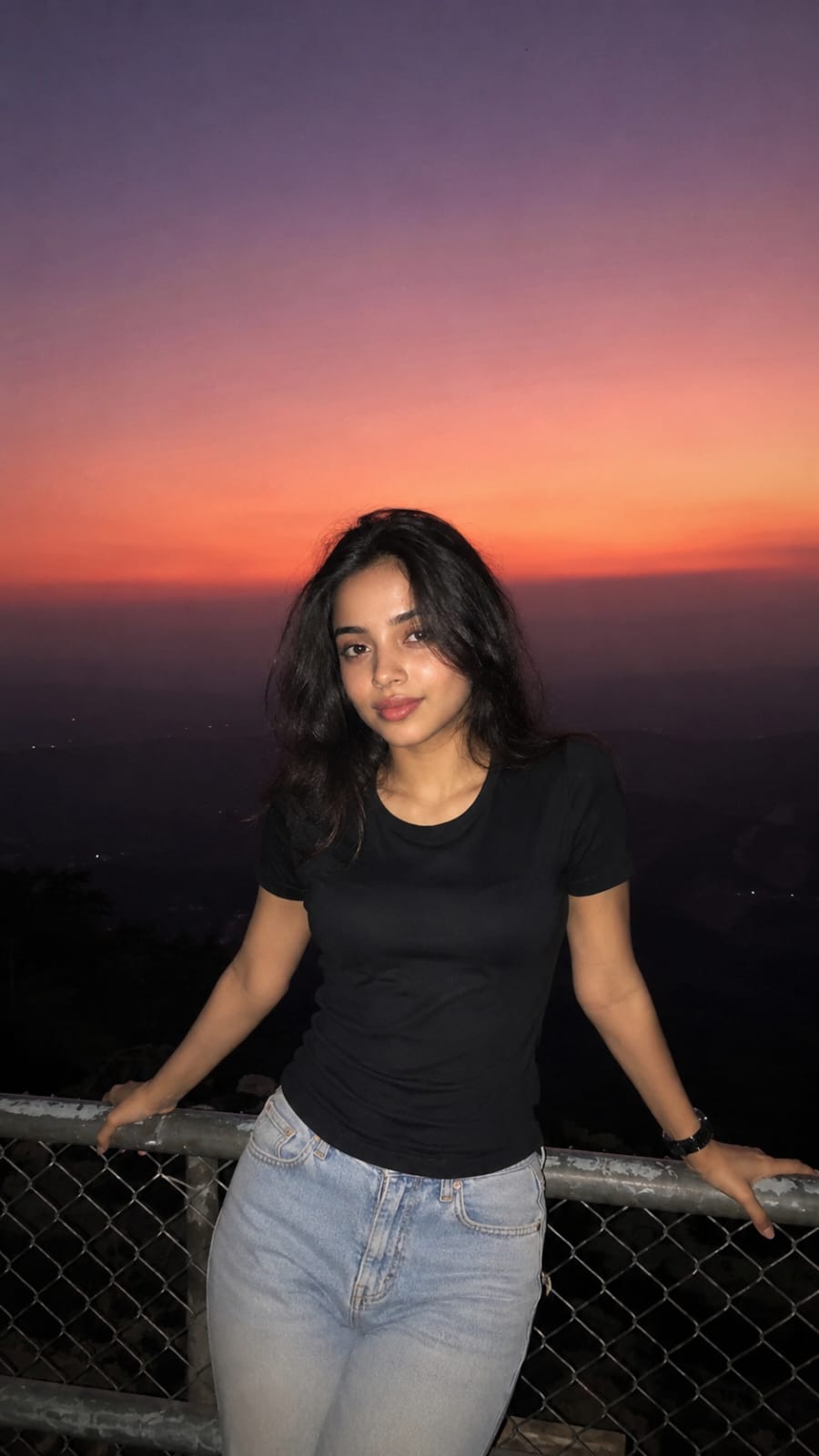
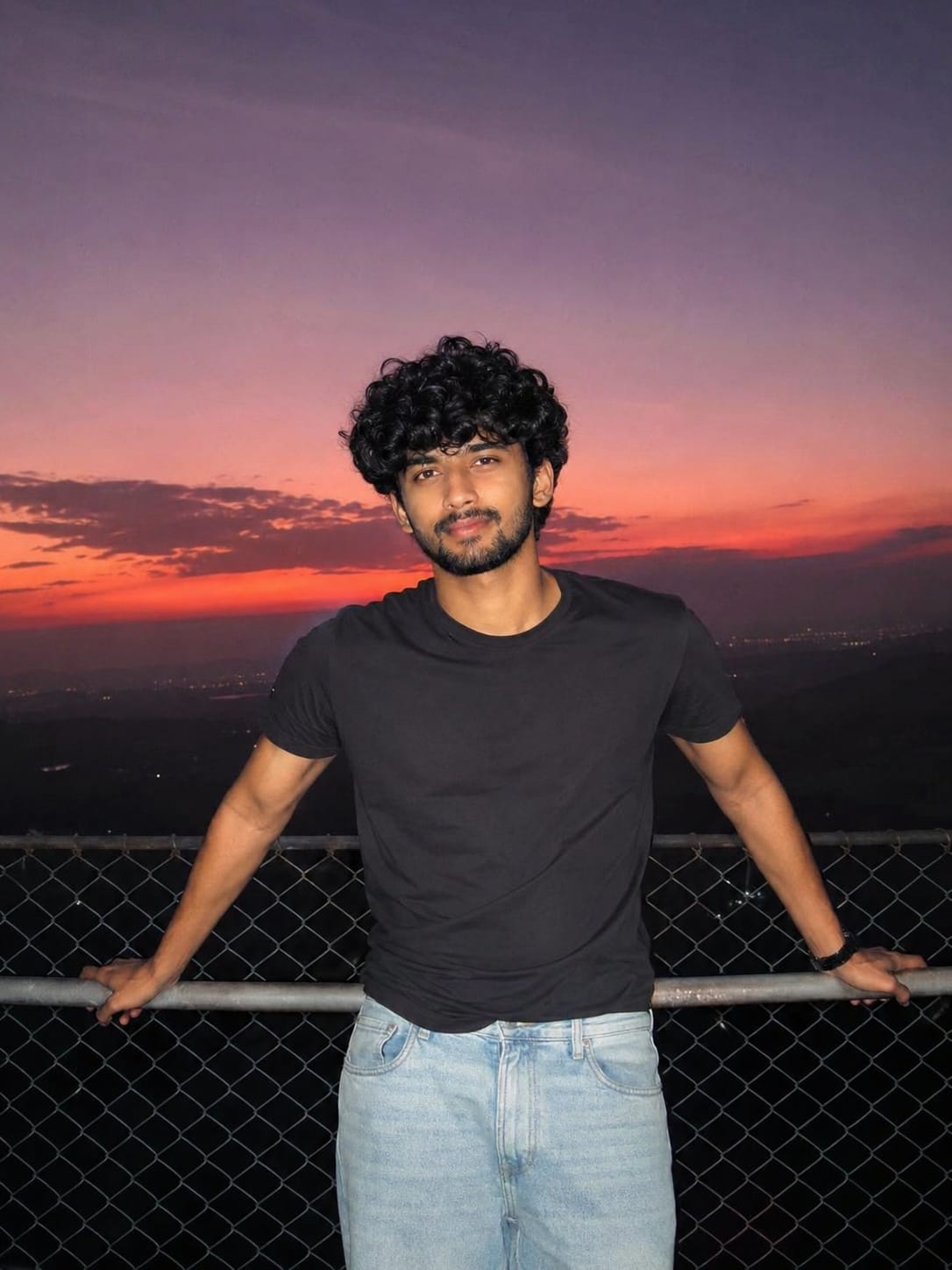
Have you seen those dreamy sunset portraits all over Instagram and Facebook these days? People are standing near a railing, sky full of purple, pink and orange colours, and the photo looks like a movie scene. This is the Cinematic Sunset Portrait Photo Prompt trend, and right now it is one of the most loved AI photo styles online.
The best part is you don’t need a fancy camera or a hill station trip. With the right AI prompt, you can create this same cinematic look sitting at your home. At RonyTica, we bring you easy AI prompts that anyone can use, even if you are new to AI tools. In this post, we will show you how to create this exact sunset portrait style, step by step, in very simple words.
Which AI Tool Works Best For This Style
For the Cinematic Sunset Portrait Photo Prompt, ChatGPT (with image generation) gives the most natural and realistic result. It handles skin texture, flash lighting, and sky colours very well.
You can also try this prompt on other AI image tools, but the result may look slightly different. Some tools may make the photo look too smooth or too “AI-made.” ChatGPT keeps that raw, real smartphone photo feel, which is exactly what this trend needs.
How To Create This Cinematic Sunset Look
For The Female Portrait Version
1) Open ChatGPT and start a new chat with image generation.
2) Upload a clear front-facing photo of the person as reference.
3) Paste the prompt (given in the prompt box below this article) and send it.
4) Wait for the AI to generate the image. It may take a few seconds.
5) Check the face, hair and background carefully before saving.
6) If something looks odd, ask ChatGPT to regenerate the same prompt again.
For The Male Portrait Version
1) Open a new ChatGPT chat and upload a clear reference photo.
2) Copy the male version prompt from the prompt box and paste it.
3) Send the prompt and let ChatGPT create the image.
4) Look closely at the jawline, hair and flash lighting on the shirt.
5) If the face looks too similar to the original person, ask ChatGPT to adjust facial details slightly.
6) Save the final photo once you are happy with the result.
Things To Check Before You Start
Female Version Tips
1) Use a bright, front-facing photo as your reference image.
2) Make sure the reference photo has good lighting on the face.
3) Avoid group photos or photos where the face is turned sideways.
4) Keep hair and face visible without sunglasses or caps.
Male Version Tips
1) Choose a photo where the face is clear and not blurry.
2) A neutral expression in the reference photo gives a better result.
3) Avoid heavy shadows on the reference photo.
4) Do not use filtered or heavily edited photos as reference.
Best Settings To Use For Perfect Results
Female Version Settings
| Setting | Recommended Value |
|---|---|
| Aspect Ratio | 9:16 (Vertical) |
| Style | Photorealistic |
| Lighting | Direct flash with sunset background |
| Skin Detail | Natural, no smoothing |
| Camera Feel | Smartphone / point-and-shoot look |
Male Version Settings
| Setting | Recommended Value |
|---|---|
| Aspect Ratio | 9:16 (Vertical) |
| Style | Photorealistic |
| Lighting | Direct flash with sunset background |
| Skin Detail | Natural texture, light stubble kept |
| Camera Feel | Slight vintage compact-camera look |
Mistakes People Often Make
1) Using a blurry or dark reference photo, which gives a bad result.
2) Skipping the aspect ratio setting, which changes the whole framing.
3) Asking for too much editing in one go, which confuses the AI.
4) Not checking hand and finger details before posting.
5) Using a group photo instead of a single clear face photo.
Why This Cinematic Sunset Trend Is So Loved
This trend feels different from normal AI photos because it looks real, not fake or over-edited. The flash light, sky colours, and casual pose make it feel like a genuine phone click taken at a hill top during sunset.
People love it because :
1) It gives a premium, cinematic feel without any travel.
2) It works for both boys and girls with equal style.
3) It looks perfect for Instagram reels, profile pictures and story posts.
4) It feels personal, not generic like other AI trends.
That is why more and more creators are trying this Cinematic Sunset Portrait Photo Prompt style every day, and RonyTica keeps bringing such trending prompts before they go fully viral.
Frequently Asked Questions
1) Which AI tool is best for this cinematic sunset prompt?
ChatGPT gives the most realistic result for this style.
2) Do I need a professional camera for this?
No, you only need a clear reference photo. The AI creates the rest.
3) Can I use this prompt for both male and female photos?
Yes, we have shared separate prompts for both versions.
4) Why does my result look different from the reference?
This can happen if your reference photo is blurry or has bad lighting.
5) Is this prompt free to use?
Yes, if you already have access to ChatGPT’s image generation feature.
6) Can beginners use this prompt easily?
Yes, just follow the steps mentioned above, no experience needed.
7) Will this work on mobile phones?
Yes, you can use ChatGPT app on mobile to generate this image.
8) Can I edit the prompt for a different background?
Yes, but changing too many details at once may affect the final result.
Final Thoughts
The Cinematic Sunset Portrait Photo Prompt is a simple but powerful way to create stunning, movie-like portraits using AI. Whether you want the female version or the male version, both give a natural and eye-catching result perfect for social media.
Try this trend today, and don’t forget to explore more such prompts on RonyTica for your next viral post.



