


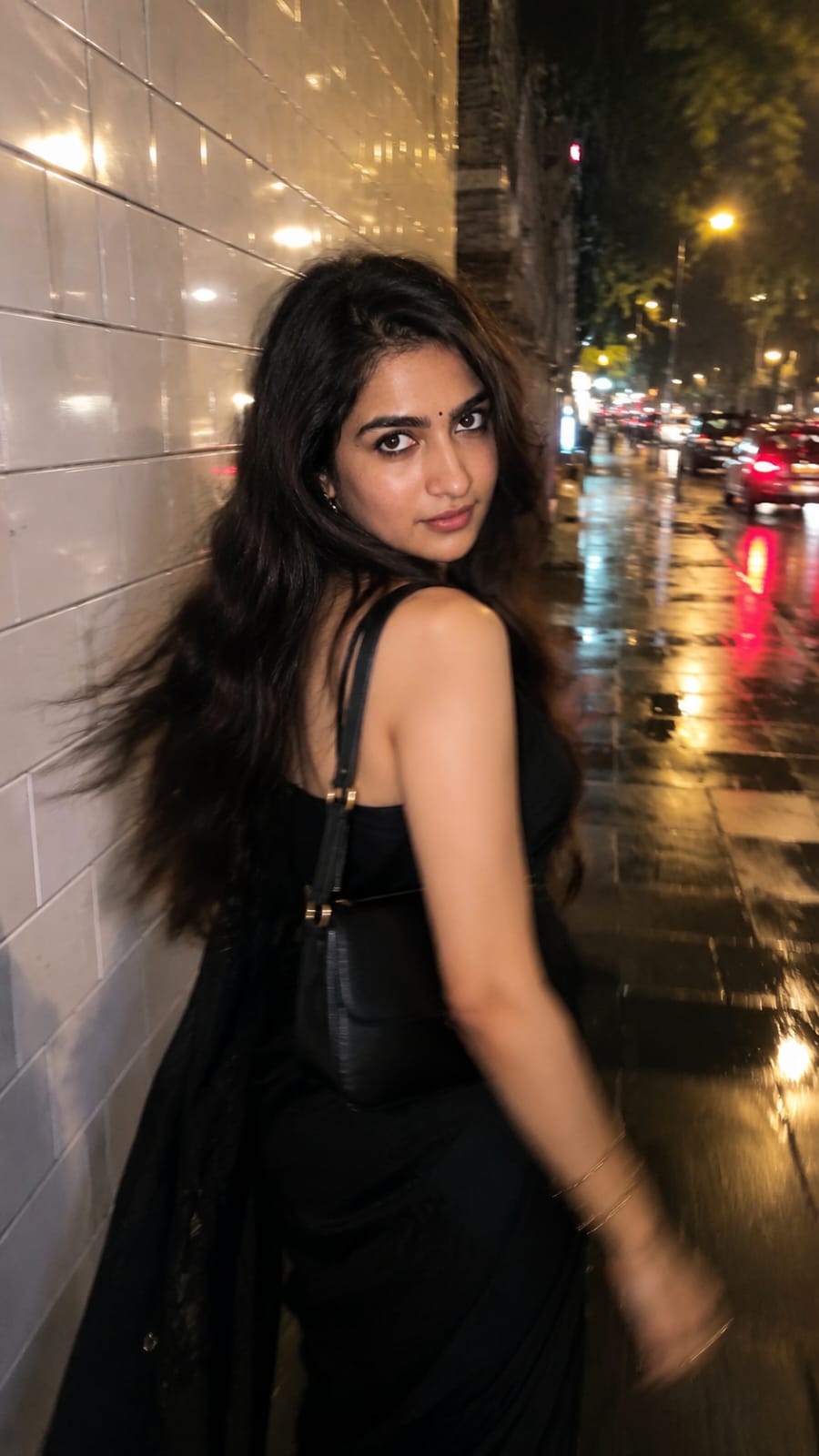
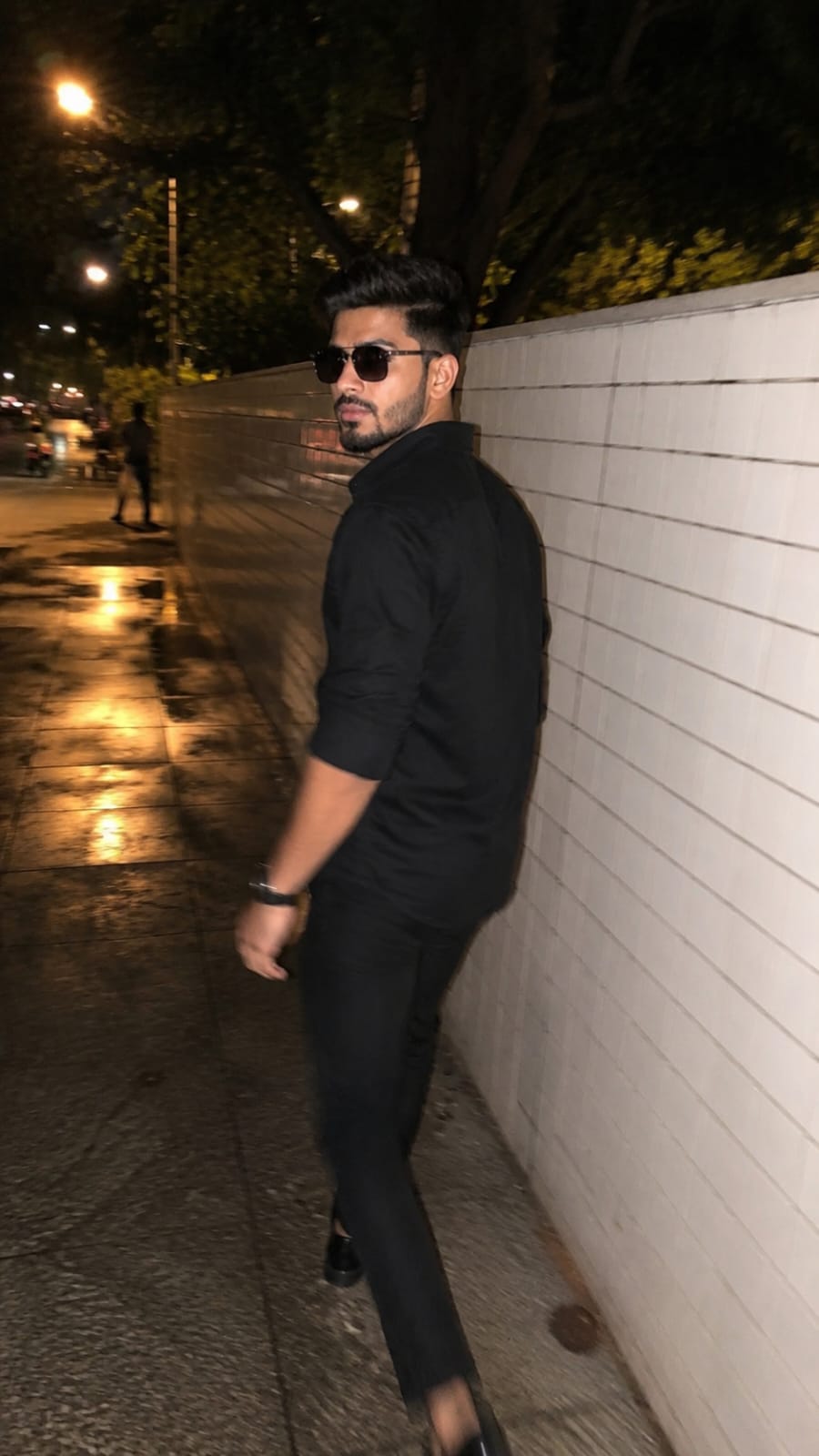
Rainy roads, warm street lights, and that one perfect “caught looking back” moment this photo style is everywhere on Instagram right now. If you have been scrolling and wondering how people get such cinematic night photos without a professional photographer, the answer is simple. It is an AI photo prompt, not a real photoshoot. In this RonyTica guide, we are sharing the Aesthetic Night Street Photo Prompt that is going viral among creators. This prompt turns any reference picture into a candid, movie-style night street photo, complete with motion blur, wet pavement reflections, and warm bokeh lights in the background.
We have two versions of this Aesthetic Night Street Photo Prompt ready for you one for a female look and one for a male look. Both give that same rushed, candid, “my friend clicked this by accident” vibe that is winning hearts online. Just follow the steps below, use the prompt box on this page, and your night street photo is ready in minutes.
Which AI Supports This Prompt
This Aesthetic Night Street Photo Prompt works best on ChatGPT (using its image generation feature). ChatGPT understands detailed lighting and motion instructions very well, which is why it gives the most realistic candid look for this style. You can also try this prompt on other AI image tools like Gemini, but for the most accurate, natural, and non-AI looking result, ChatGPT is our top recommendation.
How To Use
Female Version (Prompt 1)
- Open ChatGPT and start a new chat.
- Upload a clear photo of yourself or your subject. Choose a picture with good lighting where the face is easy to see.
- Copy the Female Version prompt from the prompt box on this page and paste it into the chat.
- Send the prompt and wait for ChatGPT to generate the image.
- If the pose or blur does not look right, ask ChatGPT to adjust it, for example “add more motion blur” or “make the face sharper.”
- Download your final photo once you are happy with the result.
Male Version (Prompt 2)
- Open ChatGPT and start a new chat.
- Upload a clear front-facing photo with good lighting.
- Copy the Male Version prompt from the prompt box on this page and paste it in.
- Let ChatGPT generate the image and check the result.
- Ask for small changes if needed, like adjusting the outfit shade or the head turn angle.
- Save the final image to your gallery.
Tips Before Using
Female Version (Prompt 1)
- Use a photo where your hair and face are clearly visible, since the prompt focuses on a side-turn pose.
- Wearing dark or black clothing in your reference photo helps ChatGPT match the outfit style better.
- Good natural lighting in your original photo gives a more realistic skin tone in the final result.
Male Version (Prompt 2)
- Choose a reference photo with a neutral expression, since the prompt adds a natural over-the-shoulder look.
- A plain background in your reference photo helps AI focus only on your face and outfit.
- Avoid heavily filtered or edited reference photos for the most realistic output.
Best Settings
| Setting | Female Version (Prompt 1) | Male Version (Prompt 2) |
|---|---|---|
| Aspect Ratio | 9:16 (Vertical) | 9:16 (Vertical) |
| Style | Ultra-realistic candid smartphone photo | Ultra-realistic candid iPhone night photo |
| Lighting | Warm streetlights, cinematic bokeh | Warm streetlights, cinematic bokeh |
| Blur Type | Natural motion blur, face 60–70% sharp | Natural motion blur, face 60–70% sharp |
| Camera Look | iPhone main camera with flash | iPhone night mode with flash |
| Background | Wet pavement, city street, blurred cars | Wet pavement, city street, blurred cars |
| Filters | None (no HDR, no over-sharpening) | None (no HDR, no over-sharpening) |
Common Mistakes
- Using a blurry reference photo: This confuses the AI and gives an unnatural face in the output.
- Skipping the motion blur detail: Without it, the photo looks too clean and loses the candid feel.
- Adding too many accessories: The Aesthetic Night Street Photo Prompt works best with a simple, minimal look.
- Choosing bright daylight reference photos: This can make the night lighting look fake in the final image.
- Not asking for edits: If the first result feels off, always ask ChatGPT to fix specific parts instead of starting over.
Why You’ll Love This Prompt
This Aesthetic Night Street Photo Prompt gives you that expensive, cinematic Instagram look without hiring a photographer or waiting for the perfect rainy night. You get realistic motion blur, warm city lights, and a candid “caught in the moment” feel, all from one photo and a few minutes on ChatGPT. It works for both men and women, so you and your friends can create matching aesthetic posts together. Whether it is for Instagram, a profile picture, or just for fun, this prompt gives your feed an instant upgrade.
FAQ
Q1. Which AI tool works best for this Aesthetic Night Street Photo Prompt?
ChatGPT gives the most realistic and natural-looking result for this style.
Q2. Do I need a professional photo to use this prompt?
No, a clear and well-lit selfie or photo is enough to get good results.
Q3. Can I use this prompt for both male and female photos?
Yes, we have shared two versions above, one for each look.
Q4. Will the AI copy my exact face?
No, the prompt is designed to keep the final image original and non-identifiable, using your photo only as style inspiration.
Q5. Why does my result look too sharp or too AI-generated?
This usually happens if the motion blur instruction is missing. Make sure you use the full prompt from the prompt box.
Q6. Can I change the outfit color in the prompt?
Yes, you can ask ChatGPT to change the outfit color while keeping the rest of the prompt the same.
Q7. Is this prompt free to use?
Yes, you just need access to ChatGPT with image generation to try it.
Q8. Where can I get the exact prompt text?
You will find the ready-to-copy prompt in the prompt box above on this page.
Conclusion
The Aesthetic Night Street Photo Prompt is one of the easiest ways to create a viral, cinematic night photo using just ChatGPT and one reference picture. With realistic motion blur, warm city lighting, and a candid feel, this prompt gives your social media an instant aesthetic boost. Try both the female and male versions from RonyTica, and do not forget to explore more trending AI photo prompts on our website for your next viral post.




Aur photo a sakte hain ismein edit karne ke liye