


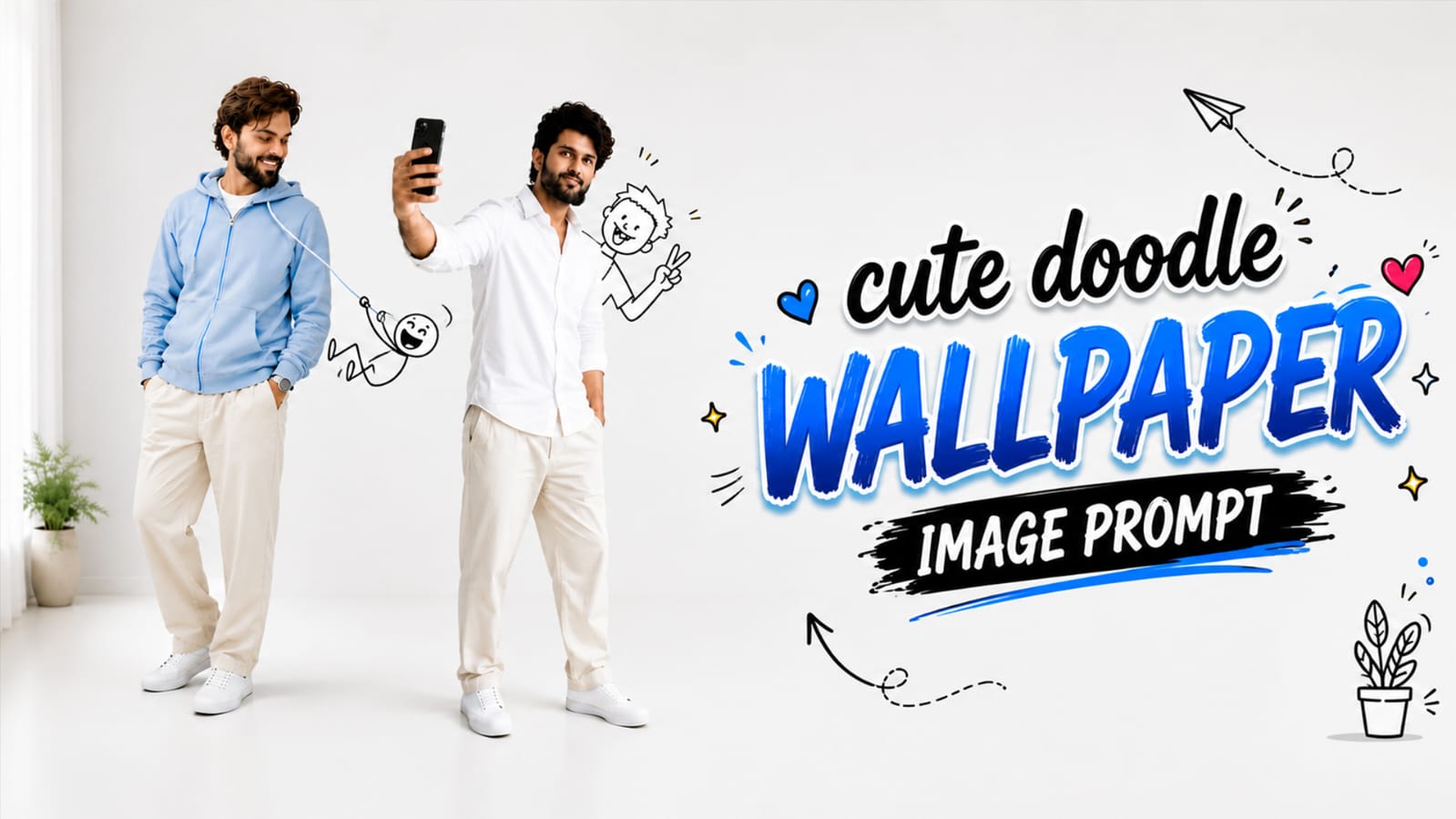
Have you seen those photos where a small black-and-white doodle character is sitting on someone’s shoulder, hiding in a hoodie pocket, or flying on a paper plane right next to a real person? This is the cute doodle wallpaper image prompt trend, and right now it is one of the most loved AI photo trends on Instagram and YouTube.
The best part is that this doodle is not just any random cartoon. People are turning their own real face into an ultra-realistic photo and adding a tiny hand-drawn doodle friend beside them. Once the photo is ready, people are cropping it and setting it as their phone wallpaper. It looks fun, warm, and super personal, which is why it is going viral so fast. In this RonyTica guide, we are sharing four different doodle styles that you can try today. Just pick your favourite style, add your own reference face, and you will have a cute, aesthetic wallpaper ready in minutes.
Which AI Tool Can Make This Cute Doodle Wallpaper Image ?
For this trend, ChatGPT works the best. It understands face details closely and blends the black outline doodle into the real photo very smoothly, so the final result looks natural and not fake. If you don’t have access to ChatGPT, you can also try Google Gemini, which gives a similar output in many cases. But for the cleanest doodle lines and realistic shadows, ChatGPT remains the top pick on RonyTica.
How to Use These Doodle Prompts
- Pick any one style from above that you like the most.
- Copy the full prompt text and paste it inside ChatGPT’s image tool.
- Upload a clear photo of your face as the reference image.
- Let the AI generate the photo. Wait a few seconds for the result.
- Once ready, crop or resize the image to fit your phone screen as wallpaper.
That’s it! No design skill needed, just your face and a good prompt.
The 4 Doodle Wallpaper Styles You Can Try
Each style below has its own little story. Pick the one that matches your mood, then use the prompt box (placeholder given) to generate your own version.
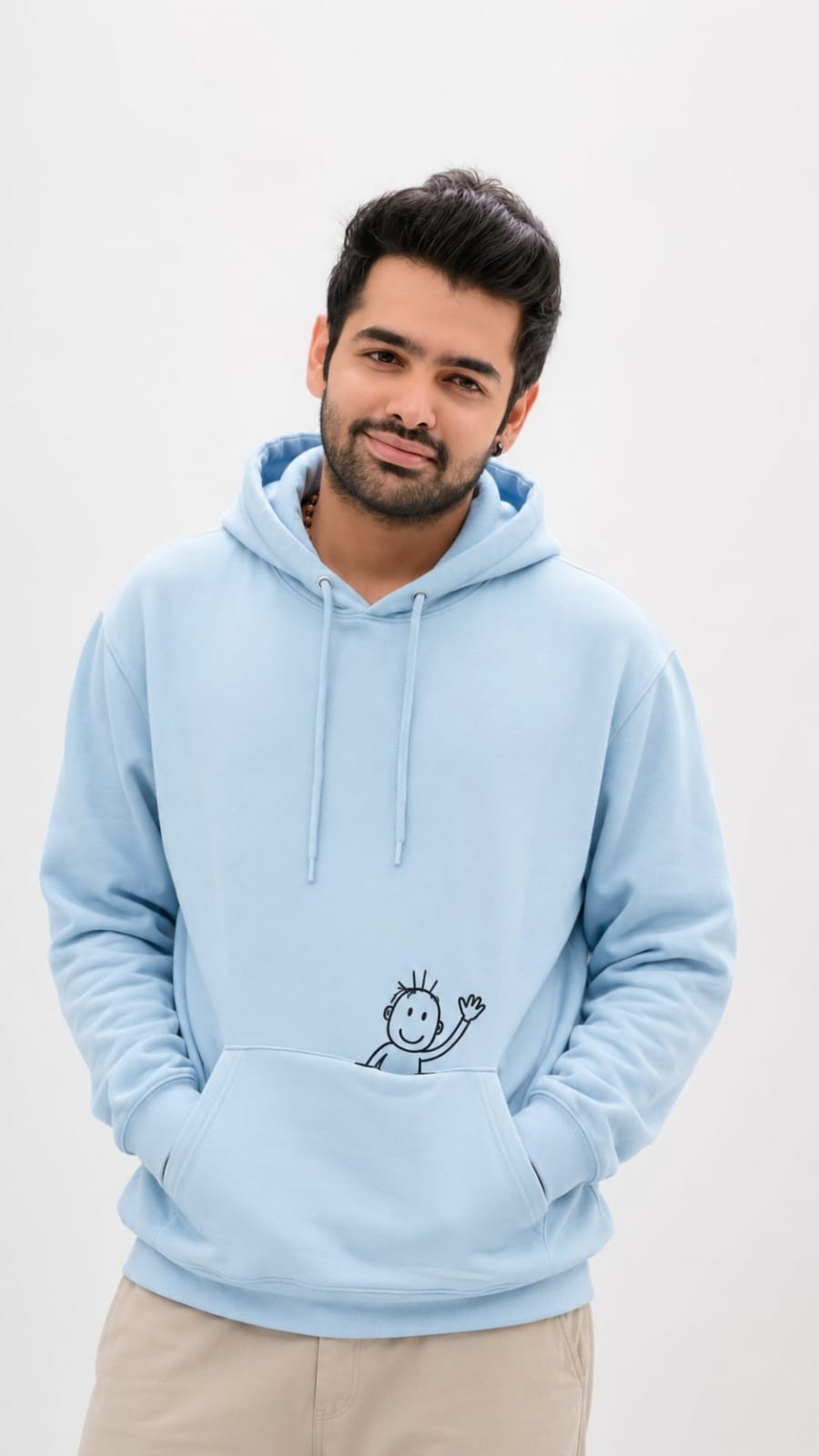
Style 1: Pocket Buddy Doodle
In this one, you are standing calm and smiling with both hands inside your hoodie pocket. A cute little doodle friend is sitting inside the pocket too, only its upper body peeking out, happily waving at the camera. The hoodie fabric folds around the doodle naturally, making it look like it is really sitting there.
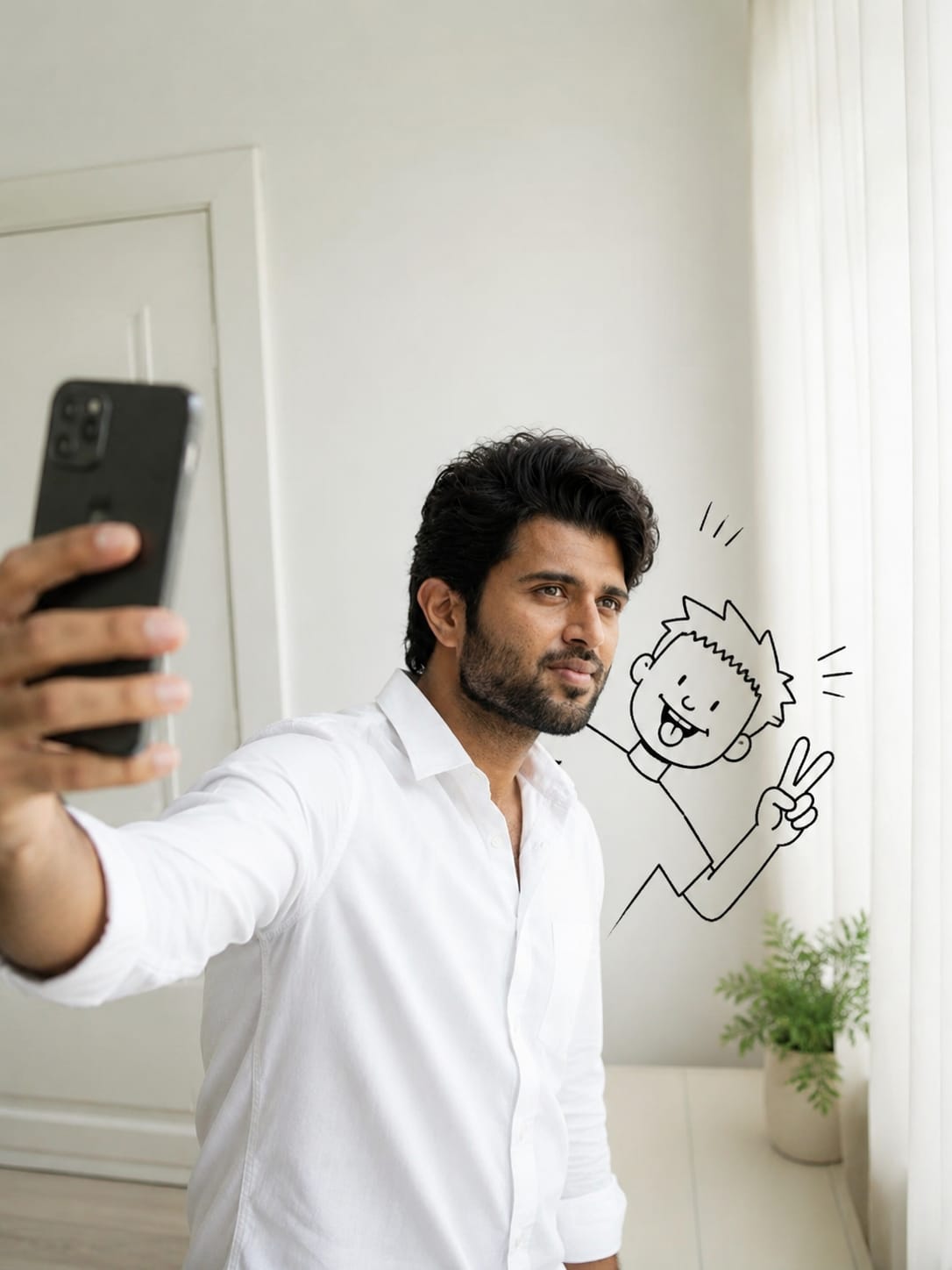
Style 2: Selfie Photobomb Doodle
This style is all about fun candid energy. You are busy taking a selfie on your phone, and suddenly a doodle character jumps into the frame from the side, making a silly face with a peace sign, just like a friend photobombing your picture.
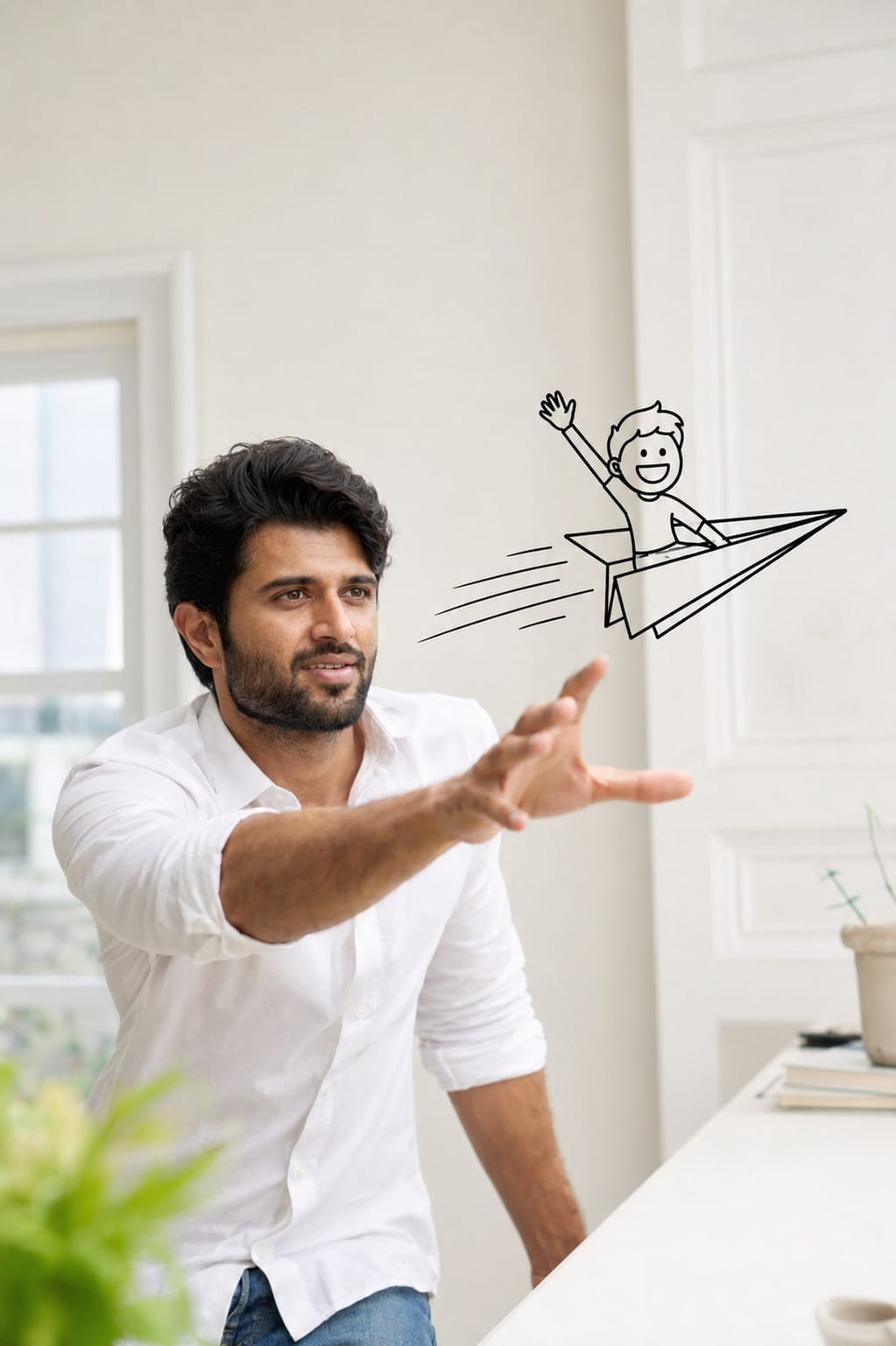
Style 3: Paper Plane Rider Doodle
Here, you are reaching out with a playful smile, trying to catch a paper plane that is flying past your face. But there’s a twist a tiny doodle character is riding on top of that paper plane, waving happily as it zooms by.
Style 4: Hoodie Zipline Doodle
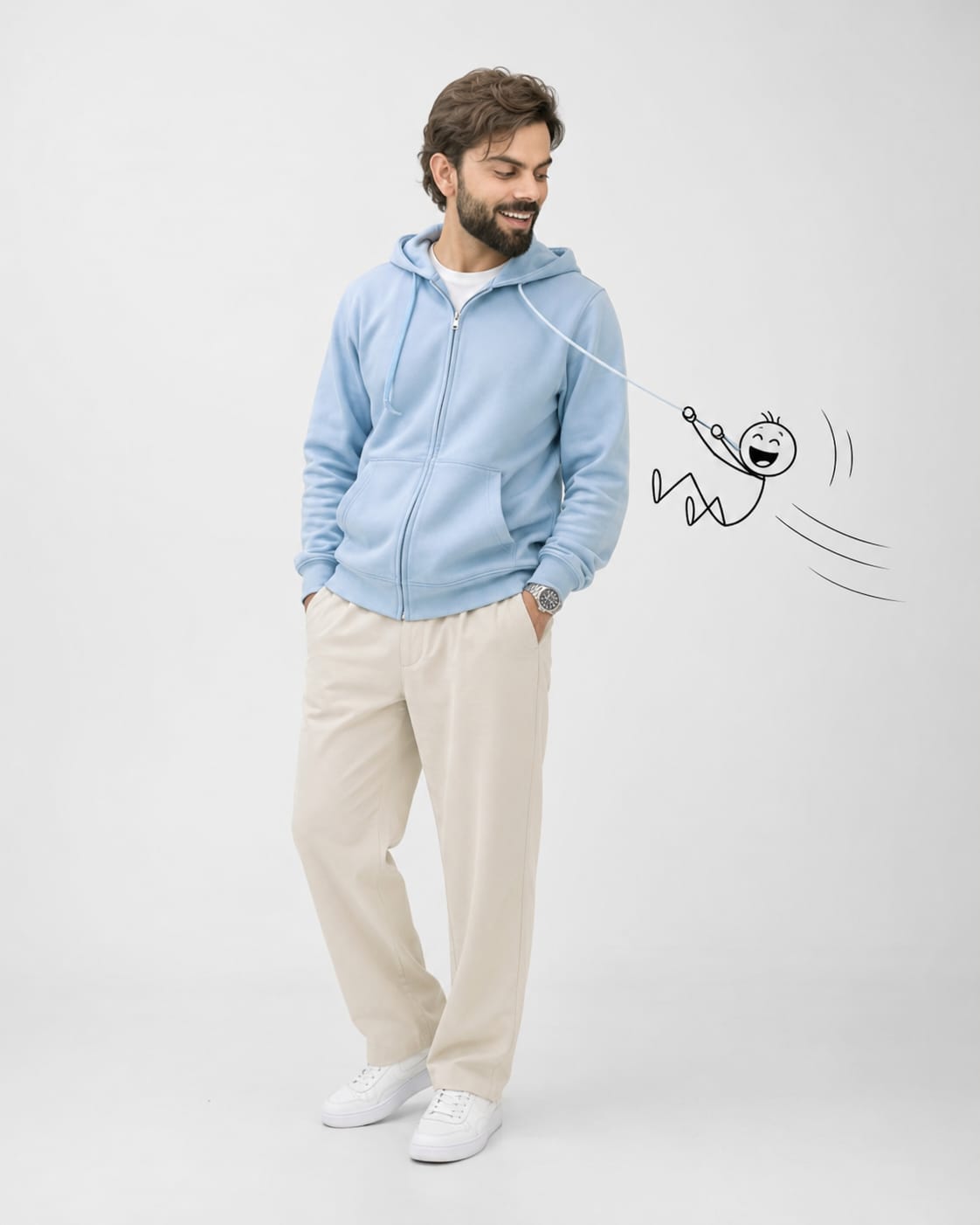
In this style, you are wearing a pastel blue hoodie with beige trousers and white sneakers, laughing as you look down. A doodle friend is sliding down your hoodie drawstring like it’s a zipline, holding tight with both hands and laughing with excitement.
Tips to Follow Before You Generate
- Always use a bright, clear, front-facing photo of yourself as reference. Blurry photos give bad results.
- Avoid sunglasses, caps, or heavy shadows on your face in the reference photo.
- Try one style at a time so you can compare results and pick the best one.
- If the doodle looks disconnected from your photo, regenerate the image once or twice for a cleaner blend.
- Keep the background simple (plain white or light room) for the most realistic editorial look.
Best Settings for Doodle Wallpaper Photos
| Setting | Recommended Value |
|---|---|
| Aspect Ratio | 9:16 (Perfect for phone wallpaper) |
| Background | Plain white or minimal white room |
| Doodle Style | Black outline only, hand-drawn look |
| Lighting | Soft, natural studio lighting |
| Face Reference | High quality, front-facing, clear photo |
| Output Quality | High resolution for sharp wallpaper |
Common Mistakes People Make
- Using a low-quality or side-angle face photo as reference, which confuses the AI.
- Choosing a busy or colourful background, which takes attention away from the doodle.
- Not mentioning that the doodle should be “outline only,” which sometimes results in a fully coloured cartoon instead.
- Skipping motion lines or shadow details, which makes the doodle look flat and fake.
- Forgetting to crop the final image properly before setting it as wallpaper.
Why This Doodle Prompt Trend Is So Loved
This trend feels personal because it is literally you in the photo, not a random model. The doodle character adds a playful, childlike charm that instantly makes the picture feel warm and friendly. It’s simple to create, doesn’t need any editing skills, and the final wallpaper looks unique to you. That’s exactly why RonyTica readers are asking for more prompts like this one.
Frequently Asked Questions
1. Can I use this doodle prompt with any photo of myself?
Yes, but a clear, front-facing photo with good lighting works best for accurate results.
2. Is ChatGPT free to use for this doodle photo trend?
ChatGPT has both free and paid plans. Image generation quality may depend on which plan you are using.
3. Can I make this doodle wallpaper in landscape mode too?
Yes, just change the aspect ratio setting to landscape (16:9) instead of the phone wallpaper size.
4. Will the doodle look exactly like the reference images shown here?
It will follow the same idea and style, but each generation is slightly different since AI creates a fresh version every time.
5. Can I combine two doodle styles into one photo?
It’s possible to try, but the results are more reliable when you generate one style at a time.
6. Is this doodle trend only for Instagram or can I use it anywhere?
You can use it anywhere — Instagram, YouTube thumbnails, phone wallpaper, or even Facebook posts.
7. Do I need any design software after generating the image?
No, you can directly crop and set it as wallpaper using your phone’s default gallery app.
8. Which style is the most viral right now?
The Selfie Photobomb Doodle and Hoodie Zipline Doodle styles are currently trending the most among users.
Final Thoughts
The cute doodle wallpaper image prompt trend is a simple, fun way to turn your everyday photo into something special. With just one good reference face and the right prompt, you can create a wallpaper that feels playful and truly your own. Try all four styles shared in this RonyTica guide and pick the one that matches your vibe the best.



