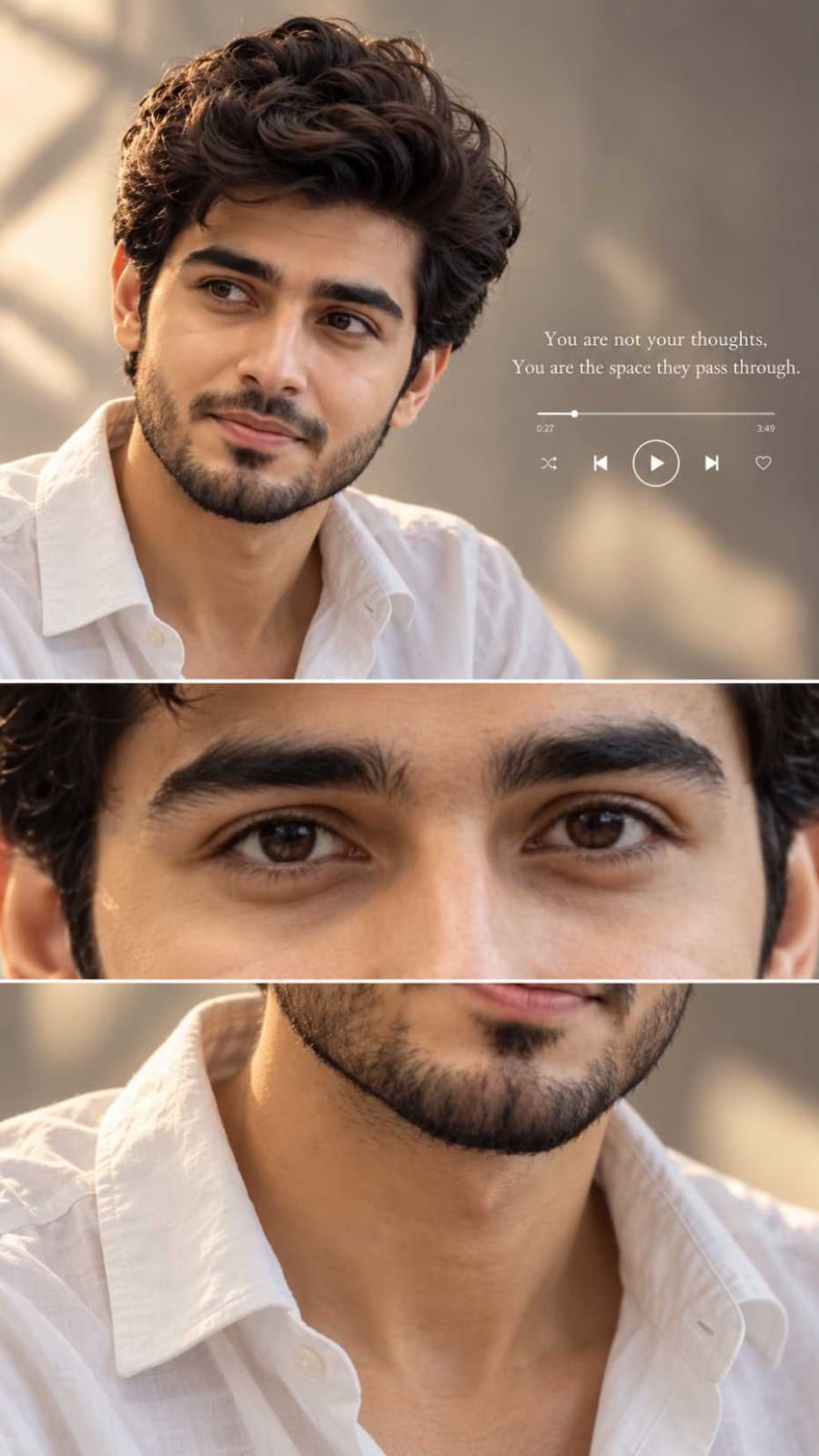
A tall three-panel collage stops the scroll because one photo shows a face, an eye and a texture all at once. Here are two prompts that make it. The first one is for a man, in a calm and thoughtful mood.
IMAGE 1: Young man with thick wavy dark hair and a short beard, white open-collar shirt, looking calmly to the side, warm beige-grey blurred background, small quote and music player on the right, with the eye close-up and shirt close-up panels
The second one is for a woman, and the mood is happy and dreamy.
IMAGE 2: Smiling young woman with long dark wavy hair looking up to the side, cream lace-style outfit, thin gold necklaces and drop earrings, soft glowing light, pale flowers on the left, with the eye close-up and outfit close-up panels
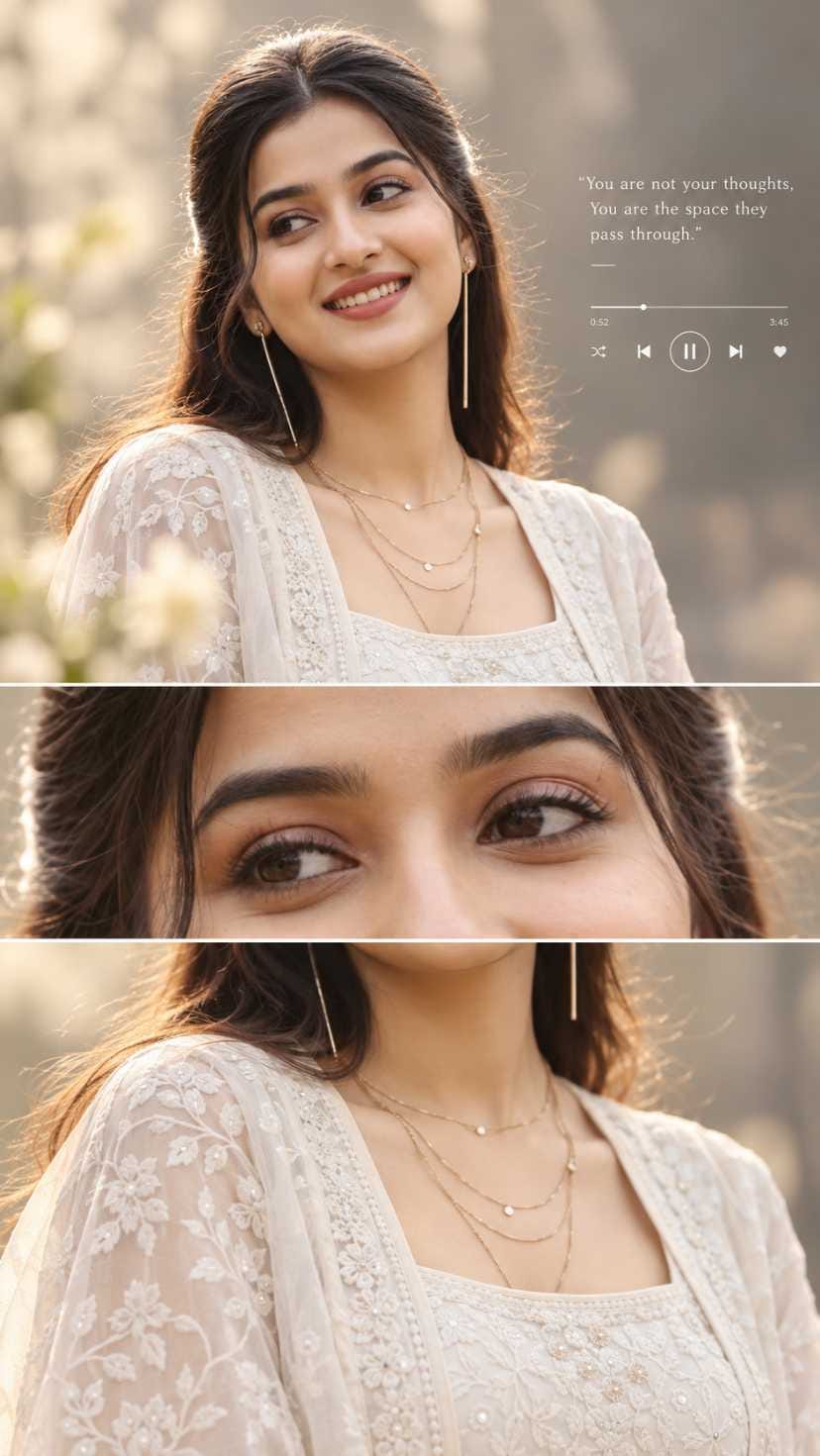
Prompt 1 is quiet and warm, with a studio feel and a white shirt. Prompt 2 is softer and brighter, with lace, jewellery and a dreamy smile.
One thing before you paste. Both prompts are in JSON format. So when you copy a prompt into ChatGPT, write “make image” before it. I did this for each prompt, and it is the step people forget.
Why Tall Collages Catch the Eye
A tall image takes more space on the phone screen. Your eye goes to the big portrait, then to the small close-ups. That makes people stay a little longer. Many people also like the music player card because it feels like a mood, not just a photo.
Pick the Panel Order
Show the main portrait first. It has the face, the quote and the player, so it tells the whole story at a glance. The eye close-up should come second. The outfit or shirt close-up comes last.
If you post the collage as one tall image, the order is already set. If you cut it into separate images for a carousel, keep the same order. Don’t start with the shirt or neckline. It looks confusing without the face.
For feed posts, use 4:5 portrait, 1080×1350. For reels and stories, use 9:16, 1080×1920.
Quote Ideas for the Player Card
Keep the quote short. Long lines get small and hard to read, and AI often makes spelling or spacing mistakes in text. Check every word before you save.
For the man’s look, a calm line about silence, time or a slow evening fits well. For the woman’s look, try a light line about smiling, flowers or a good day. Write your own words. Don’t copy a famous line without knowing where it is from.
Make a Short Reel from Three Panels
This is the part most people skip, and it gives the post a second life. You can use Google Flow or any video editor app on your phone. Don’t use the collage as one flat video. Use the three panels one by one.
- Save the final collage. Crop it into three images: the main portrait, the eye close-up and the outfit close-up.
- Put them in your editor in that order. Keep each one on screen for a short time, about one or two seconds. Fast cuts feel better than slow ones here.
- Set the project to 9:16, 1080×1920. Fill the frame, and keep the face away from the very top and bottom, where the app buttons sit.
- Add a soft song that matches the mood. Keep the quote on screen only in the first clip, so the text doesn’t cover the eyes.
- If you use Google Flow, upload one panel and ask for a very small motion, like a slight head turn or a gentle light shift. Big motion can break the face.
- Export, then watch it once fully on your phone before posting.
Post the still collage first, and the reel a day or two later. That way your followers get two different things.
What to Change and What You Get
| Change this | What usually happens |
|---|---|
| Hair style or colour | The whole face feels different, so check that it still looks like you |
| Shirt or outfit colour | The mood shifts fast. A black kurta feels deeper, a pastel dress feels lighter |
| Background colour | Cooler grey feels calm. Golden sunset feels warm |
| Beard, jewellery or earrings | Small details change the age and style of the look |
| Expression | A soft smile feels friendly. A serious look feels filmy |
| Quote and player look | Changes the feel of the card without touching the face |
Change one thing at a time. If you change five, you won’t know what caused the problem.
Upload a Good Source Photo
Use a clear photo with the face fully visible and soft, even light. A plain background is better. Skip heavy filters and beauty apps, because the AI then copies that fake skin. Use a sharp, big photo, not a tiny cropped one.
Mistakes and Fixes
The face doesn’t match your photo. This can happen with both prompts. Try again with a clearer, front-facing photo, and say the face must stay the same.
Skin and beard look too perfect. In the man’s image, smooth skin and beard can look AI-made. Ask for natural skin texture and run it again.
Lace, earrings and chains look messy. This is common in the woman’s image. Simplify the outfit or remove the earrings.
Quote has spelling errors. Fix it in a photo editor, or ask ChatGPT to redo only the text.
Caption and Hashtag Plan
Put words people may search for in the caption, like music player collage, AI photo prompt, ChatGPT photo edit and portrait collage.
Three captions, three voices :
Soft: “Some days feel like a slow song.”
Funny: “My phone gallery got a playlist.”
Short: “Three frames. One mood.”
Hashtags : #MusicPlayerCollage #PortraitCollageAI #ThreePanelPortrait #EyeCloseUp #PlayerCardPhoto #ChatGPTPhotoEdit #AIPhotoPrompt #DreamyPortraitAI #CalmMoodPhoto #TallCollagePost
For format, I’d pick a single 4:5 post for the collage itself, since it is already a story in one frame. Use the reel for the three-panel version, and share the collage in stories too.
Don’t make up a “best time” from other people’s advice. Check your own Insights after a few posts and see when your followers are on.
Frequently Asked Questions
Yes. The prompts are in JSON format, so write “make image” first, then paste the prompt.
ChatGPT.
No. Use a single clear photo of one person.
Yes. Keep it short and check the spelling after.