Soft paint splashes, an ivory background and a small neat title. This kind of poster photo is all over Instagram right now. Many people make one and post it as a single photo. Some add a song and post it as a reel. Others make two or three variants of the same photo and play them as a slideshow reel.
The look appeals for a few simple reasons. The colours are soft and calm. The empty space makes the person stand out. And with AI, you don’t need any design skill to make one. These prompts are our own unique version. We changed the background style a bit, and the girl’s poster has a smile in it. Both are below.
IMAGE 1 : Smiling young woman with long wavy dark hair holding a lit sparkler, pink, gold and navy festival outfit, glowing lanterns, watercolor splashes on ivory, “Festival Vibes” at top right
IMAGE 2 : Bearded man leaning on a black Royal Enfield, navy and cream varsity jacket, snowy blue mountains and pine trees, pale arch shape, “Mountains” title at top
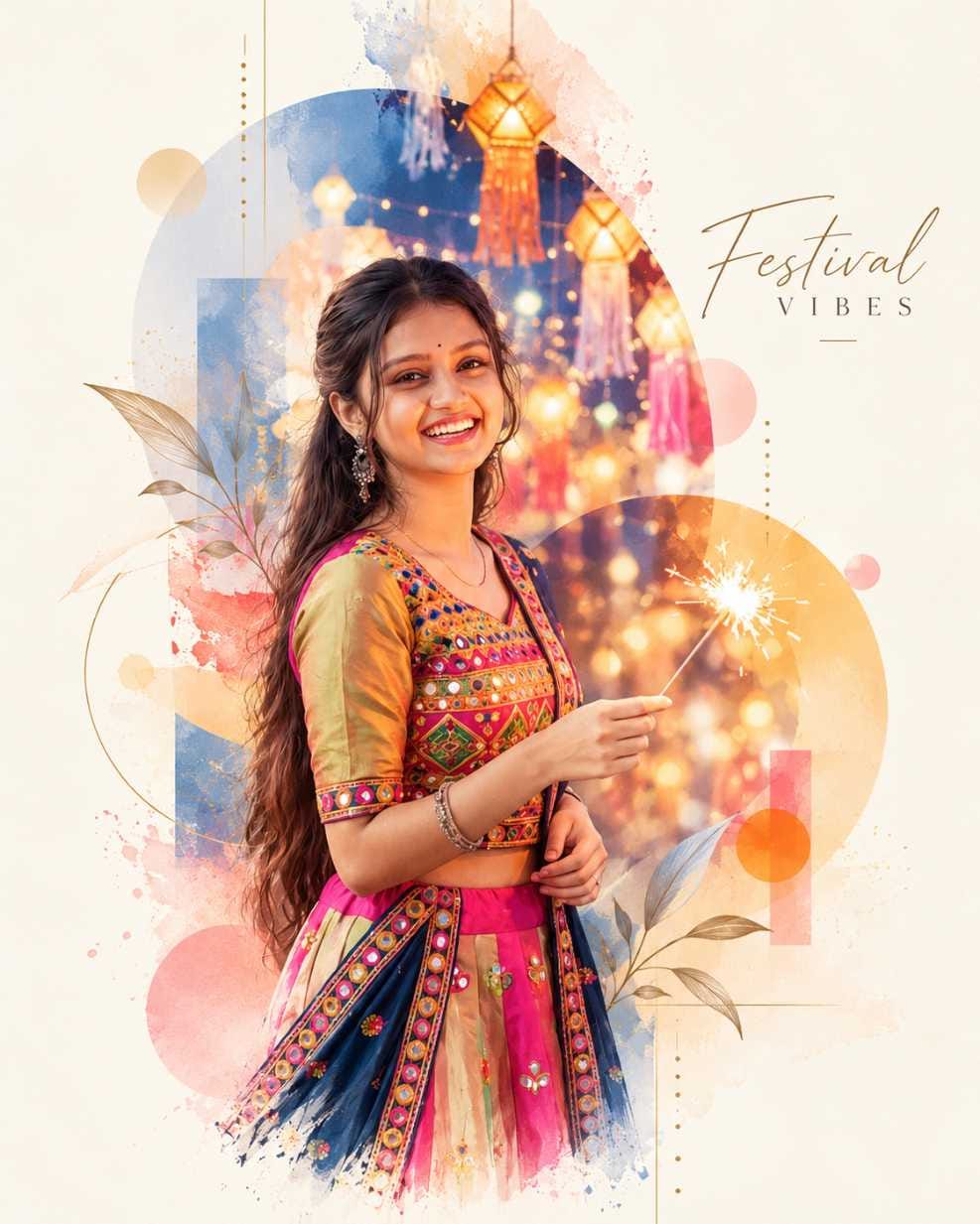
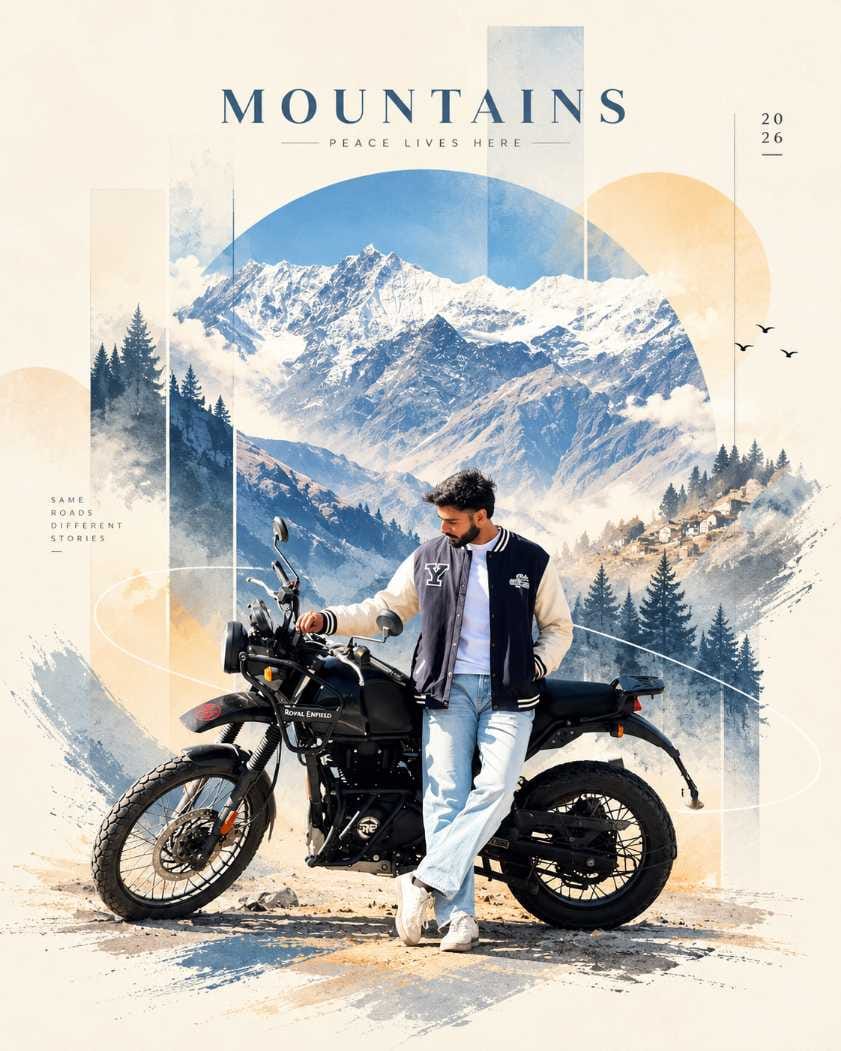
Prompt 1 is for a girl, with a festival mood and a smile. Prompt 2 is for a boy, with a calm mountain and bike mood. Use this Watercolor Poster AI Photo Prompt idea with any photo you like.
Why I Used Gemini for These Two Posters
I made both photos in Google Gemini. I did not use ChatGPT here. Gemini got a new update, and after that I felt it became much better. The face accuracy is a lot better now, and the design looks improved too.
I also wanted the photos fast. Gemini gave me that. You can try the same prompts in ChatGPT if you want. I just didn’t, so I can’t tell you how it turns out there.
Poster 1: The Festival Girl Look
This prompt is saved in a JSON file format. So the method is a little different. Here’s what I did:
- Open Gemini and upload the photo of the girl. It can be your own, or your sister’s or friend’s. Ask her first, though.
- Type “make image” in the box first.
- Copy the full prompt and paste it right after those words.
- Press generate.
The photo came out very quickly. The result is an airy poster with overlapping see-through shapes, thin guide lines, soft blur and a warm glow. It keeps her pose, her clothes and her outline. A small English title sits at the corner. You can swap that title for a festival name or a year.
Poster 2: The Mountain Bike Look
This one is a normal prompt. No “make image” needed. I uploaded the photo, pasted the prompt directly and got the output. That’s it. Honestly, this was the easier method. If you’re new, start with this one.
You can upload a photo of yourself, your brother, a friend or your boyfriend. The prompt gives a tall bars and arch frame, with cool blue and warm sand colours. It keeps the bike’s outline and the person’s outfit.
Where the Face and Details Went Wrong
Nothing is perfect, so check the result before you post. These are the things to look for.
The face. The prompt asks for simple, abstract faces. But the result keeps a detailed, realistic face. So the face may change a little and stop matching the original photo. Gemini’s face accuracy is better after the update, as I said. Still, look closely at the eyes and the smile.
The busy look. Poster 1 is more colourful and busy than the word “minimalist” suggests. If you want it calmer, ask for fewer shapes and less splash.
Bike and hands. On poster 2, the motorcycle, the hands, the feet and the jacket logo can come out slightly wrong or blurry. Zoom in and check them.
Small text. The tiny title can have spelling or spacing mistakes. Read every letter.
Quick fixes :
- Face looks off: upload a clearer, front-facing photo and generate again.
- Text is wrong: ask for a shorter title, or remove it and add your own later in any editing app.
- Too crowded: lower the amount of splash and linework.
- Blurry bike: use a photo where the full bike is visible and sharp.
What I Would Change Next Time
Next time I would try other background colours, like pale blue or light green. Those are easy swaps. Here’s what each change usually does.
| Change | Usual result |
|---|---|
| Title words and font | Gives a place, festival or year feel |
| Background colour | Changes the whole mood, softer or cooler |
| Frame shape (circle, arch, bars) | Changes how the person is framed |
| Colour mood | More pastel, golden or cool tones |
| Scene behind the person | Desert, beach, forest or city feel |
For the source photo, use good light, a clearly visible face, a plain background, no heavy filter and a sharp, full-size image.
Posting It on Instagram and Facebook
A single post works well for one poster. A carousel or slideshow reel works if you make two or three variants. Use 4:5 (1080×1350) for feed posts and 9:16 (1080×1920) for reels and stories.
Three caption ideas, each in a different voice :
Soft : “Colours, light and a little smile.”
Fun : “AI made the poster. I just showed up.”
Short : “Mountains are calling.”
Hashtags : #WatercolorPosterAI #WatercolorPortrait #PosterStylePhoto #IvoryPosterLook #FestivalVibesPoster #MountainsPoster #RoyalEnfieldLook #GeminiPhotoPrompt #AIPhotoPrompt #MinimalPosterArt
Put words like “watercolor poster”, “AI photo prompt” and “Gemini” in the caption so people can find it.
To make a reel : save two or three variants, put them in a video editor or Google Flow in order, add a song, and export in 9:16.
Before you post :
1) Is the face close to the original?
2) Is every letter in the title right?
3) Are hands, feet and logos clean?
4) Is the size right for the format?
5) Did you save a copy?
Frequently Asked Questions (FAQ)
No. I used only Gemini for both photos.
That prompt is in JSON format. I wrote those words first, then pasted it.
Yes, but ask them first.
The prompt asks for simple faces, so the AI may change it. Try a clearer photo.