


If you have been scrolling Instagram or Facebook lately, you must have seen those stunning half-face portraits glowing in warm sunset light. This is exactly what the cinematic golden hour photo prompt trend is all about, and it has quietly become one of the most loved AI photo styles this year.
At Ronytica, we keep testing new AI photo trends before sharing them with you, and this one truly stands out. The look feels premium, cinematic, and personal at the same time. Only half of the face is visible, the rest of the frame fades into a soft dark blur, and warm golden light wraps around the hair and skin like a movie still.
The best part is that you do not need a professional camera or a studio setup. With the right cinematic golden hour photo prompt, your phone photo can turn into a luxury editorial-style portrait in just a few minutes. In this Ronytica guide, we will show you exactly which AI tool to use, how to use the prompt correctly, and the small details that make a huge difference in the final result.
Best AI Tools For This Golden Hour Portrait Style
For this cinematic golden hour photo prompt, ChatGPT gives the most reliable and realistic result. It understands facial detail, lighting direction, and composition instructions very well, which matters a lot for this style.
Gemini can also generate a similar look, but the skin texture and lighting sometimes come out a little flatter compared to ChatGPT. If you want the closest match to the reference images, ChatGPT should be your first choice. You can still try Gemini as a backup option if you want a slightly different rendering style.
One more tip from Ronytica: always upload a clear, well-lit photo of your face as reference before using any of these prompts. A blurry or dark reference photo will directly affect how accurate your final portrait looks.
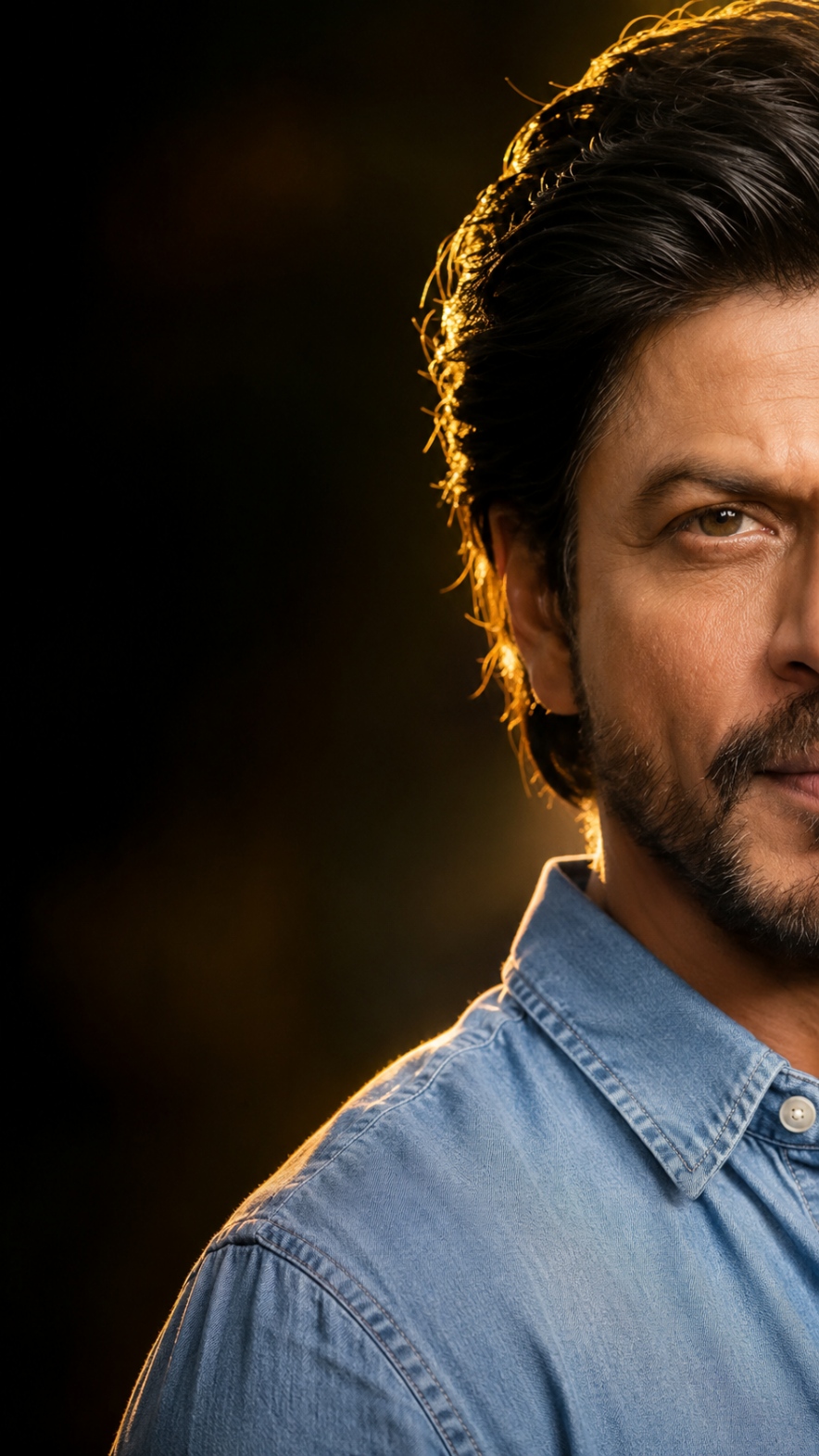
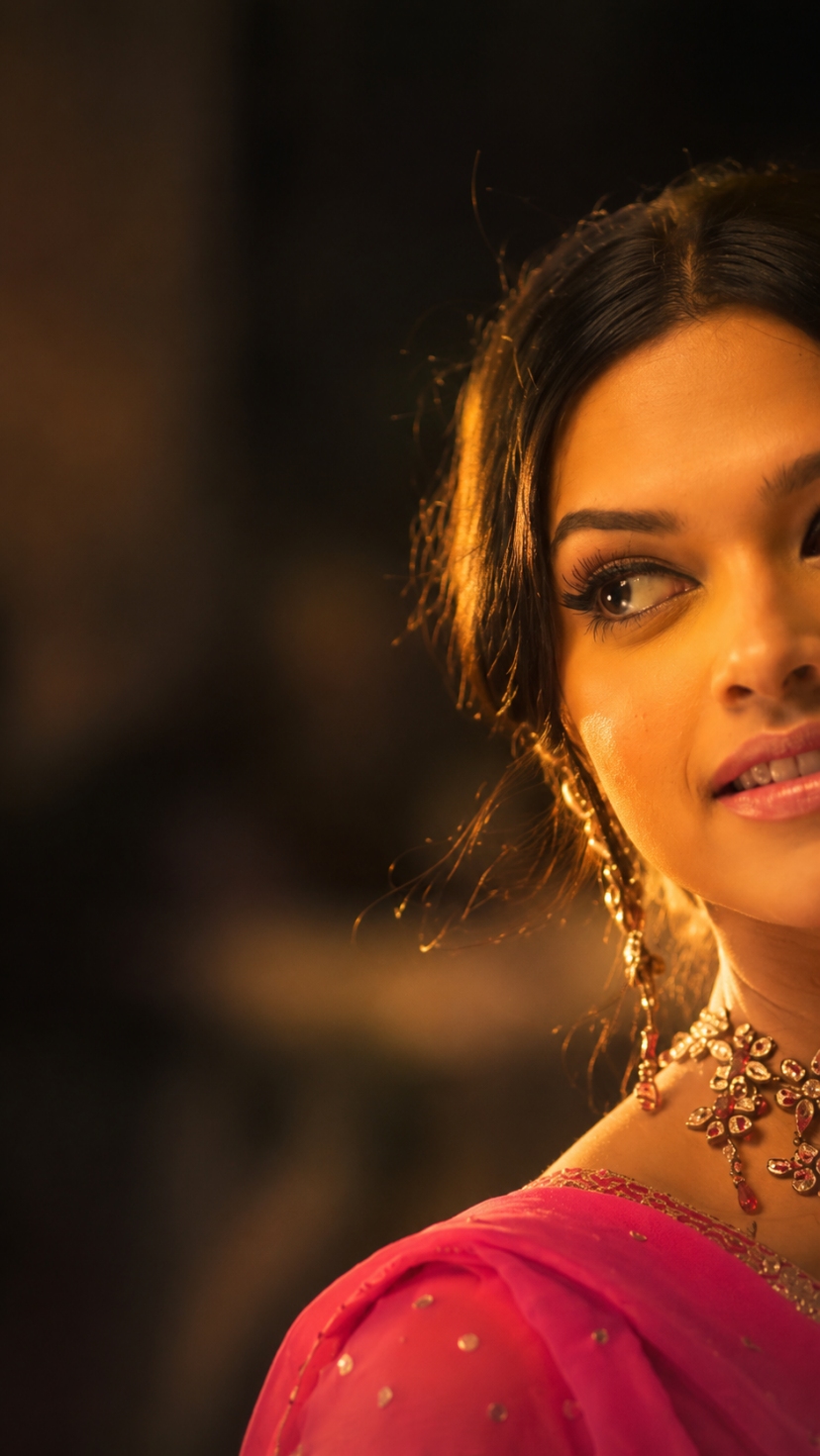
Prompt 1 : Golden Hour Portrait With Sharp Identity Match
This version is designed for a strong, masculine, editorial look, where the AI keeps your face 100% identical to your uploaded reference photo. It is perfect for profile pictures, Instagram posts, or a personal branding shot.
How To Use This Prompt
1) Open ChatGPT and start a new chat with image generation enabled
2) Upload one clear, front-facing photo of yourself as the reference
3) Paste the prompt exactly as given, without changing the structure
4) Wait for the image to generate, then check if the face matches your reference closely
5) If the result looks off, regenerate once or twice for a better match
Tips Before Using This Prompt
- Use a reference photo with good natural light on your face
- Avoid sunglasses, caps, or heavy filters in your reference photo
- Keep your face fully visible and forward-facing in the original photo
- Do not use group photos, only single-person photos work well
Best Settings For This Prompt
- Aspect ratio: 9:16 (perfect for Instagram Reels and Stories)
- Lighting style: warm golden hour, side lighting
- Composition: face on the right side, dark blurred space on the left
Prompt 2 : Golden Hour Portrait With Soft Elegant Glow
This second version works beautifully for a softer, more elegant look, especially popular for festive or traditional outfit photos. Many creators are using this style for saree, kurta, and ethnic wear portraits.
How To Use This Prompt
1) Upload a clear reference photo showing your face and outfit, if you want the outfit style reflected
2) Paste this prompt in ChatGPT and generate the image
3) Check facial accuracy, lighting direction, and overall mood before finalizing
4) Try slight wording tweaks only if the result feels too different from the reference look
Tips Before Using This Prompt
- A slightly tilted head or side glance in your reference photo gives a more natural result
- Warm-toned outfits like red, pink, or gold blend beautifully with this golden light style
- Do not overuse beauty filters on your reference photo before uploading
Best Settings For This Prompt
- Aspect ratio: 9:16
- Lighting style: warm orange sunset tone, soft glow
- Background: dark, blurred, minimal distraction
Common Mistakes To Avoid With This Prompt
- Using a low-quality or blurry reference photo, which weakens facial accuracy
- Uploading group photos instead of a single clear face photo
- Changing too many words in the prompt at once, which can confuse the AI
- Ignoring the aspect ratio setting, which changes the overall composition
- Expecting a perfect result on the very first try without regenerating
Why You Will Love This Cinematic Golden Hour Photo Prompt
This prompt gives you a result that normally needs professional photography, expensive lighting equipment, and hours of editing. With just one good reference photo, you get a luxury, magazine-style portrait in minutes.
It works for personal branding, social media growth, festive posts, and even profile picture upgrades. That is exactly why this cinematic golden hour photo prompt has become such a big trend on Instagram and Facebook, and why Ronytica wanted to bring you a complete, easy-to-follow guide for it.
Frequently Asked Questions
1. Which AI is best for the cinematic golden hour photo prompt?
ChatGPT currently gives the most accurate and realistic result for this style. Gemini can be used as an alternative, but the skin tone and lighting may look slightly different.
2. Will my face look exactly like me in the final image?
Yes, if you use a clear, well-lit reference photo and follow the prompt structure correctly, the AI keeps your facial features very close to the original.
3. Can I use this golden hour photo prompt for free?
Yes, ChatGPT’s free version supports image generation, though results and speed may vary depending on usage limits at that time.
4. Why does my result sometimes look different from the reference photos?
This usually happens due to a low-quality reference photo, poor lighting, or too many changes made to the original prompt wording.
Final Thoughts
The cinematic golden hour photo prompt is one of those rare AI trends that looks expensive but is completely free and easy to try. Pick the version that matches your vibe, follow the tips above, and you will have a stunning, editorial-style portrait ready to share.
If you create your own version using this prompt, do share it in the comments below. For more such viral AI photo prompts, keep following Ronytica.



