Ganesh Chaturthi is almost here, and Instagram is already full of one thing beautiful AI photos of people sitting close to Lord Ganesha. If you have seen these soft, warm, temple-style pictures on your feed and wondered how people are making them, you are at the right place.
This is exactly what we call a Ganesh Puja Portrait prompt. It is a simple text instruction that you give to an AI tool like ChatGPT, and it turns your normal photo into a devotional, magazine-style picture with Ganpati Bappa beside you.
At RonyTica, we keep finding these trending AI photo styles and breaking them down in the easiest way possible, so that even a first-time user can try them without any confusion. Today we are sharing not one, but four different viral styles of Ganesh Puja portraits that are getting huge love on Instagram and Facebook this festive season.
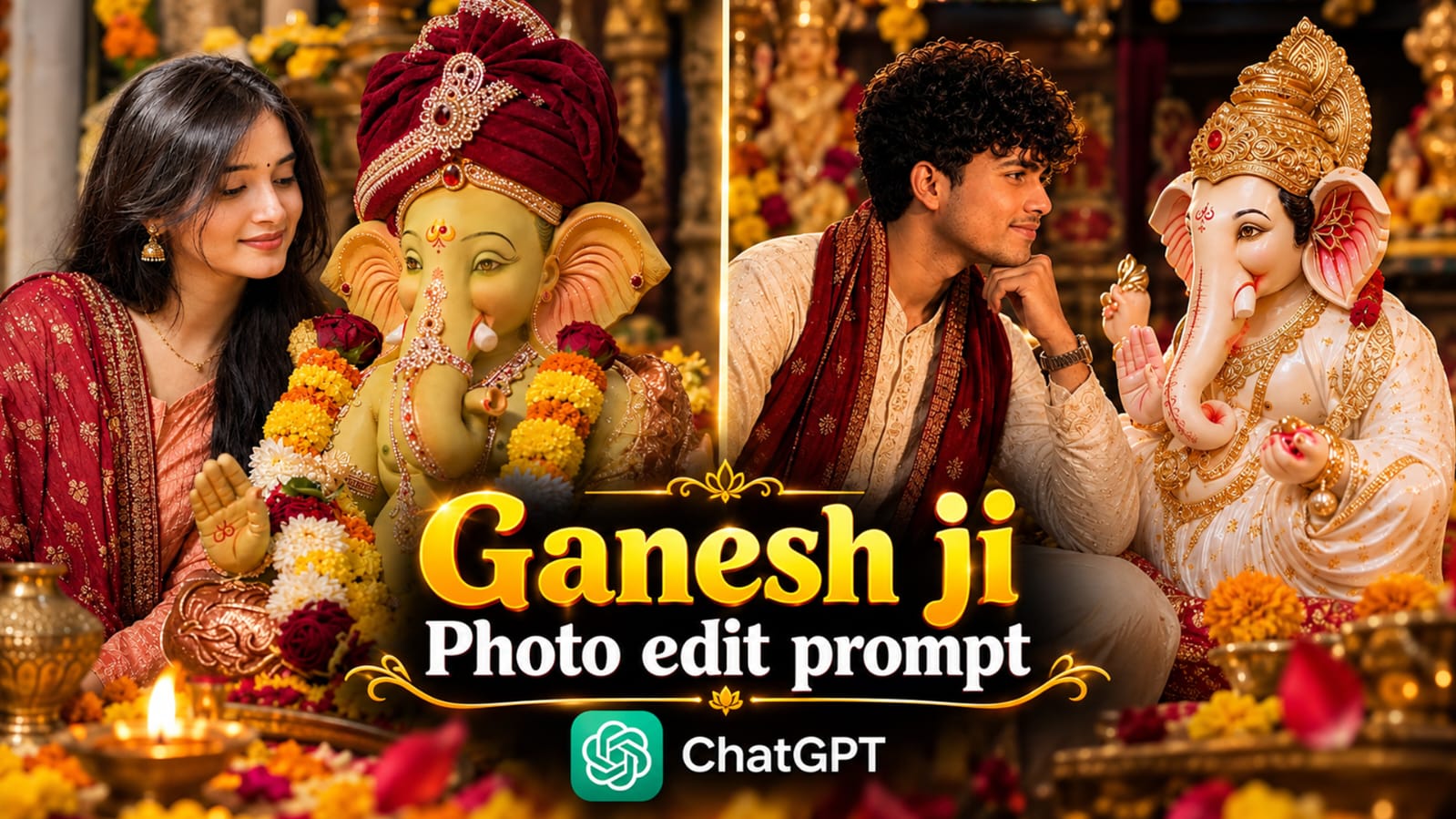
What Is This AI Photo Trend
This trend is simple to understand once you see it. You upload one clear photo of yourself, and then you use an AI photo prompt to place yourself beside a beautifully decorated Ganpati idol. The AI tool studies your face and keeps it looking like you, while building a whole new devotional scene around it flowers, diyas, golden light, and a decorated idol.
People are using this Ganesh Puja Portrait prompt in many different ways. Some want a side-profile picture where they are looking at Ganpati with love. Some want a half-face merge picture where their face and Ganpati’s face blend into one frame. Others want a cute brotherly moment with the idol, or a soft candid picture that looks like it was taken by a friend at a temple.
That is why we picked four different styles for this post, so you get options no matter what mood you want for your festival post this year.
Here is what makes this trend so loved right now:
- No editing skills needed, just a photo and a prompt
- Works well with both ChatGPT photo prompt tools and Gemini photo prompt tools like Nano Banana
- Every photo looks personal, since it is built from your own face
- Perfect timing for Ganesh Chaturthi, Instagram stories, and WhatsApp status
How To Use This Prompt
Using any AI photo editing prompt is easy once you know the basic steps. Here is how each of our four Ganesh Puja Portrait prompt styles work.
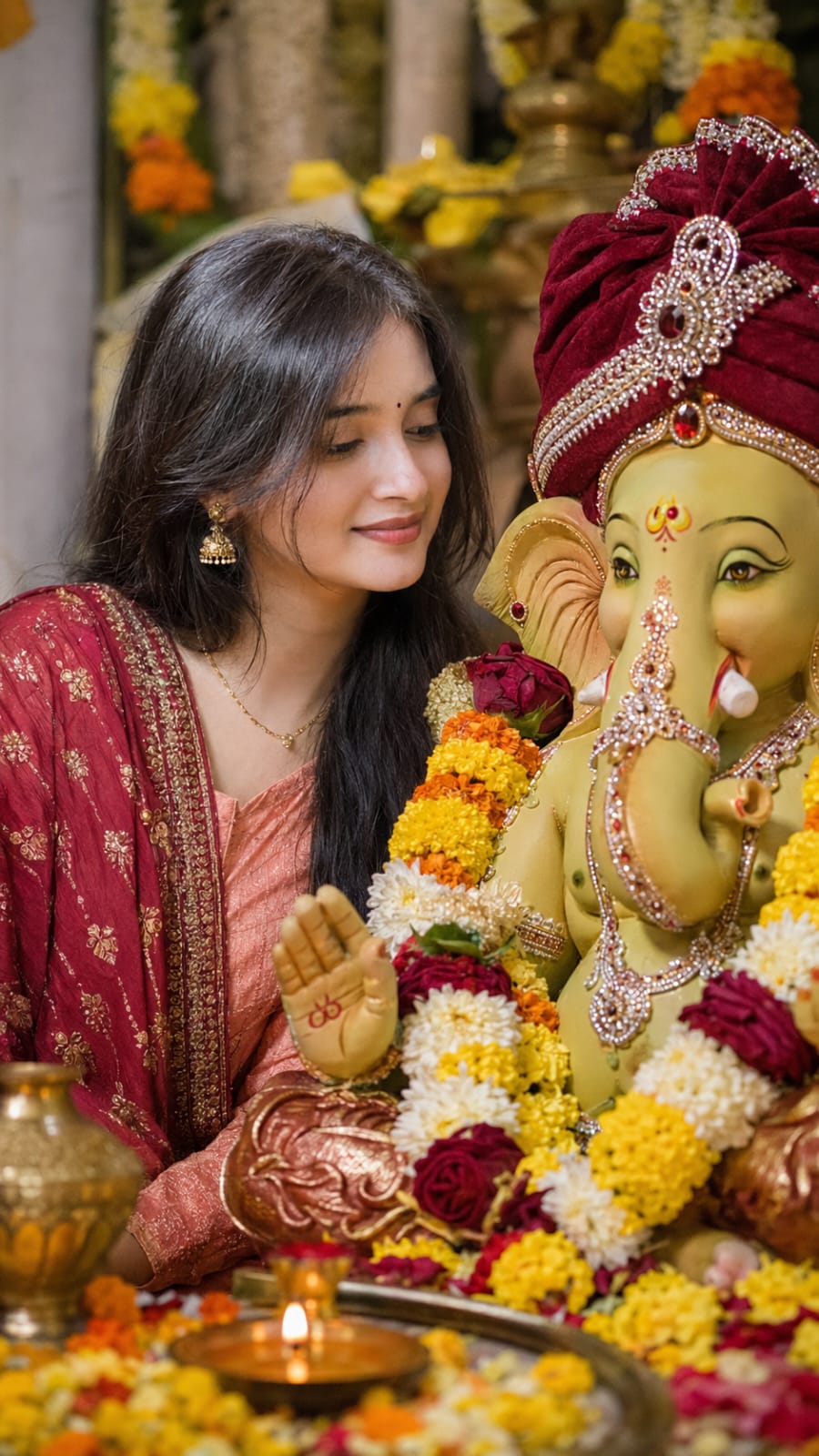
Style 1: Devotional Side Profile Portrait
This one gives you a warm, side-angle picture where you are leaning close to the Ganpati idol with a peaceful smile. To use it, open ChatGPT or Gemini, upload a clear photo of your face, and paste the ready prompt from our prompt box above. Make sure your uploaded photo shows your full face without sunglasses or heavy filters, since the AI copies your real features into the new image.
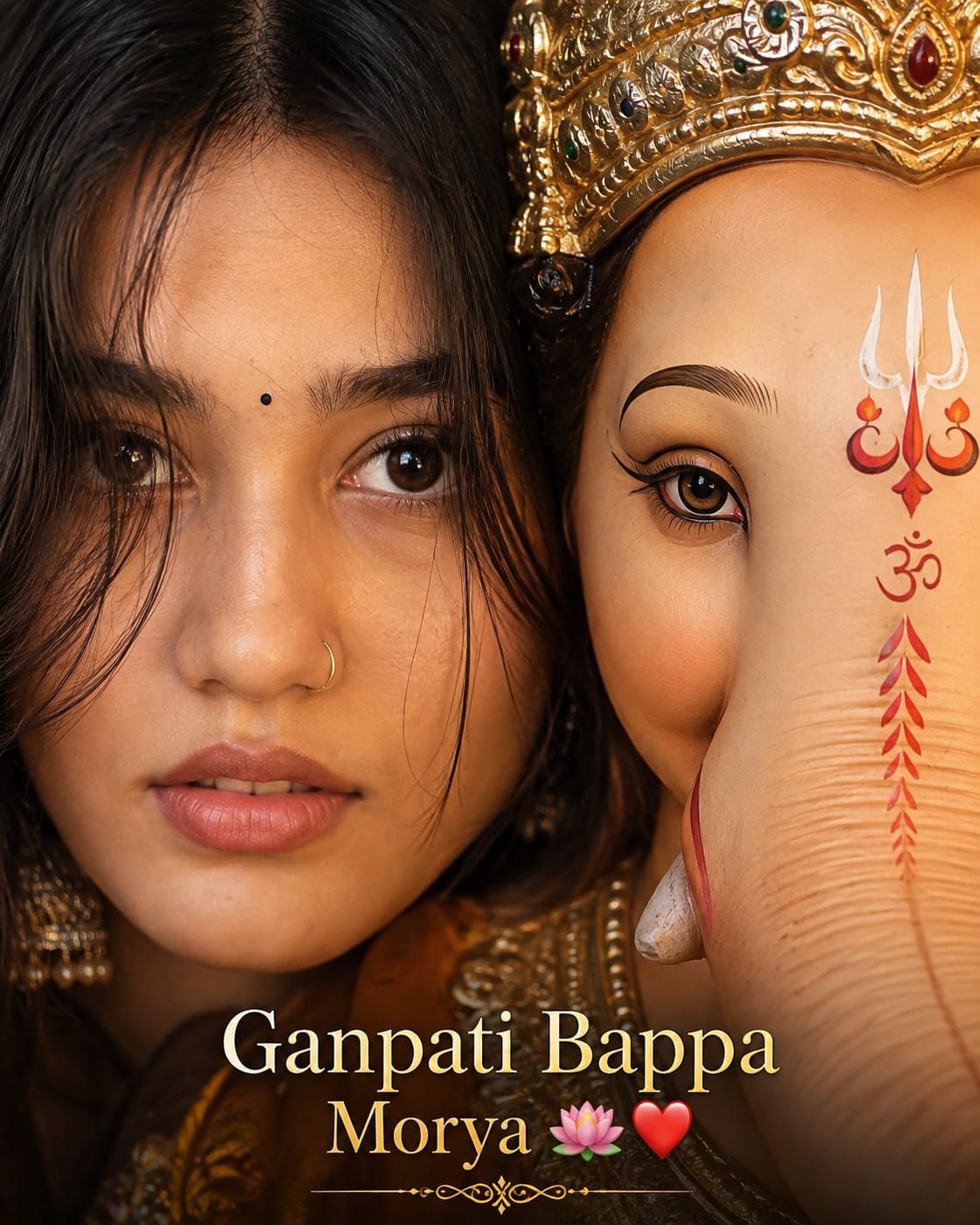
Style 2: Half-Face Divine Merge Portrait
This is the most eye-catching style, where half your face blends beautifully with half of Ganpati’s face. For this one, use a straight, front-facing photo of yourself, since the AI needs to match your eye and face position with Ganpati’s eye. This style works great on both ChatGPT and Gemini, but Gemini’s Nano Banana tool often gives a sharper blend for this kind of close merge shot.
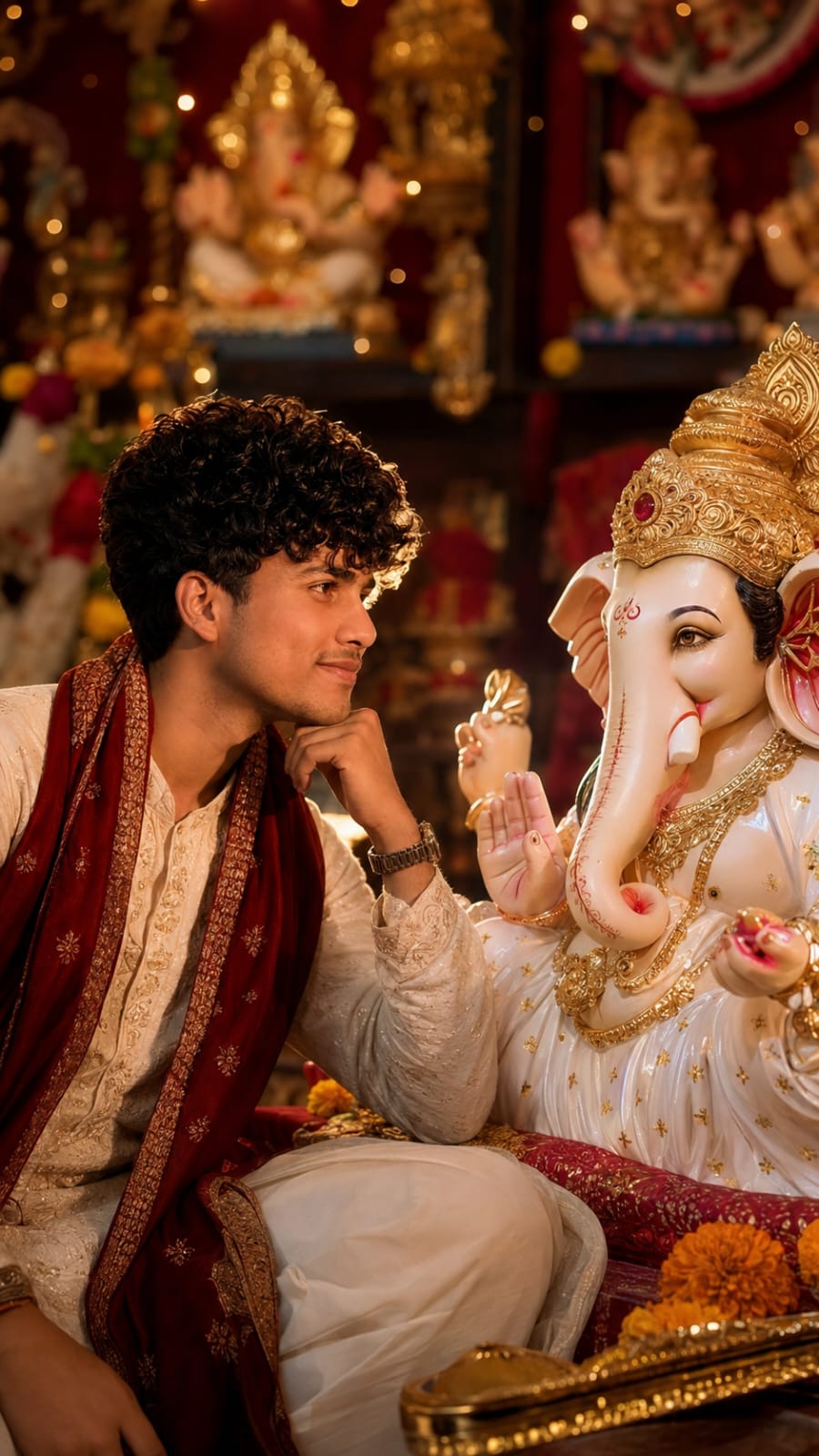
Style 3: Brotherly Blessing Portrait
Made for a calm, thoughtful pose beside the idol, almost like a quiet conversation. Upload a photo where your face and shoulders are visible, since this pose needs the hand-near-chin position to look natural. This prompt works well for boys who want a soft, elegant festival portrait instead of a loud, flashy one.
Style 4: Candid Temple Moment
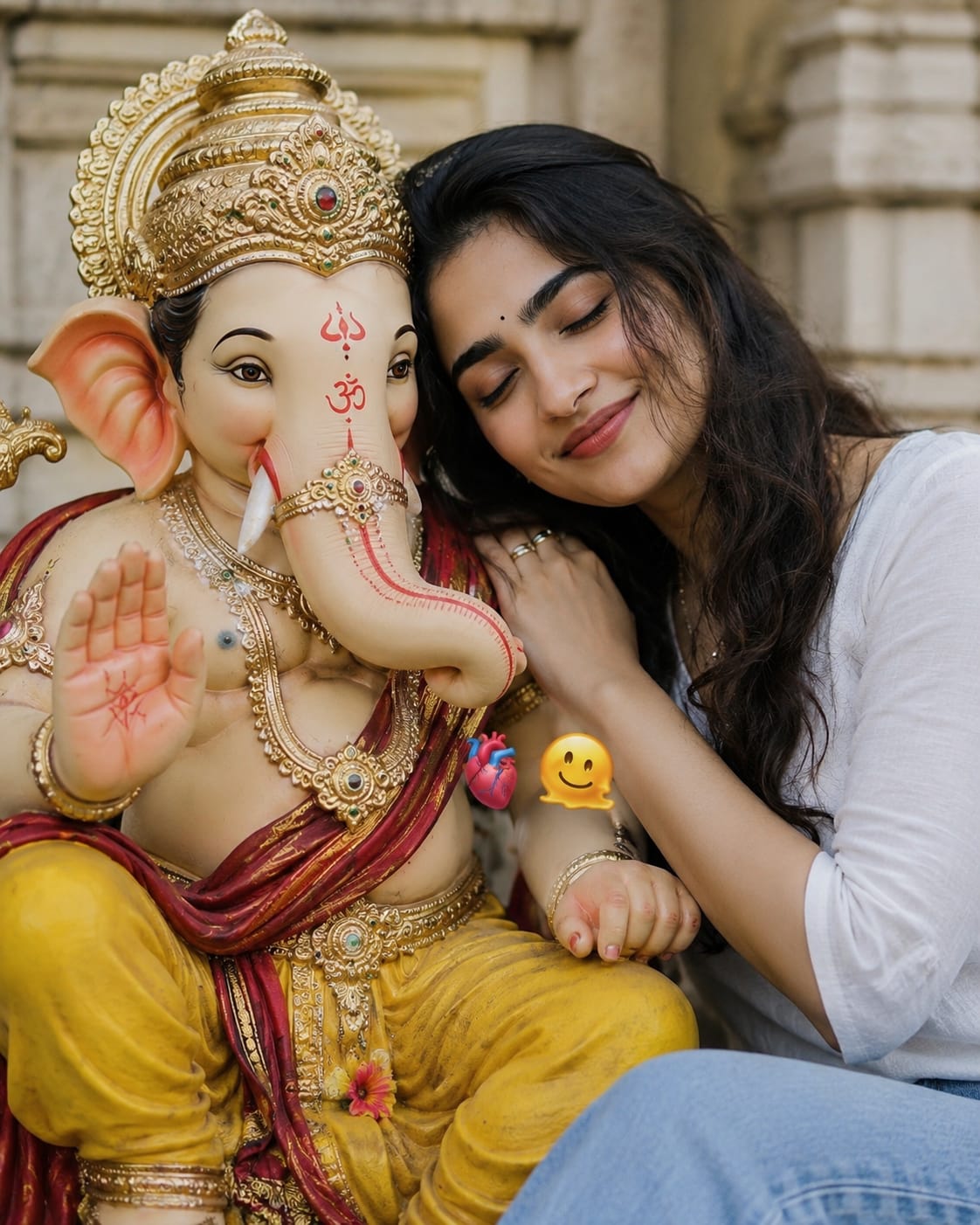
This is the most relaxed style of all four, where you are resting your head near the idol with your eyes closed, like a quiet, personal moment. A simple daylight photo works best here. Some versions of this prompt also add small floating emojis and a soft caption text, which you can keep or remove based on your taste.
For all four styles, remember one thing we are not sharing the exact copy-paste prompt text here in the article body. You will find the full ready-to-use prompt in the prompt box above this post. Just copy it from there, paste it into your AI photo prompt tool, attach your photo, and hit generate.
Tips Before Using
A few small things can make a big difference in how real your final photo looks. Here are our tips for each style of this Ganesh Puja Portrait prompt.
For the Devotional Side Profile Portrait:
- Use a photo with good, even lighting on your face
- Avoid group photos, since the AI can get confused with more than one face
- A slight side angle in your original photo often gives a more natural result
For the Half-Face Divine Merge Portrait:
- Always use a straight, front-facing photo, not a tilted one
- Keep your hair away from your eyes in the original photo
- Try generating it two or three times, since small face-merge details can vary each time
For the Brotherly Blessing Portrait:
- A photo with your shoulders and chest visible works better than a tight face-only photo
- Simple, plain clothing in your original photo gives the AI more room to add the traditional kurta look
- Good daylight photos give cleaner skin tone results than dark indoor photos
For the Candid Temple Moment:
- A calm, natural expression in your original photo works better than a big smile
- Keep the background of your original photo simple, so the AI does not carry over any unwanted objects
- This one looks great with both closed-eyes and soft-smile expressions, so try both if you have time
Best Settings
Getting your aspect ratio and style settings right makes a huge difference in how the final image looks on Instagram or WhatsApp status. Here are the best settings for each prompt style.
Devotional Side Profile Portrait
| Setting | Recommended Value |
|---|---|
| Aspect Ratio | 9:16 (Vertical) |
| Camera Style | 85mm portrait lens, f/1.8 |
| Lighting | Soft warm ambient light |
| Mood | Peaceful, devotional |
| Best For | Instagram Reels cover, WhatsApp status |
Half-Face Divine Merge Portrait
| Setting | Recommended Value |
|---|---|
| Aspect Ratio | 4:5 (Vertical) |
| Camera Style | Close-up, sharp focus |
| Lighting | Warm golden cinematic light |
| Mood | Emotional, devotional |
| Best For | Instagram post, festival poster |
Brotherly Blessing Portrait
| Setting | Recommended Value |
|---|---|
| Aspect Ratio | 9:16 (Vertical) |
| Camera Style | 85mm portrait lens, f/1.8, cinematic bokeh |
| Lighting | Warm golden rim light |
| Mood | Calm, thoughtful |
| Best For | Instagram post, profile picture |
Candid Temple Moment
| Setting | Recommended Value |
|---|---|
| Aspect Ratio | 4:5 (Vertical) |
| Camera Style | Medium close-up, soft focus |
| Lighting | Soft diffused daylight |
| Mood | Warm, candid, personal |
| Best For | Instagram story, casual post |
Who Can Use This Prompt
This Ganesh Puja Portrait prompt is not just for one type of person. It fits many different people and reasons.
- Girls and women who want a soft, elegant devotional post for Ganesh Chaturthi
- Boys and men who want a calm, stylish festival portrait
- Content creators and influencers looking for fresh, seasonal Instagram content
- Anyone who wants a unique WhatsApp status or DP for the festival, without visiting a studio
- Families who want a fun, easy way to create festive pictures together on their phones
Why This Prompt Is Trending
There are a few clear reasons why this Ganpati Bappa AI photo trend is spreading so fast this year.
First, Ganesh Chaturthi is a festival that touches almost every Indian household, so anything connected to Ganpati Bappa naturally gets huge attention on social media. Second, tools like ChatGPT and Gemini have become so easy to use now that anyone with a phone can try an AI photo editing prompt without any technical knowledge.
Third, these AI photo with Ganesh ji pictures feel personal. It is not a random stock photo, it is your own face in a beautiful devotional setting, and that emotional connection is exactly why people love sharing them. And lastly, with Gemini’s Nano Banana model becoming one of the most downloaded AI tools in India, more and more people are experimenting with festival-themed prompts, and Ganpati portraits are leading that wave right now.
FAQs
1. How do I make a Ganpati Bappa AI photo?
You just need one clear photo of your face and a good AI photo prompt. Upload your photo to ChatGPT or Gemini, paste the prompt, and the tool will generate your Ganesh Puja portrait in a few seconds.
2. Which is better for this trend, ChatGPT or Gemini?
Both work well. ChatGPT gives nice, realistic results for side-profile and sitting poses. Gemini’s Nano Banana tool tends to give sharper results for close, half-face merge style pictures.
3. Do I need to pay to try this AI photo prompt?
Most basic versions of ChatGPT and Gemini let you try image generation for free, though some advanced features may need a paid plan depending on the app you are using.
4. Can I use a normal selfie for this prompt?
Yes, but a clear, well-lit selfie without sunglasses or heavy filters gives the best result, since the AI copies your real face details into the new picture.
5. Is it fine to use this Ganpati Bappa AI photo for Instagram and WhatsApp status?
Yes, absolutely. This trend was made exactly for that. Just pick the aspect ratio that fits your platform, and your festive post is ready.
Conclusion
Ganesh Chaturthi is the perfect time to try something creative, and this Ganesh Puja Portrait prompt gives you four lovely ways to do it. Whether you like the soft side-profile look, the emotional half-face merge, the calm brotherly pose, or the candid temple moment, there is a style here for everyone.
Go ahead, pick your favourite style from the prompt box above, try it on ChatGPT or Gemini, and share your Ganpati Bappa AI photo with the world this festive season. For more trending AI photo prompts like this, keep visiting RonyTica we bring you the newest, easiest AI trends before everyone else catches up.