


If you have been scrolling Instagram or Facebook lately, you must have seen those stunning photos where a person stands in front, and a huge, glowing figure of Lord Krishna stands behind them like a divine shadow. This is the Lord Krishna Cinematic Photo trend, and it is everywhere right now. People love this style because it feels powerful, spiritual, and cinematic at the same time. It looks like something straight out of a movie poster, but you can create it with just your own photo and a good AI prompt. No fancy camera, no studio lights, no editing skills needed.
At RonyTica, we keep bringing you the best AI photo trends before they get too common, and this Lord Krishna Cinematic Photo trend is one of the most beautiful ones we have seen this year. In this post, we are sharing three different styles of this trend, so you can pick the one that matches your vibe the best. Keep reading, because we will also tell you how to use it, what mistakes to avoid, and the best settings to get that perfect divine look.
Which AI Tool Works Best For This Photo Style
For this Lord Krishna Cinematic Photo trend, ChatGPT works the best. It understands detailed image instructions very well and keeps your face and body exactly the same as your original photo, which is very important for this kind of devotional photo. Other AI image tools may also work, but the results can differ a little in terms of lighting, smoke effects, and how well your identity is preserved. We always suggest starting with ChatGPT for the most reliable and realistic output.
How To Use This Prompt
We have three different versions of this trend in this post. Each one has its own mood and color style. Here is how to use each one.
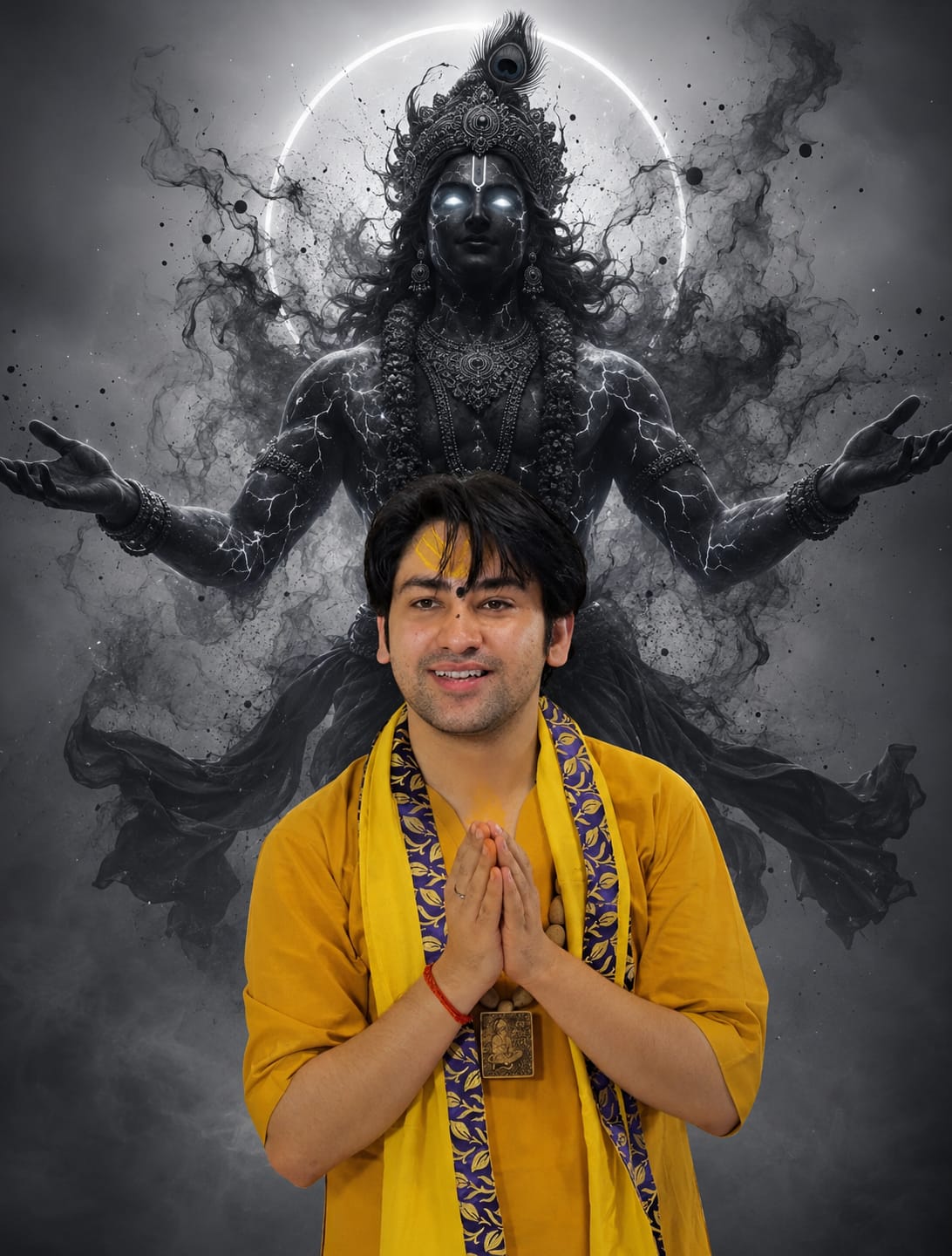
Version 1 : Classic Grey Krishna Blessing
This version keeps a soft, minimal grey background with a dark silhouette of Krishna standing behind you. Open ChatGPT, upload your clear front-facing photo, paste the prompt (you will find it in the prompt box below this article), and generate your image. Keep your original photo simple, with good lighting on your face, for the best result.
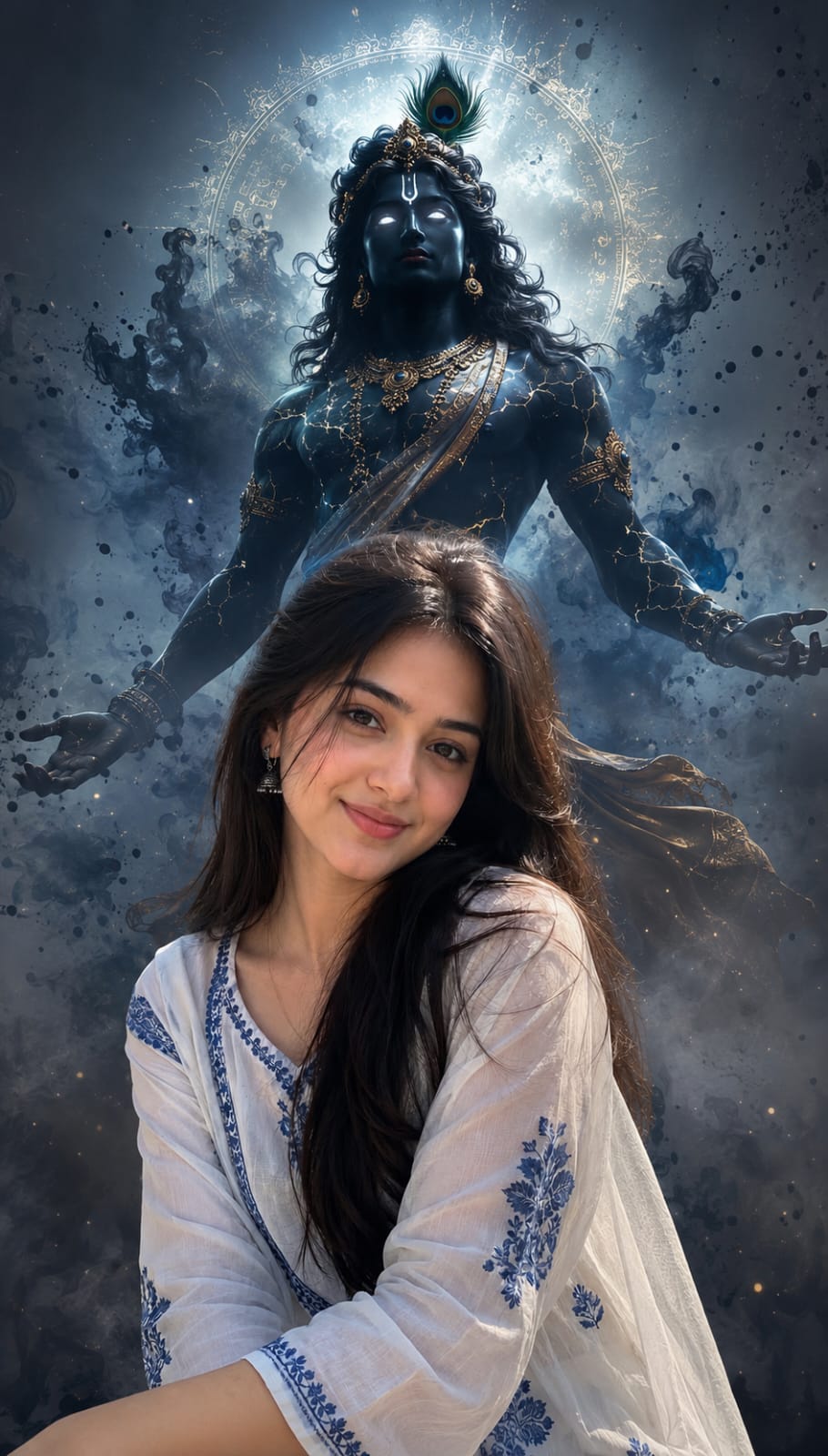
Version 2 : Golden HDR Krishna
This version adds a warm, golden and glowing touch to the Krishna figure, making it look more royal and majestic. Upload your photo the same way, paste the Version 2 prompt from the prompt box, and let ChatGPT do the work. This version looks amazing if your outfit has yellow, white, or gold tones.
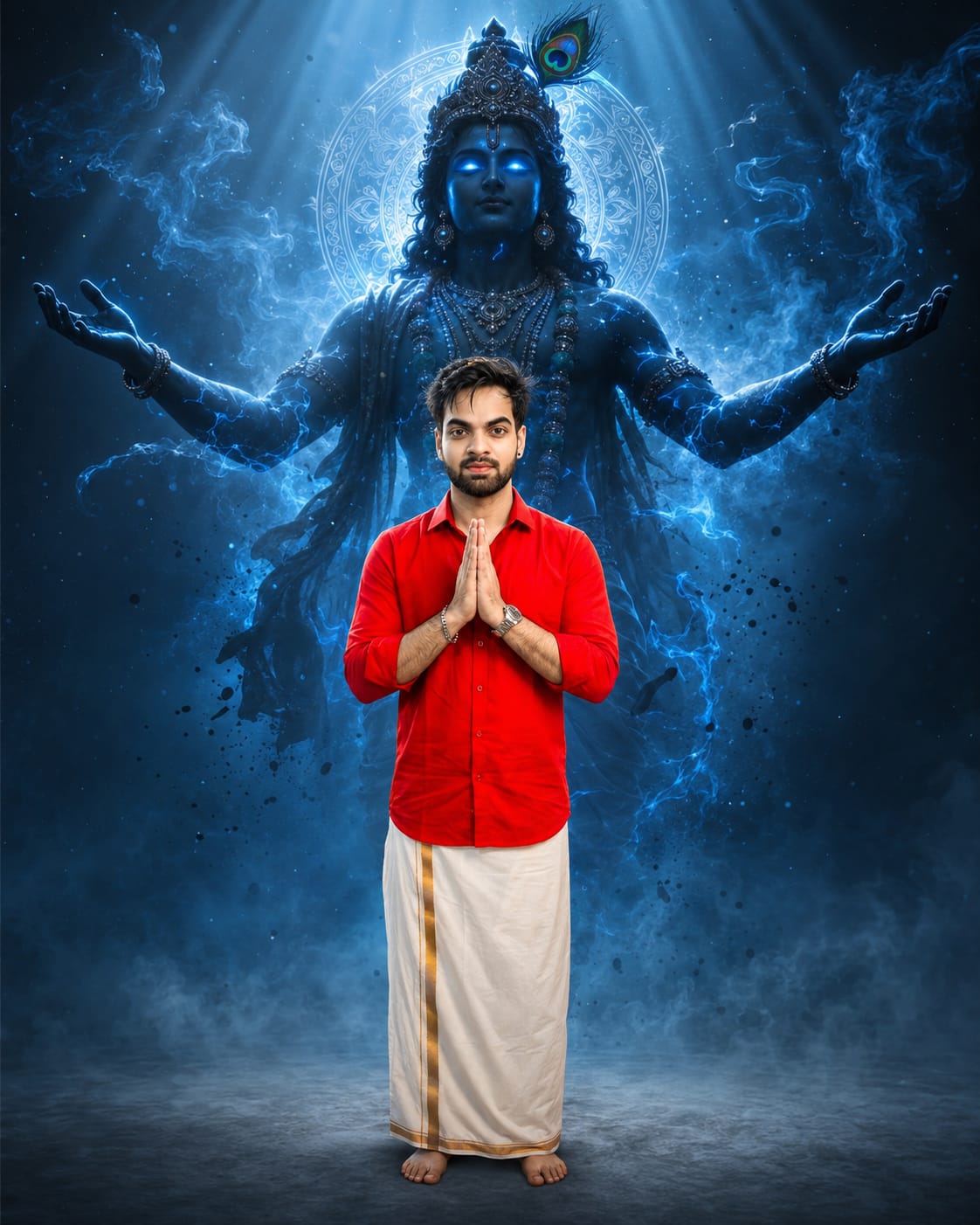
Version 3 : Blue Cinematic Krishna
This is the most dramatic version, with deep blue light rays, mist, and glowing blue energy lines on Krishna’s body. Upload your photo, paste the Version 3 prompt, and generate. This one works beautifully with red, white, or dark colored outfits, since blue light contrasts nicely with them.
Tips Before Using This Prompt
A few small tips can make a big difference in your final result. Here are our suggestions for each version.
Tips For Classic Grey Krishna Blessing
- Use a plain background in your original photo so the AI can replace it easily.
- Make sure your face is clearly visible, with no cap or sunglasses.
- Stand in the center of the frame for the best composition.
Tips For Golden HDR Krishna
- Wear light or bright colored clothes for a better contrast with the golden glow.
- Avoid busy patterns on your outfit, as they can look messy with the golden effects.
- Keep your hands folded or in a calm pose for a devotional feel.
Tips For Blue Cinematic Krishna
- A front-facing photo with a neutral expression works best for this dramatic style.
- Try this version if you want a darker, more powerful and mysterious mood.
- Full-body photos work very well for this version, as it shows the light rays properly.
Best Settings For Each Version
Here is a quick settings guide for all three versions of this Lord Krishna Cinematic Photo prompt.
| Setting | Classic Grey Krishna Blessing | Golden HDR Krishna | Blue Cinematic Krishna |
|---|---|---|---|
| Best AI Tool | ChatGPT | ChatGPT | ChatGPT |
| Aspect Ratio | 4:5 (1080x1350px) | 4:5 (1080x1350px) | 4:5 (1080x1350px) |
| Background Tone | Light grey, minimal | Grey with golden glow | Deep blue and black |
| Best Outfit Color | Any solid color | Yellow, white, gold | Red, white, dark shades |
| Photo Type | Half body, front facing | Half body, front facing | Full body works best |
| Mood | Soft and peaceful | Royal and majestic | Bold and dramatic |
Common Mistakes To Avoid
Even a great prompt can give a bad result if a few small things go wrong. Here are the mistakes people usually make with this Lord Krishna Cinematic Photo trend.
- Using a blurry or dark photo: The AI needs a clear photo to keep your face details correct. A blurry photo often leads to a distorted or unnatural face.
- Choosing a busy background: A cluttered background in your original photo can confuse the AI while creating the Krishna figure behind you.
- Cropping your photo too close: If your photo is cropped too tightly, the AI may not have enough space to add the full Krishna figure properly.
- Ignoring the aspect ratio: Skipping the 4:5 ratio can lead to a stretched or cropped final image, especially when you post it on Instagram.
- Ignoring lighting on the face: If your face is too dark or has harsh shadows, the final divine photo will not look natural.
Why You Will Love This Prompt
This Lord Krishna Cinematic Photo trend is not just another AI filter. It gives you a feeling of strength, faith, and beauty, all in one single image. Whether you choose the soft Classic Grey version, the royal Golden HDR version, or the powerful Blue Cinematic version, each one tells a different story while keeping your identity exactly the same.
It is perfect for festivals, spiritual posts, or simply when you want a profile picture that stands out. And the best part is, RonyTica gives you all three versions in one place, so you don’t have to search anywhere else.
Frequently Asked Questions
1. Which AI tool is best for this Lord Krishna Cinematic Photo prompt?
ChatGPT gives the most accurate and realistic results, especially for keeping your face and body exactly the same.
2. Will this prompt change my face or body shape?
No, all three prompts are designed to keep your identity 100% unchanged. Only the background and Krishna figure are added.
3. Which photo type should I use for the best result?
A clear, well-lit, front-facing photo with a simple background gives the best result for all three versions.
4. Can I use this prompt for a full body photo?
Yes, especially the Blue Cinematic Krishna version, which looks stunning with full body shots.
5. Is this prompt free to use?
Yes, you can use ChatGPT’s free version to try this prompt, though results may vary based on your access level.
6. Can I use this photo for social media?
Absolutely, this style is extremely popular on Instagram and Facebook and gets great engagement.
Conclusion
The Lord Krishna Cinematic Photo trend is one of the most beautiful and meaningful AI photo styles trending right now, and we are glad to share all three versions with you here on RonyTica. Try each one, find your favorite, and don’t forget to share your creation with us.
Keep visiting RonyTica for more such trending AI prompts, tutorials, and editing templates, made simple for everyone.



