


Have you seen those dreamy photos on Instagram where a person is standing under a big blue sky, full of fluffy white clouds, with sun rays falling on their face? This look is called the realistic cloudy and sunlight photo prompt style, and right now it is one of the most loved AI photo trends. People are using it for their profile pictures, Instagram reels cover, and even for birthday posts.
At RonyTica, we keep bringing you the newest and most viral AI photo trends so that you never miss out. This time, we are sharing a full guide on the realistic cloudy and sunlight photo prompt. With this one prompt style, you can turn a normal photo into a dramatic, magazine-style portrait, standing tall under a bright blue sky with clouds all around you.
This trend works for both boys and girls, and you do not need any big camera or studio setup. You just need your own clear photo, and ChatGPT will do the rest. In this RonyTica guide, we will show you which AI to use, how to use the prompt, some easy tips, and the common mistakes people make with this realistic cloudy and sunlight photo prompt style. Let’s get started.
Best AI Tool For This Sky Portrait Style
For the realistic cloudy and sunlight photo prompt trend, ChatGPT is the best and easiest option. ChatGPT now lets you upload your own photo along with a text prompt, and it creates a new AI image while keeping your face the same. This is very important for this trend, because the whole magic is in seeing your own face under that big dramatic sky.
You do not need any paid or extra tool for this. A normal ChatGPT account with image upload support is enough. Some other AI image tools may also work, but ChatGPT gives the most realistic skin texture, natural lighting, and correct face match, which is exactly what this cloudy sky style needs.
Step By Step : How To Create Your Own Sky Portrait
This realistic cloudy and sunlight photo prompt trend has four different looks that you can try. Two are close-up face shots, and two are full-body shots taken from a low angle. Pick any one style, or try all four, one by one.
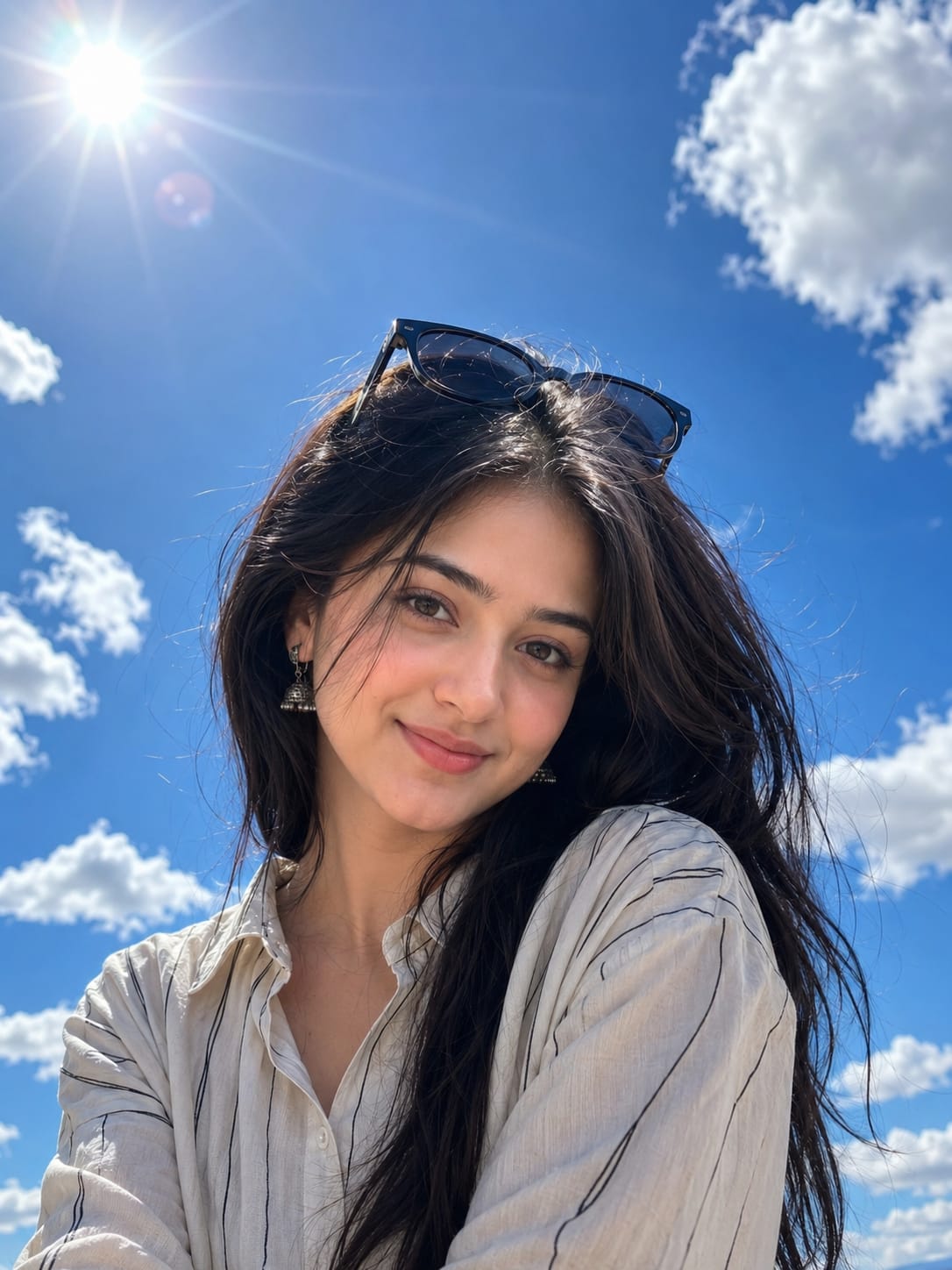
Look 1 : Close-Up Sky Portrait For Girls
For this look, upload one clear, front-facing photo of yourself. Make sure your face is fully visible and not blocked by hair or shadow. Then paste the prompt given in the prompt box above (in the designated prompt section on this page) into ChatGPT along with your photo. ChatGPT will then generate a close-up portrait of you, with your same face, standing under a wide blue sky full of clouds, with the sun shining from one side.
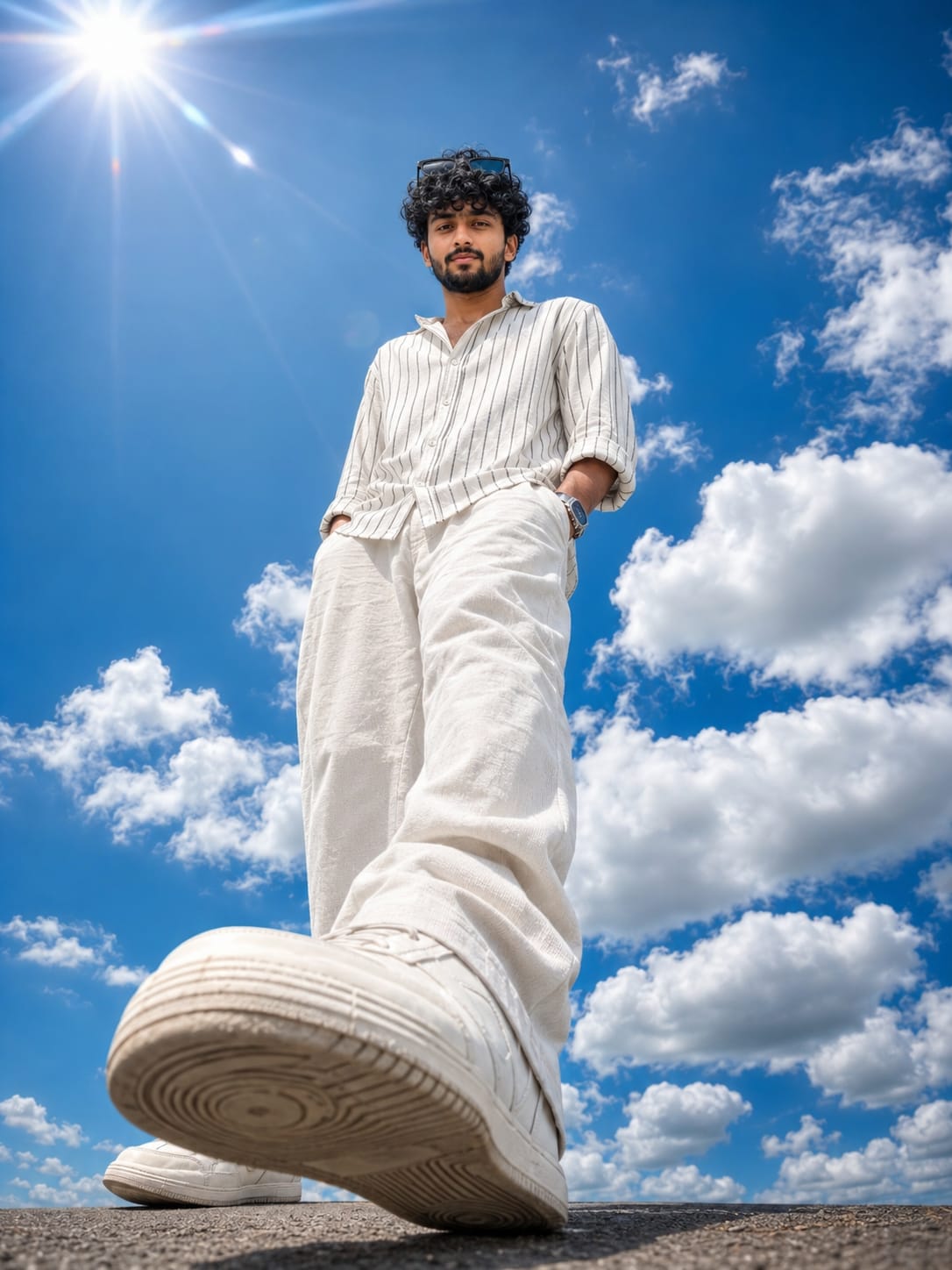
Look 2 : Full-Body Sky Walk For Boys
This one gives a more dramatic, stylish result. Upload a clear photo where your face is visible. Paste the second prompt from the prompt box into ChatGPT along with your image. This will create a full-body picture of you, shot from a very low angle, almost like the camera is placed on the ground, with your shoe looking big in the front and the huge sky behind you.
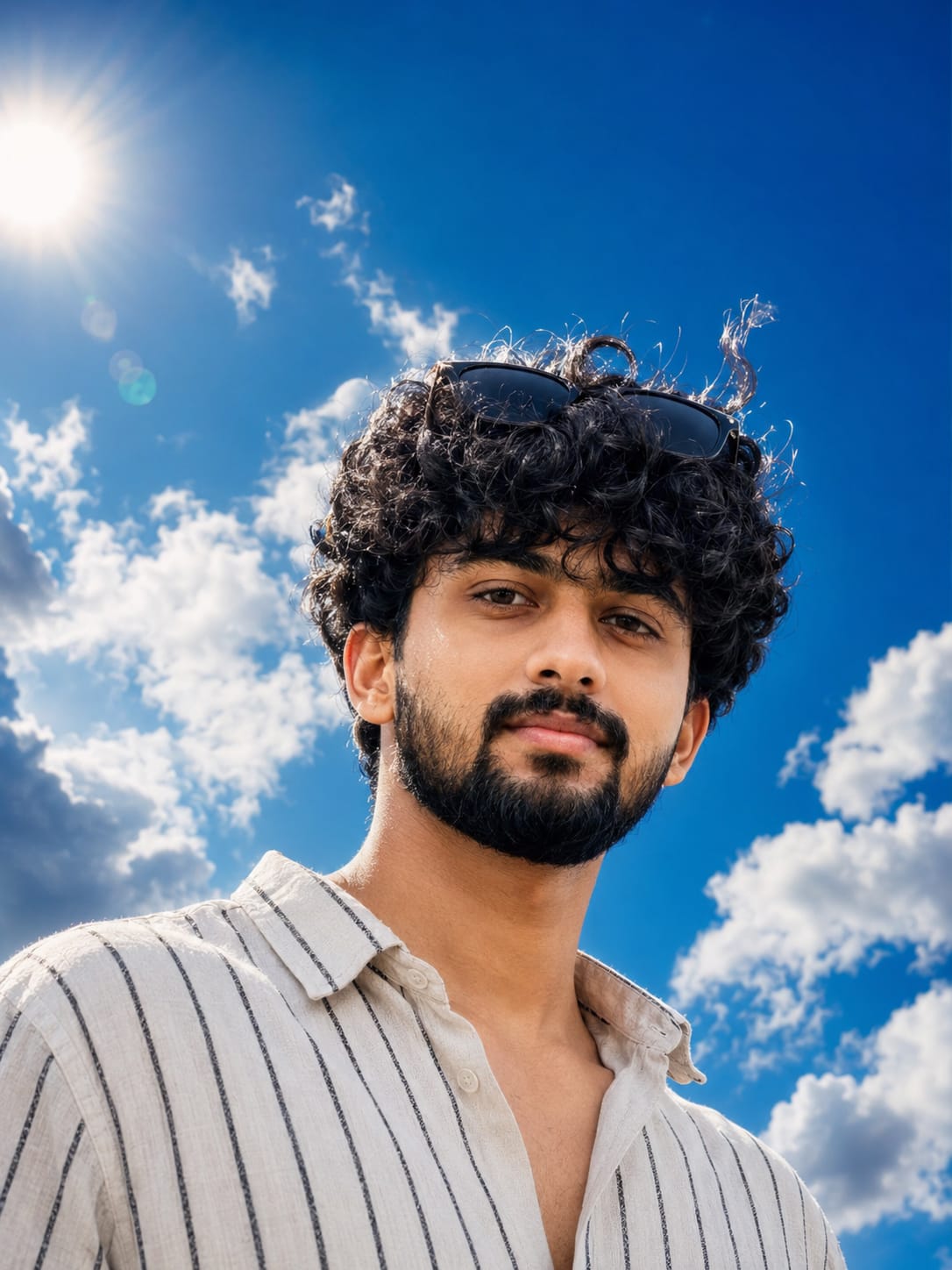
Look 3 : Close-Up Sky Portrait For Boys
Boys can also try this same cloudy sky trend. Upload one clear face photo, front facing, without sunglasses or cap covering your face. Then use the third prompt from the prompt box. ChatGPT will keep your same face, beard, and hair style, and place you under that same dramatic blue sky with sunlight falling on you.
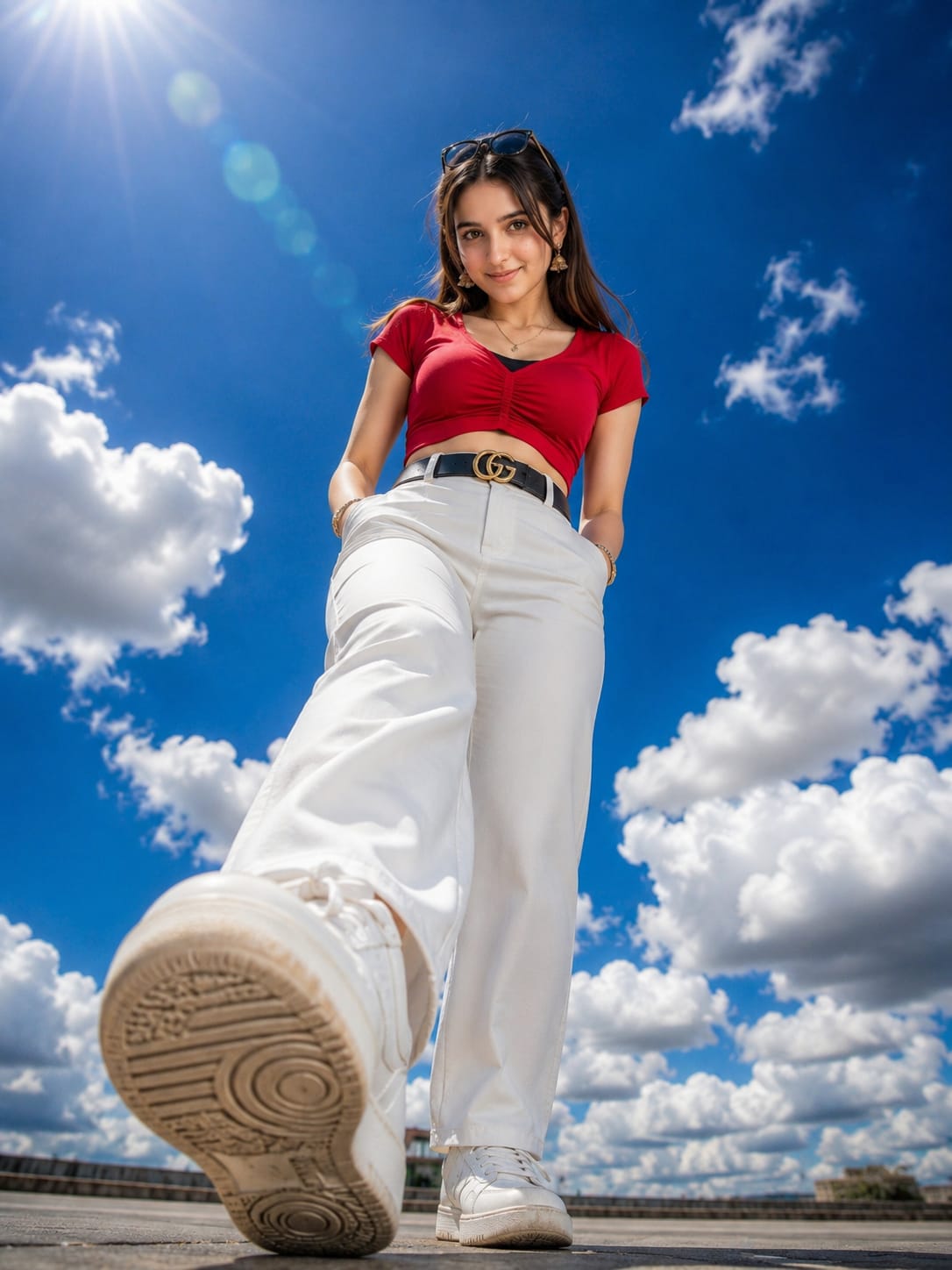
Look 4 : Full-Body Sky Walk (Outfit Style)
This last look is for those who want to keep their own outfit exactly as it is in their photo, instead of changing it to a plain shirt. Upload a full-body photo where your outfit and accessories are clearly visible. Use the fourth prompt from the prompt box. ChatGPT will copy your same outfit, same face, and place you in the same low-angle, big-sky style photo.
Helpful Tips Before You Try This Prompt
Tips For Look 1 and Look 3 (Close-Up Shots)
Use a photo where your face is clear and well-lit, without heavy filters. A photo where you are looking straight into the camera works best. If your hair covers your eyes in the original photo, try a different photo, because the AI copies your hairstyle too.
Tips For Look 2 (Full-Body, Plain Outfit)
Since this look changes your outfit to a simple linen shirt and pants, you do not need to worry about what you are wearing in the original photo. Just make sure your full body and face are visible in the photo you upload, so ChatGPT can understand your body shape correctly.
Tips For Look 4 (Full-Body, Same Outfit)
Here, since your outfit stays the same, upload a photo where your clothes, belt, and shoes are all clearly seen, without any part of the outfit hidden or blurry. This helps ChatGPT copy the exact same outfit details in the new sky photo.
Best Settings To Get The Most Realistic Result
| Setting | Look 1 (Girls Close-Up) | Look 2 (Boys Full-Body) | Look 3 (Boys Close-Up) | Look 4 (Full-Body Same Outfit) |
|---|---|---|---|---|
| Photo Type To Upload | Clear front face photo | Clear full-body photo | Clear front face photo | Clear full-body photo with outfit visible |
| Best Lighting In Original Photo | Bright, natural light | Bright, natural light | Bright, natural light | Bright, natural light |
| Face Angle | Straight or slight tilt | Straight | Straight | Straight |
| AI Tool | ChatGPT | ChatGPT | ChatGPT | ChatGPT |
| Aspect Ratio | 3:4 Portrait | 3:4 Portrait | 3:4 Portrait | 3:4 Portrait |
Mistakes People Often Make With This Prompt
Many people upload a blurry or dark photo and then wonder why their AI result does not look realistic. Always start with a clear, well-lit photo, because the whole realistic cloudy and sunlight photo prompt depends on the AI reading your face correctly.
Another common mistake is uploading a photo where your face is turned too much to one side. This can confuse the AI and change your face shape in the final image. Also, many people skip mentioning “same face, same identity” type instructions, which are already added in our prompt box, so make sure you do not remove that part while using it.
Some users also forget that Look 2 and Look 3 already change the outfit to a simple linen shirt, so if you want your own clothes to show, you should pick Look 4 instead.
Why This Sky Portrait Style Is So Loved
This realistic cloudy and sunlight photo prompt style feels different from normal AI photos because of the huge open sky and the natural sunlight look. It gives your photo a cinematic, magazine-cover type feeling, which is why so many creators are using it for their reels and post covers.
It also works for anyone, whether you want a simple close-up face shot or a bold full-body shot with a dramatic camera angle. Since ChatGPT keeps your same face, the result still feels like you, just captured in a much more stylish way.
Frequently Asked Questions
Is this realistic cloudy and sunlight photo prompt free to use?
Yes, if you already have a ChatGPT account that supports image upload and generation, you do not need to pay anything extra to try this style.
Will the AI change my face?
No, the prompt is written to keep your same face, skin tone, and features. Just make sure your uploaded photo is clear so the AI has a good reference.
Can I use my phone camera photo for this?
Yes, a normal phone photo works fine, as long as it is clear, well-lit, and your face is fully visible.
Which look should I try first?
If you want a simple, quick result, try the close-up look. If you want a more dramatic and stylish photo, go for the full-body low-angle look.
Does this work for group photos?
No, this prompt is designed for a single person. For best results, always upload a solo photo.
Can boys and girls use the same prompt?
The overall sky and lighting style is the same for everyone, but the exact prompt wording is slightly different for close-up and full-body shots, and for keeping or changing the outfit. Pick the look that matches what you want.
Do I need a professional camera for the original photo?
No, a clear photo from your phone is enough. The AI does all the camera work for you in the final result.
Can I use this for my Instagram profile picture?
Yes, this style is very popular for profile pictures, reels covers, and even birthday posts, because of its bold and eye-catching look.
Final Words
The realistic cloudy and sunlight photo prompt trend is a fun and easy way to turn your normal photo into a stunning, sky-themed portrait, without needing any camera skills. Just pick your favourite look from the four styles we shared, upload a clear photo, and use the correct prompt from our prompt box.
We hope this RonyTica guide made it simple for you to understand and try this trend. Keep visiting RonyTica for more such easy and trending AI photo prompt guides, made simple for everyone to follow.




Love
pitambarmajhi165@gmail.com
Siduri xjeir osurr ofueor osurjdid