

Want that dreamy photo of someone listening to music by a train window at sunset? Here are two prompts, one for a woman and one for a man. Copy, upload your photo, done.
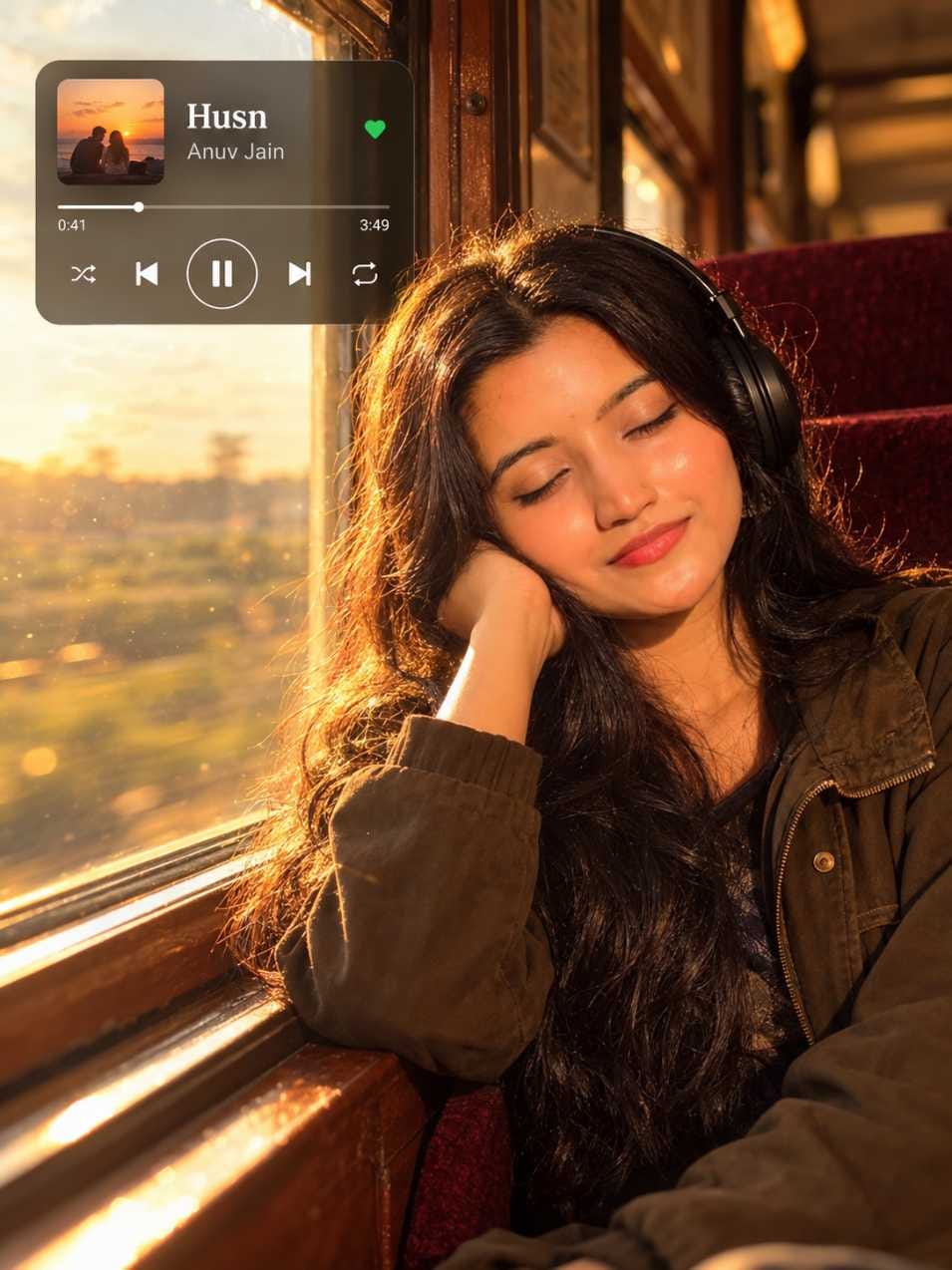
Look 1: the woman. Long wavy hair, olive-brown jacket, eyes closed, cheek on her hand.
IMAGE 1: Young woman by a train window with headphones, golden light on her face, a dark music player card with the song “Husn” in the top-left corner
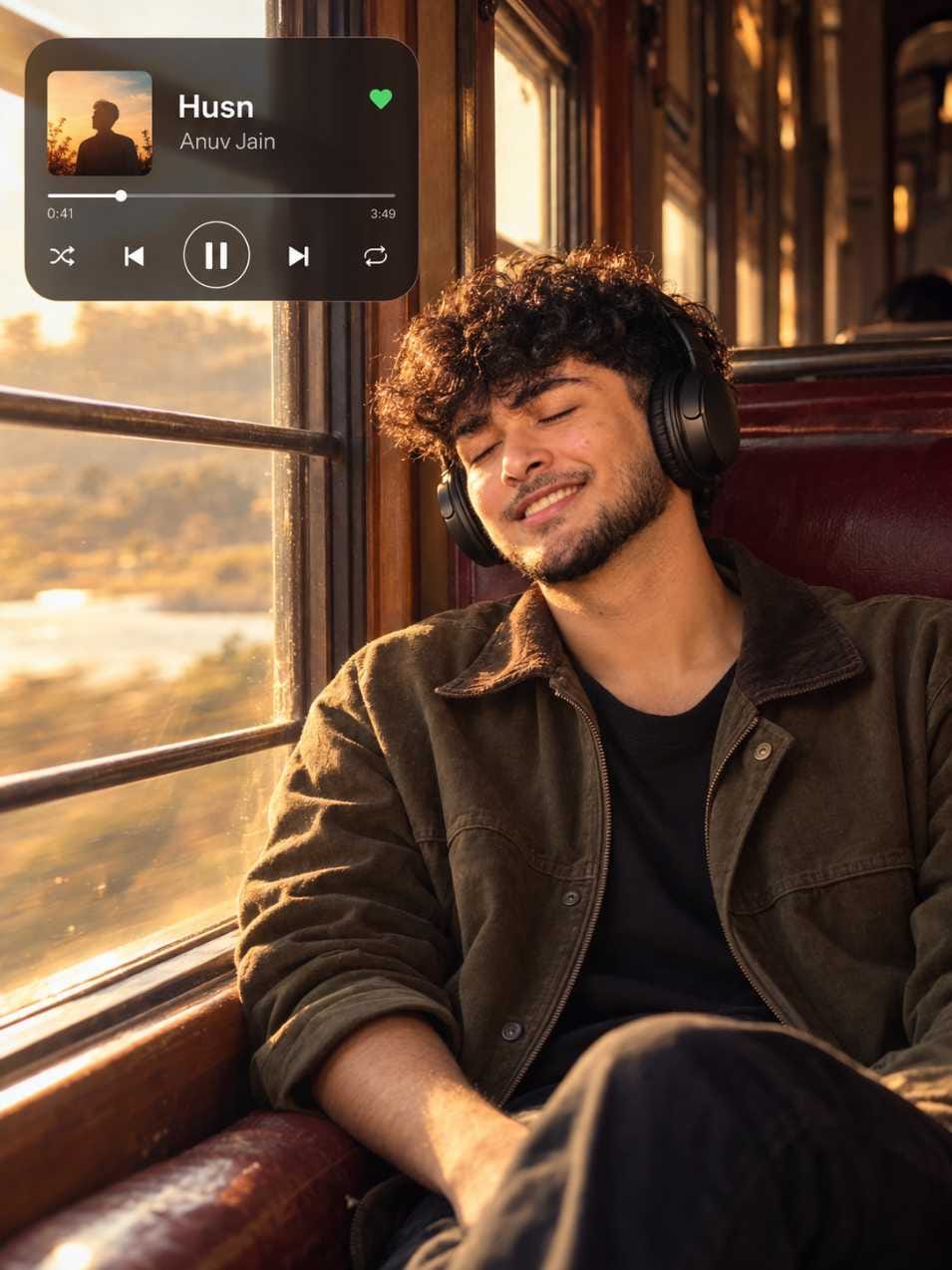
Look 2: the man. Curly hair, short beard, a gentle smile. This prompt is written in a more structured way, with the song details, photo style, colour tone, layout and camera settings listed separately. That makes it easier to edit one part without breaking the rest.
IMAGE 2: Young man leaning back in a train seat with headphones, warm sunlight through the window bars, player card in the top-left corner
Three Steps to Use It
- Open ChatGPT and start a new chat. Upload your clear photo first.
- Paste the prompt from the box above that suits you. Send it.
- Wait for the image. If something is off, ask for one fix at a time, like “make the player text sharper.”
How the Prompt Works
Both prompts tell ChatGPT to make a film-style portrait of a person enjoying music on an old train at sunset. They describe the headphones, the jacket, wooden window frames, burgundy seats and a glowing light from behind. Outside the window, everything is soft, blurry and golden.
The small music player card is the special part. The prompt designs it with a song name, artist, a time bar and buttons, but no brand logos. It also fixes the camera look, the colour tone, the portrait shape and where the person sits in the frame. The man’s version puts the subject on the right and the player in the upper left.
There is also a list of things to avoid: logos, watermarks, cartoon looks, bad faces and hands, and harsh or too-bright colour. That list keeps the photo looking real and calm.
Quick Swaps for Each Look
| What you change | What usually happens |
|---|---|
| Hair style or colour (straight, tied back, curly) | The whole face feel changes. Try one change at a time. |
| Jacket or clothes (denim jacket, shawl) | Sets a new mood and colour match with the light. |
| Song title, artist, time on the player | Makes the card personal. Keep the words short. |
| Light (soft blue dusk, rainy grey afternoon, hazy morning, deep orange sunset) | Biggest change in mood, from warm and happy to quiet and sad. |
| Scenery outside (hills, fields, river) | Changes the background glow and the feeling of the journey. |
| Seat colour or window bars | Small change, but it makes the train feel different. |
| Beard or hairstyle (for the man) | Clean-shaven or longer hair gives a new look. |
Which Photo to Upload
Use a photo with soft, even light and your face fully visible. Look at the camera or slightly away, but don’t hide your eyes or cover your face with a hand. A plain background helps. Skip heavy filters and beauty apps, because they confuse the face. A sharp, normal-size photo is better than a tiny blurry one.
Common Mistakes and Fixes
The hair doesn’t match. The woman’s prompt asks for naturally curly, messy hair, but the result can show long wavy hair. Ask again with “curly hair” as the only change.
The face looks different. This can happen with both looks. Upload a clearer front-facing photo and say “keep the face exactly like my photo.”
The player card text is wrong. The album art and small letters may come out different from what you asked. Ask ChatGPT to redo only the card, with the exact song and artist.
The headphones look odd. Zoom in and check the shape. Ask for plain black over-ear headphones again.
Post It on Instagram and Facebook
A single post works best for this image. It’s one calm mood, and people stop to read the player card. A carousel also works if you post the woman and man looks together. A reel is good if you add music, see the idea below.
Sizes: 4:5 portrait, 1080×1350, for feed posts. 9:16, 1080×1920, for reels and stories.
Three captions, three voices:
Soft: “Window seat, headphones, and a song on repeat.”
Funny: “My phone says 5 percent battery. My playlist says one more song.”
Short: “Husn. Sunset. Done.”
Hashtags: #TrainWindowPortrait #MusicPlayerCardAI #GoldenHourTrain #HeadphonesAesthetic #NostalgicVibes #VintageTrainPhoto #AIPortraitPrompt #ChatGPTPhotoPrompt #DreamyPortrait #FilmStyleAI
For people to find the post, put words like “train window,” “AI portrait,” “ChatGPT prompt” and “music aesthetic” in your caption.
Turn It into a Reel
- Save the final image in the 9:16 size, or crop it.
- Open Google Flow or any video editor app. Add the image and make a short clip with slow zoom or gentle motion.
- Add a soft song and keep the player card visible. Export and post.
Before You Save
Zoom in on the face, the hands, the headphones and the small text on the player card. If one thing is wrong, fix it now. It takes one more try, not a full restart.
Frequently Asked Questions
Yes. Use the first prompt for the woman look and the second for the man look. You can also swap the details like hair and jacket.
Yes. Change the song, artist and time. Keep it short so the text stays clear.
The face may not match the uploaded photo. Use a clearer photo and ask ChatGPT to keep the face the same.
Yes. Change the light and the outside view to hills, fields or a river.


Raval oad